Logic you can read, step by step.
Build the logic your app needs. Orbit runs each workflow on your data, on a server, and lets you see what happened at every step.
Free to build. Your first live app is free too, on your own domain.
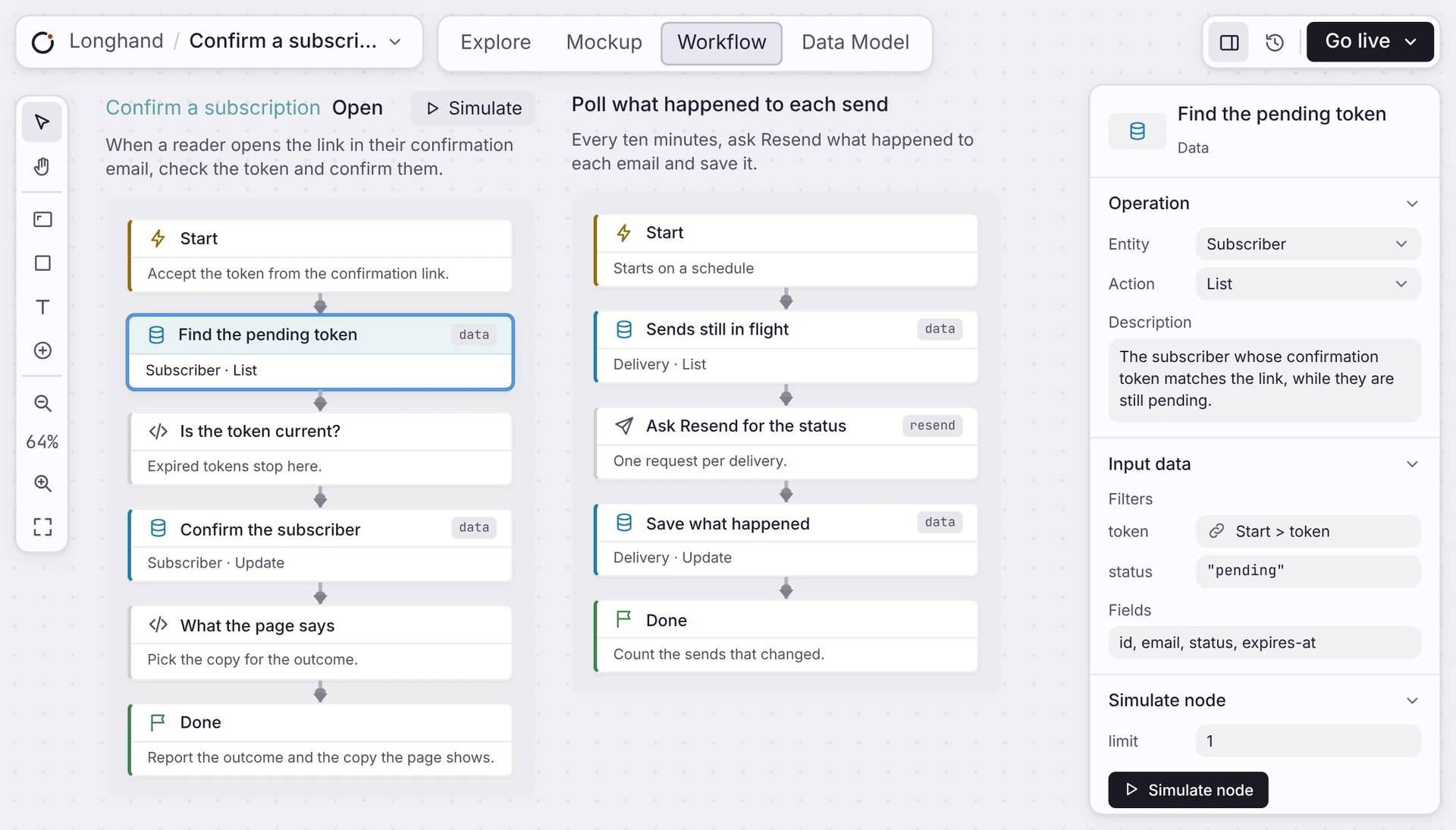
The building blocks
Add backend logic without writing code.
Build a workflow step by step. Each step does one job, then passes the work to the next step, so the whole process is easy to follow.
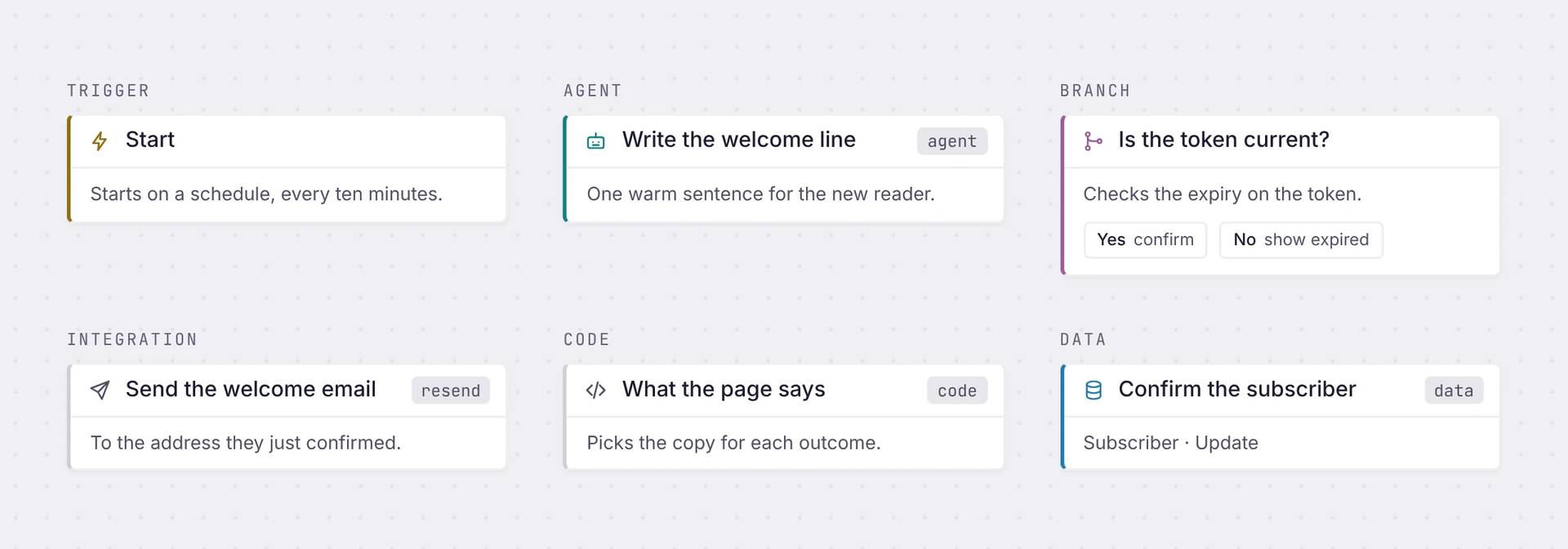
Trigger
Starts the workflow: on a schedule, or when someone clicks a link or sends a form
Agent
Gives one step to an AI model, with your data as context
Branch
Sends the run one way or another, based on a condition.
Integration
Connects to another service, like sending an email through Resend
Code
Write a few lines of code when you need a custom rule, like checking if a link has expired
Data
Reads and writes your app's database, the same records your pages use.
Where it runs
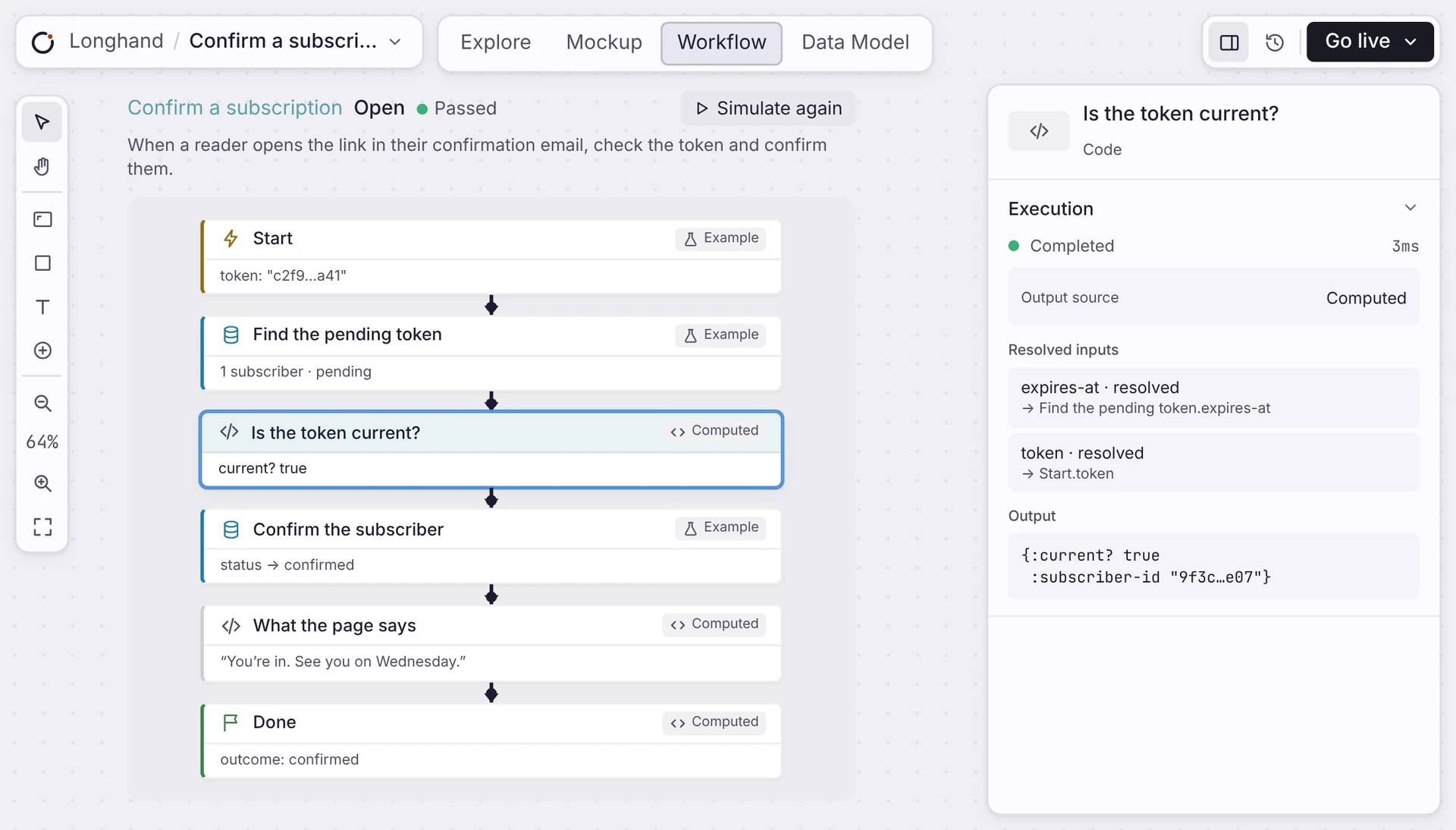
Test it before it goes live.
Press Simulate and the workflow runs on example data. Every step shows what came in, what went out and how long it took. When you go live, it runs on your server, even when your browser is closed.
Straight answers
Workflow questions.
Do I have to write code?
No. You add steps on a canvas and describe what each one does. A Code step is there if you need it.
Where does a workflow run?
On a server, as part of your live app. It keeps running when you close your browser.
Which services can it reach?
Five you can act through today: Gmail, Google Calendar, GitHub, Linear, and Resend. Stripe is read-only, for financial signals. Agent steps call Claude or GPT, and a Code step can reach any HTTP API.
Can I see what a workflow did?
Yes. Simulate a workflow and open any step to see its inputs, its output and how long it took.
What happens if a step fails?
Orbit retries the workflow from a durable queue, backing off between tries, up to twenty times. A run that cannot finish is logged with the error, not lost.
Start
Build your first workflow.
Add a few steps, simulate it, and go live.

