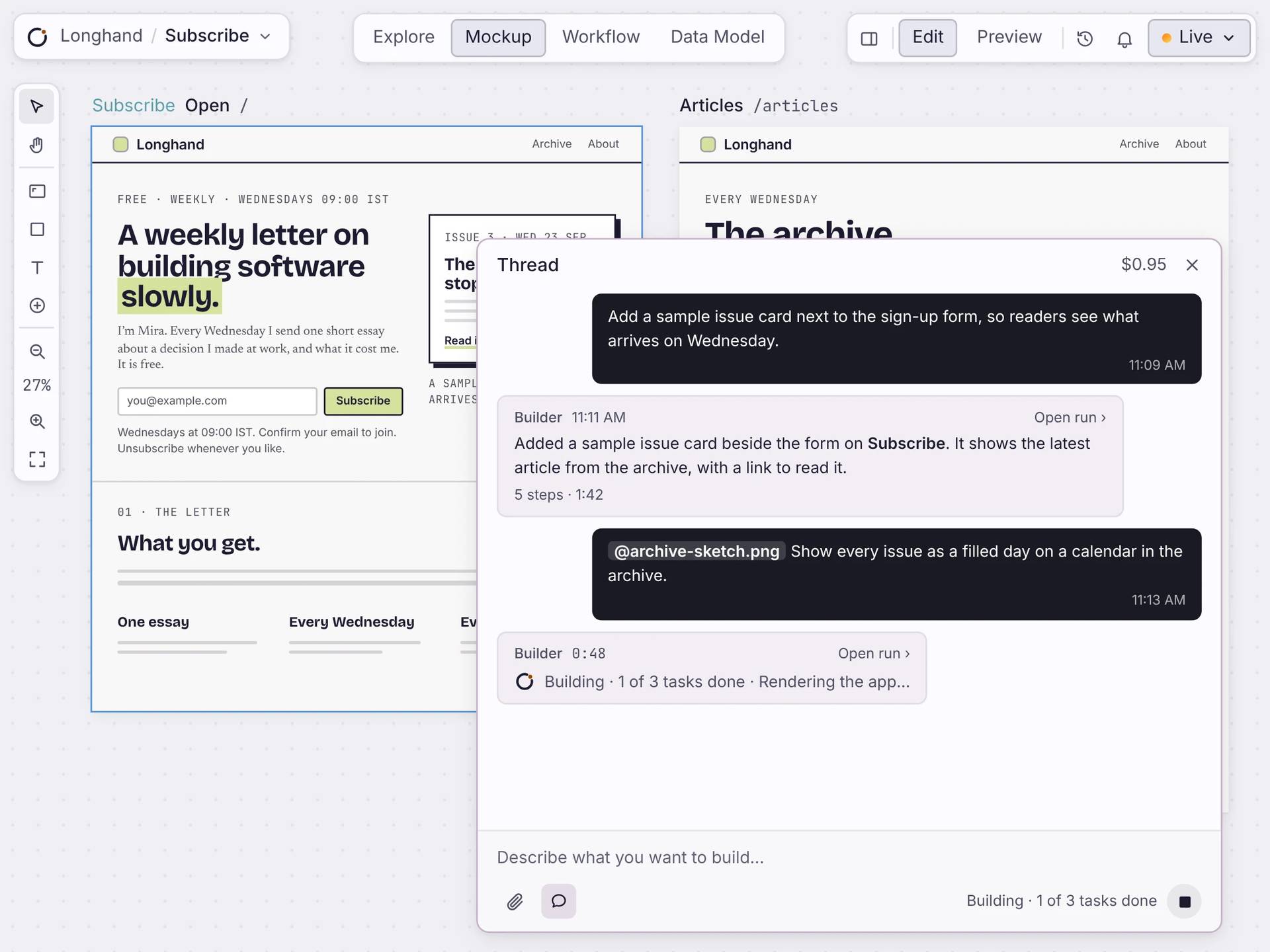
Ask for a change. See it on the canvas.
Type what you want in the Thread. Builder makes the change to your pages, workflows or data and shows you each step. You check the result and decide what stays.
Free to build. Your first live app is free too, on your own domain.
The agentic loop
One loop, the whole build.
The cycle is simple: plan what is needed, gather the right context, compose the app, then check it.
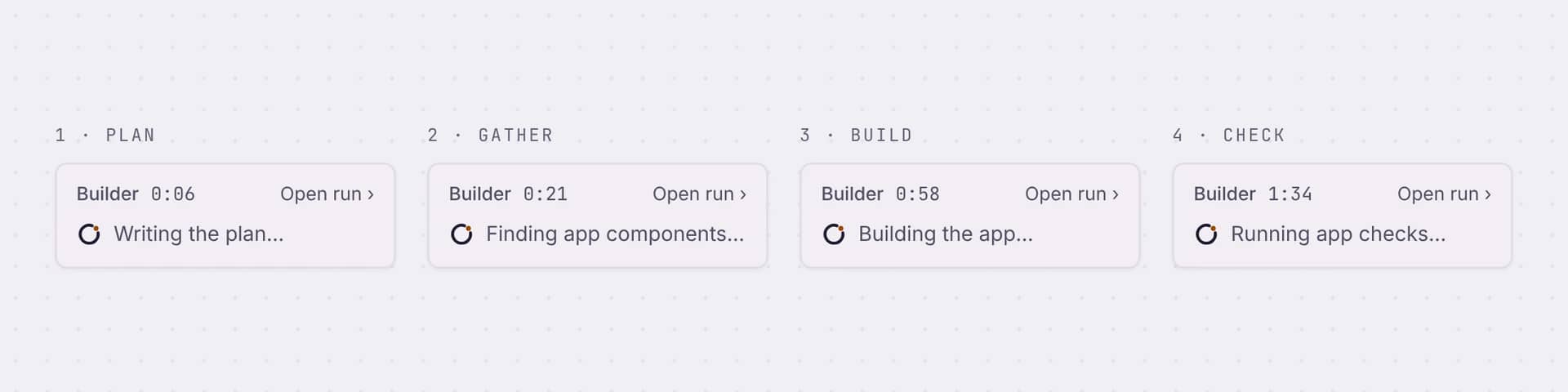
Plans the build
It reads your request and your app, then writes a short plan.
Gathers the pieces
It finds the components and data the change needs.
Builds every surface
It changes your pages, workflows or tables.
Checks its own work
It renders the app and runs checks before it finishes.
What it builds
A working app, every time.
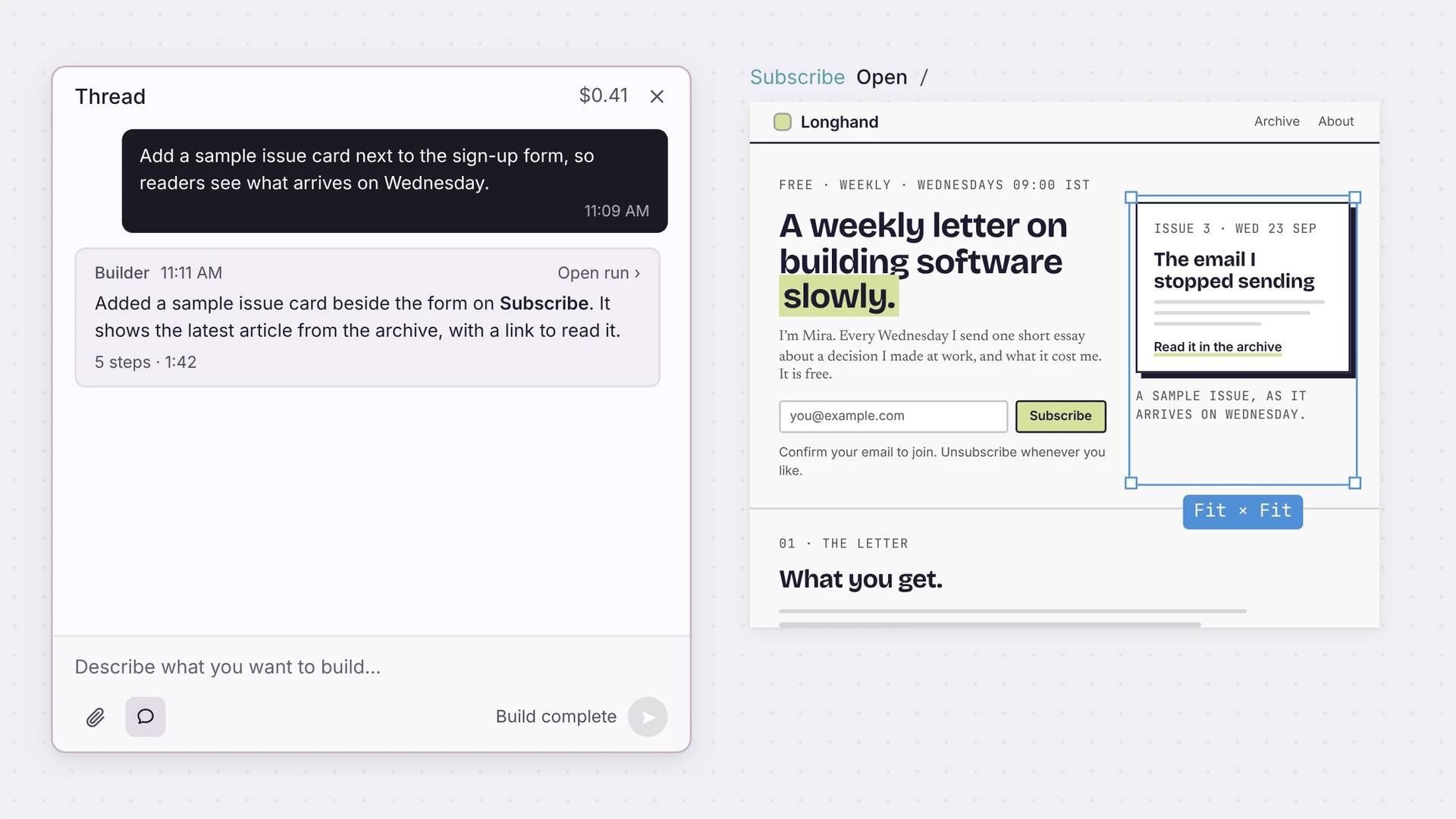
When a run finishes, the Thread says what changed, how many steps it took and how long. Open the run to see every step. Then keep the change, edit it by hand, or ask for another one.
Straight answers
About the build.
Is this only code generation?
No. Builder works inside your app: it changes real pages, workflows and tables, and checks them. You see each change on the canvas.
What if my idea is vague?
Start in Explore. Write down what you know, and see what is still open. Then ask for the first change.
Can I change what it builds?
Yes. Edit anything by hand, or ask for another change. You can stop a run at any time.
Does it stop at a demo?
No. The changes go into your real app, with its own database. Go live when you’re ready.
How do I know it worked?
Each run renders the app and runs checks before it finishes. Open the run to see every step. Then look at the result yourself.
Start
Ask for your first change.
Describe it in a sentence. Watch the run, then check the result on the canvas.

