Your app’s database, on one canvas.
Add tables, give each field a type, and link the tables together. It runs as a real Postgres database behind your app. You don’t need to know SQL.
Free to build. Your first live app is free too, on your own domain.
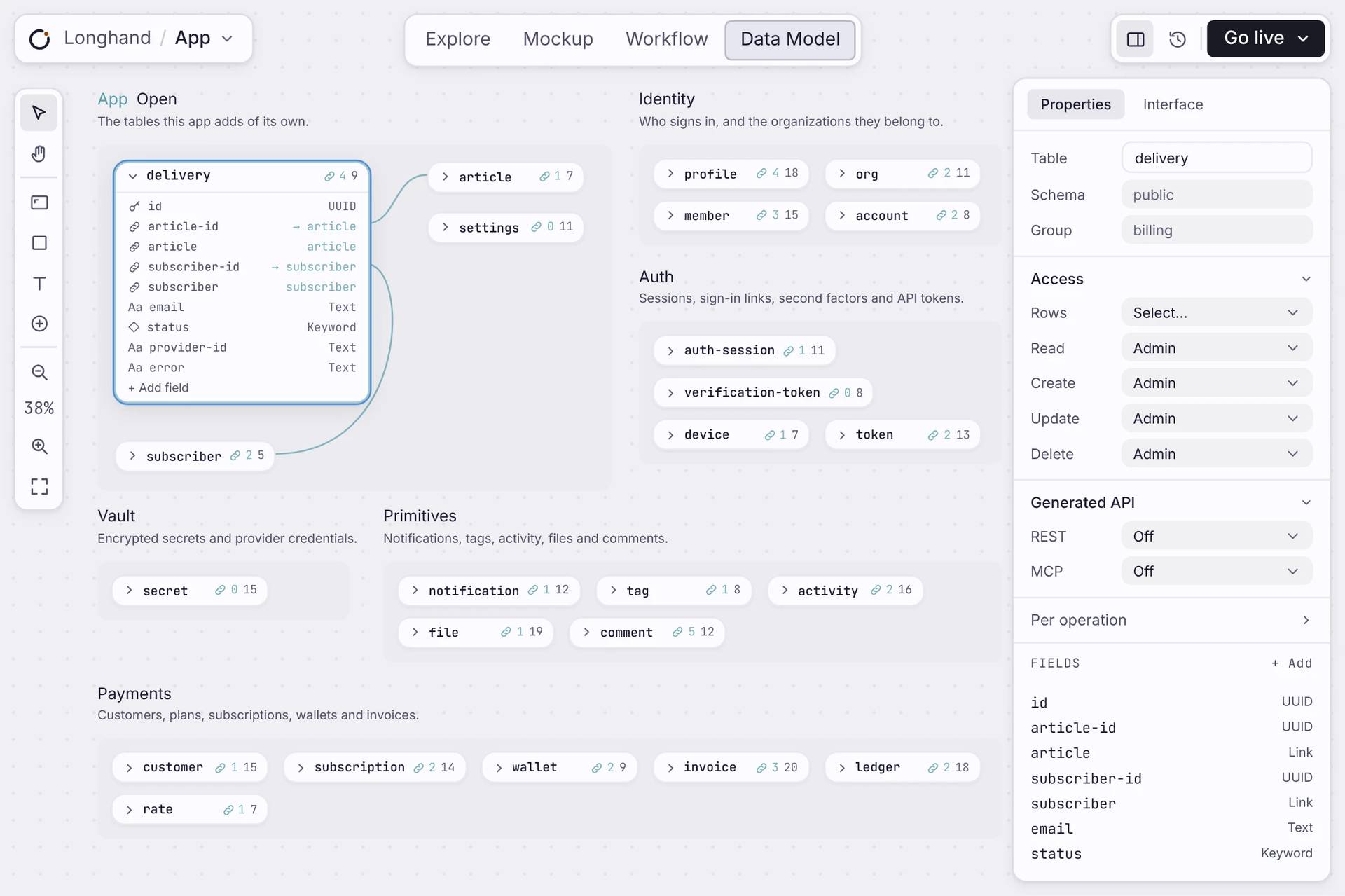
On the canvas
Design a database for your app, by drawing it.
Each table is a card. Open it to see its fields, and click a field to change it.
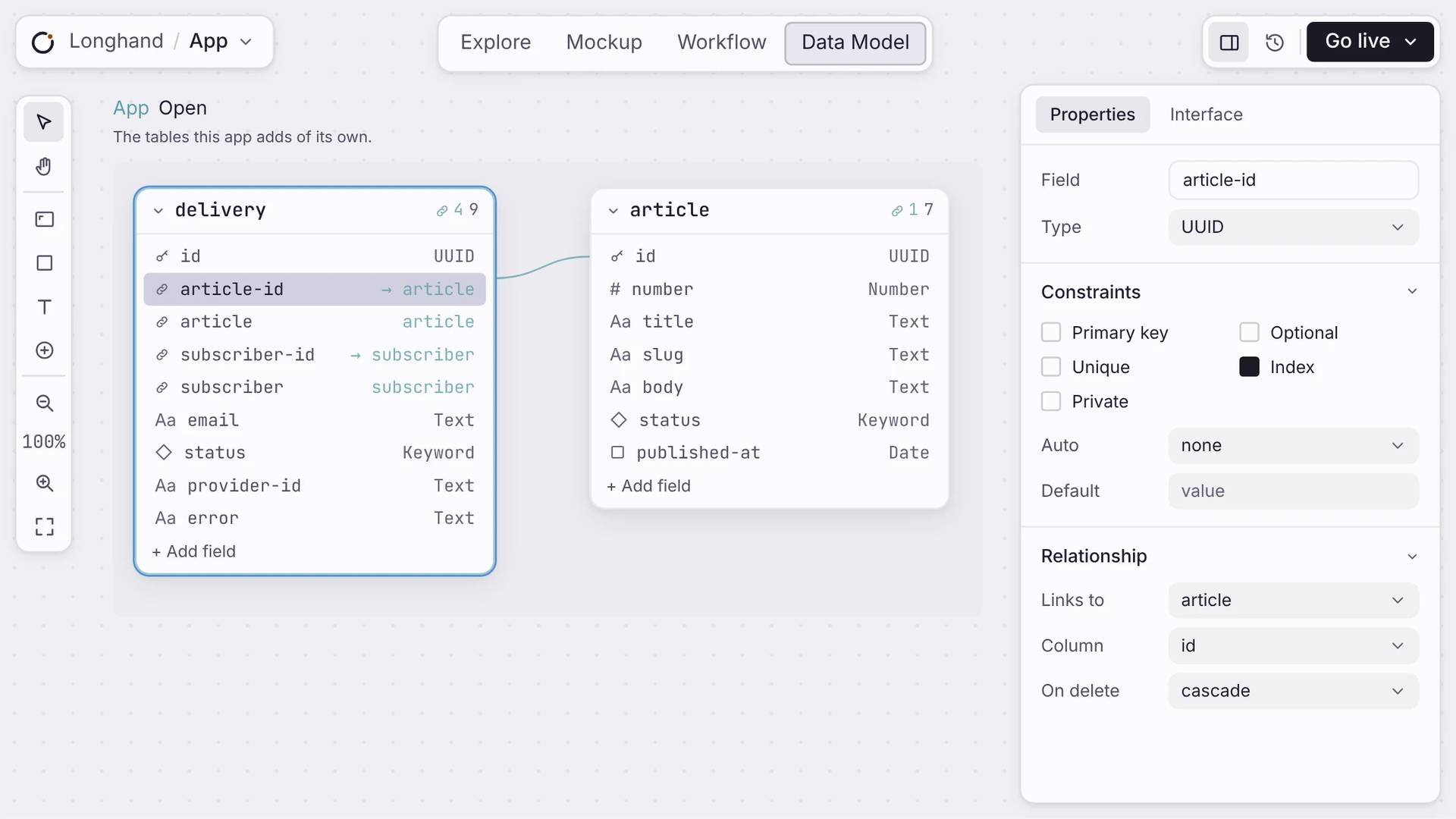
Fields with types
Each field holds one kind of data: text, a number, a date, true or false, or a link to another table.
Links between tables
Connect a field to another table and the link shows as a line on the canvas. You choose what happens to linked records when one is deleted.
Ready to use
Your pages and workflows can read and write a new table straight away.
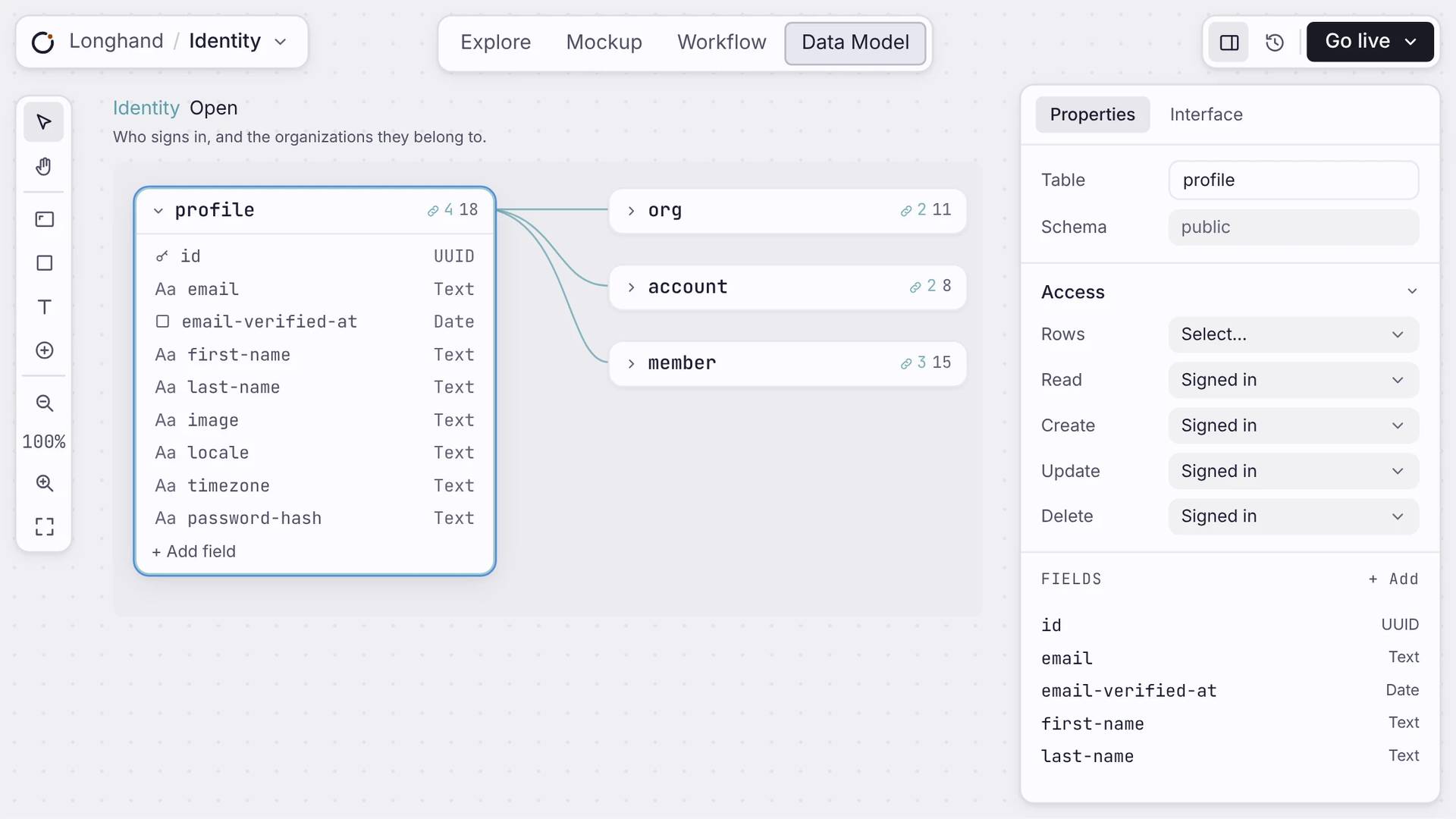
Ready-made tables
Sign-in, teams, payments and files come already set up. Your own tables sit next to them.
ACCESS
Decide who can see each table.
For each table, choose who can read, add, change or delete rows: anyone, signed-in users, or admins. You can also turn on an API for a table, or keep it private.
Straight answers
About your data.
Do I have to write SQL?
No. You design the database by drawing tables and fields on a canvas. What you draw becomes the database underneath. You never touch SQL.
What happens to my data when I change the schema?
Safe changes, like adding a field, migrate on their own. Orbit never drops your data, and it blocks a change that would. Your records survive every deploy.
Is the database a mock?
No. Every app gets its own Postgres database with tables, indexes, security, and an API. Your data persists, and you can read the schema any time.
Where does my app's data live?
In your app's own Postgres database, isolated from every other app. It is yours to read and query, and the database itself decides who can see each row.
Can users search their data?
Yes. Any table can turn on full-text search, built into the database, so a search box returns ranked matches with no extra service to run.
Start
Add your first table.
Name it, add a few fields, and use it in your pages straight away.

