Describe your site. Put it live on your own domain.
You describe the site, shape the pages, then point them at your domain. HTTPS is issued for you. The site you are reading was built that way, and it is a website, not a demo of one.
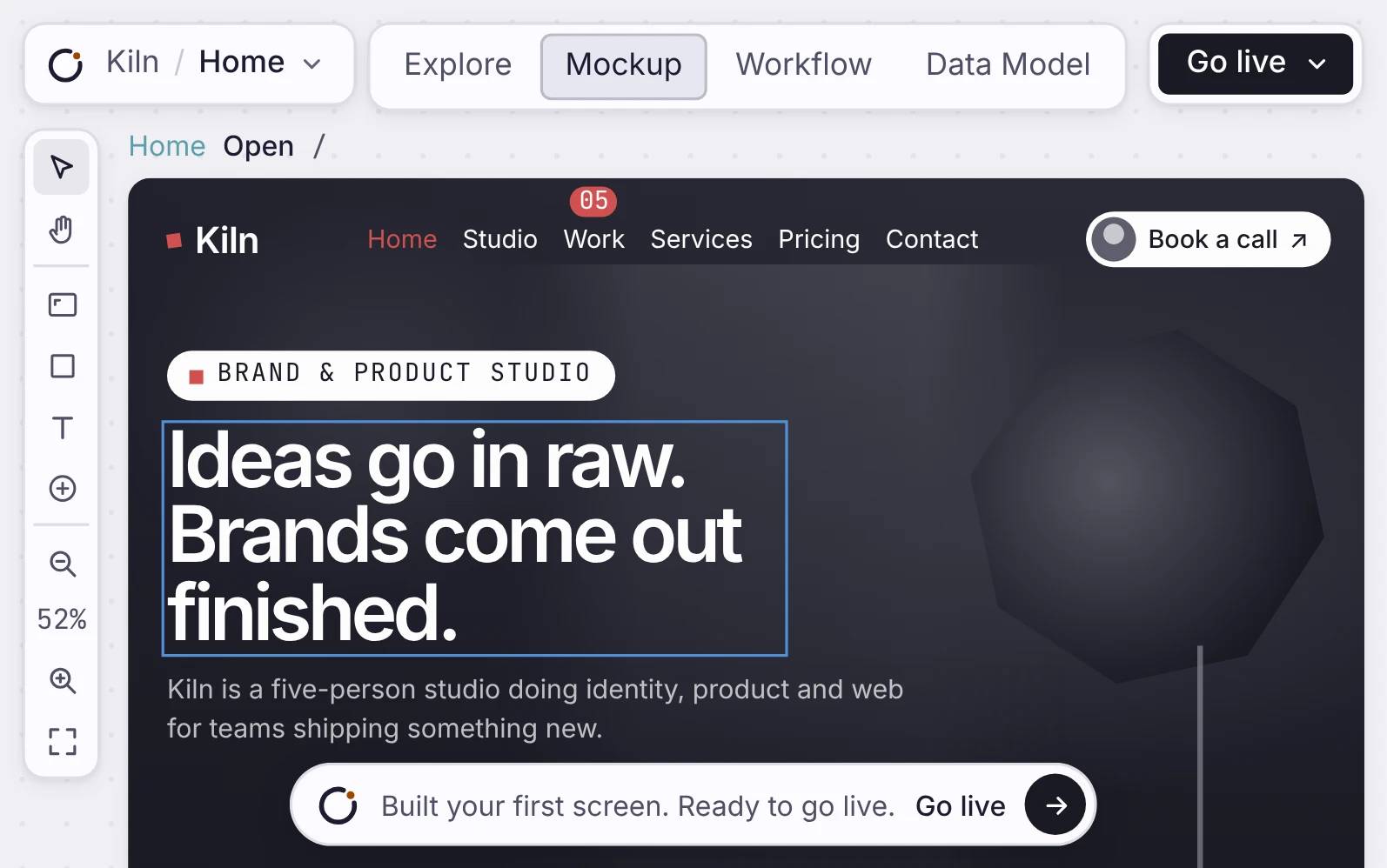
A real Orbit-built Northline Frames website with dark theme and CTA visible.
How it works
Build it, check it, put it live.
Describe the site, compose the pages, and point them at your domain. The certificate is issued for you.
A multi-page site that loads fast
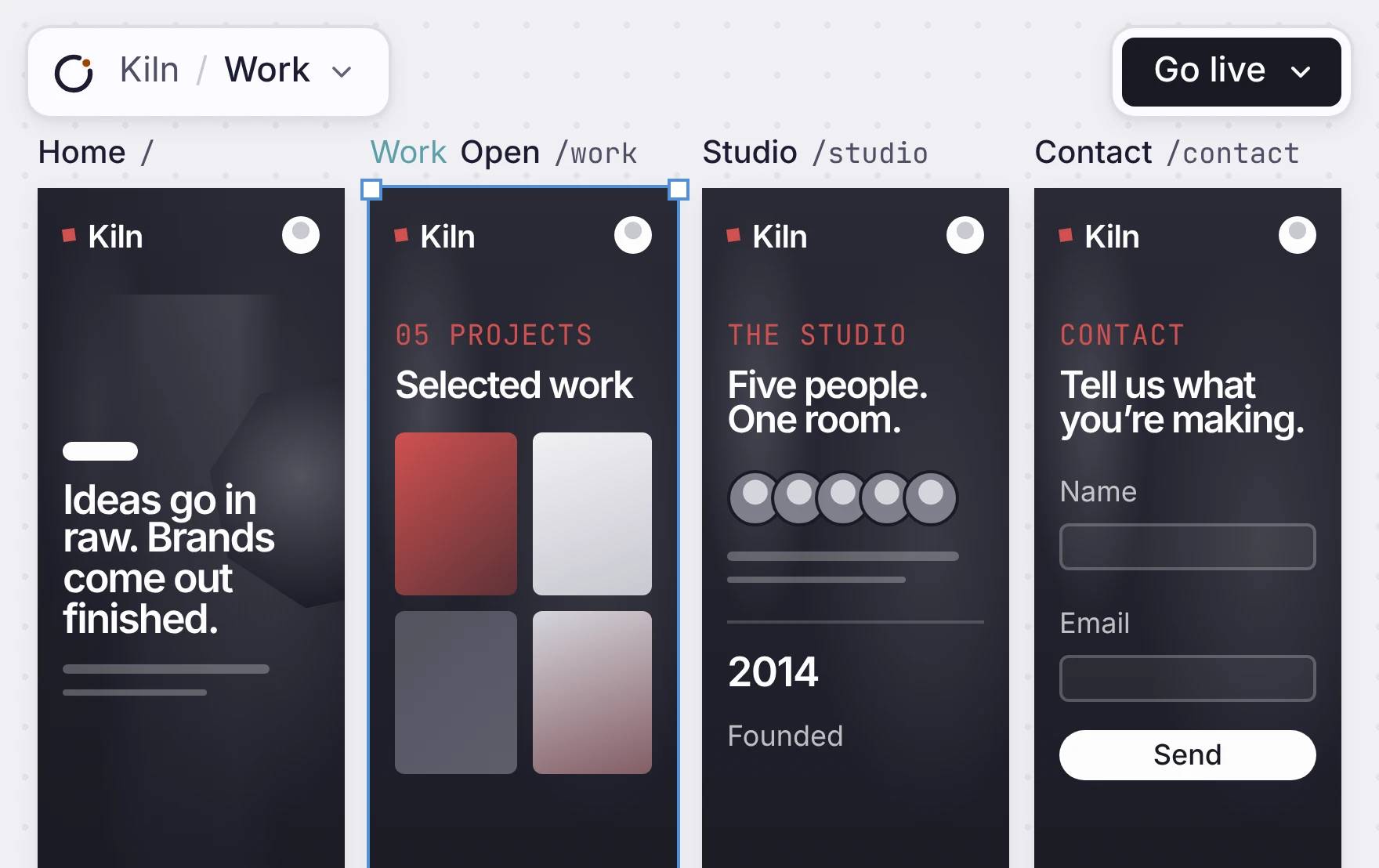
The Northline Frames website pages shown inside the real Orbit mockup canvas.
Your own domain, certificate and all
The Orbit launch panel showing Northline Frames live with launch controls visible.
Yours to edit on a canvas.
The Northline Frames page selected and ready to edit inside Orbit.
Every page, side by side
Each page of your site sits on the canvas as a frame. The name and address are above it. To add a page, ask the agent or add a frame. Visitors get the words in the first response, and so do search engines.
WHAT EVERY SITE GETS
See them on this site: /robots.txt, /sitemap.xml and /llms.txt.
A multi-page site that loads fast
The Northline Frames website pages shown inside the real Orbit mockup canvas.
Your own domain, with HTTPS
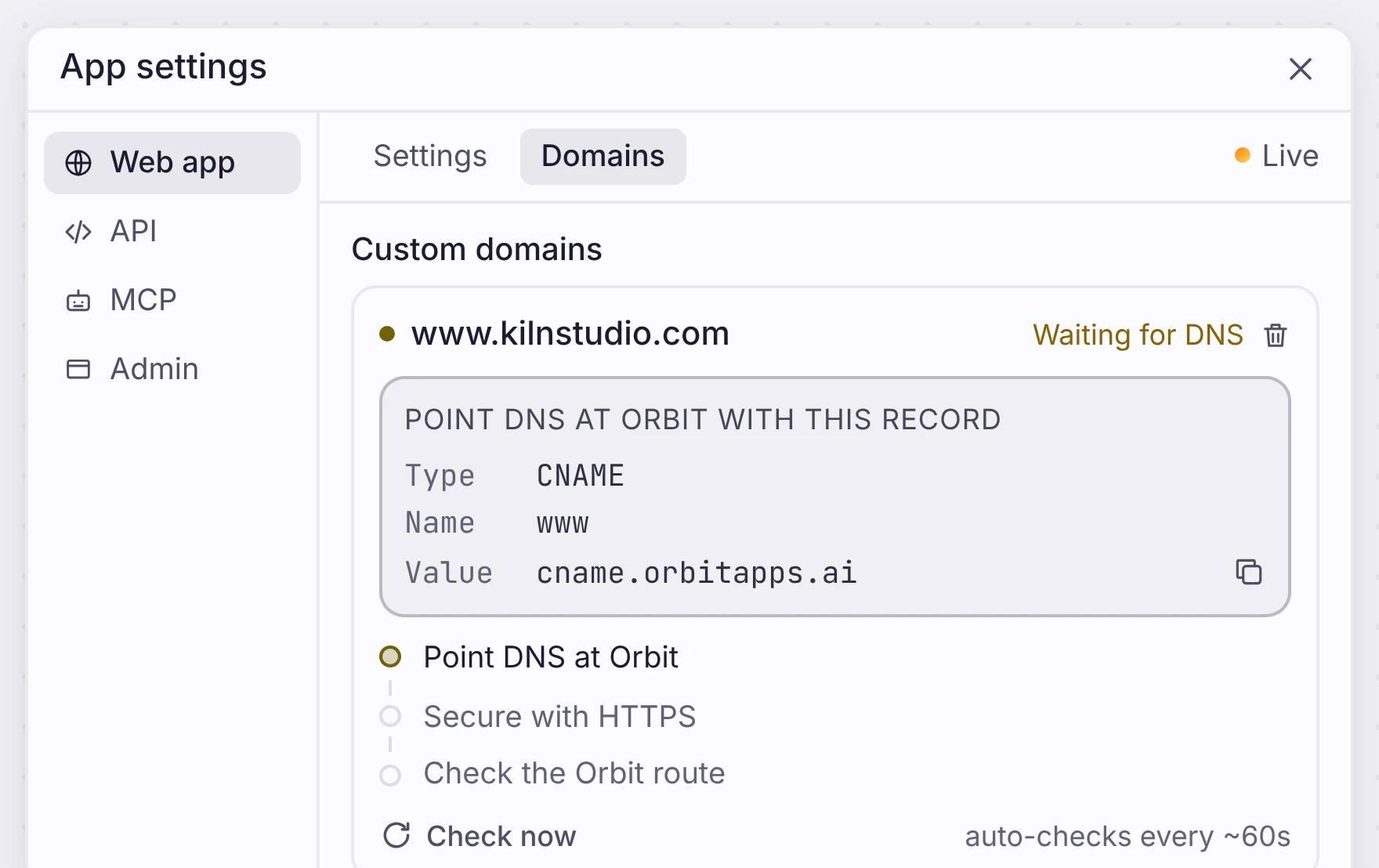
Open App settings, go to Domains, and type your domain. You get one record to add at your DNS provider. Copy it, paste it, and the check runs on its own every minute.
Your site is live on its own orbitapps.ai address before your domain connects, so you can share the link today. To check a change first, deploy it to Review, then to Production.
Your own domain, certificate and all
The Orbit launch panel showing Northline Frames live with launch controls visible.
Change anything on the canvas
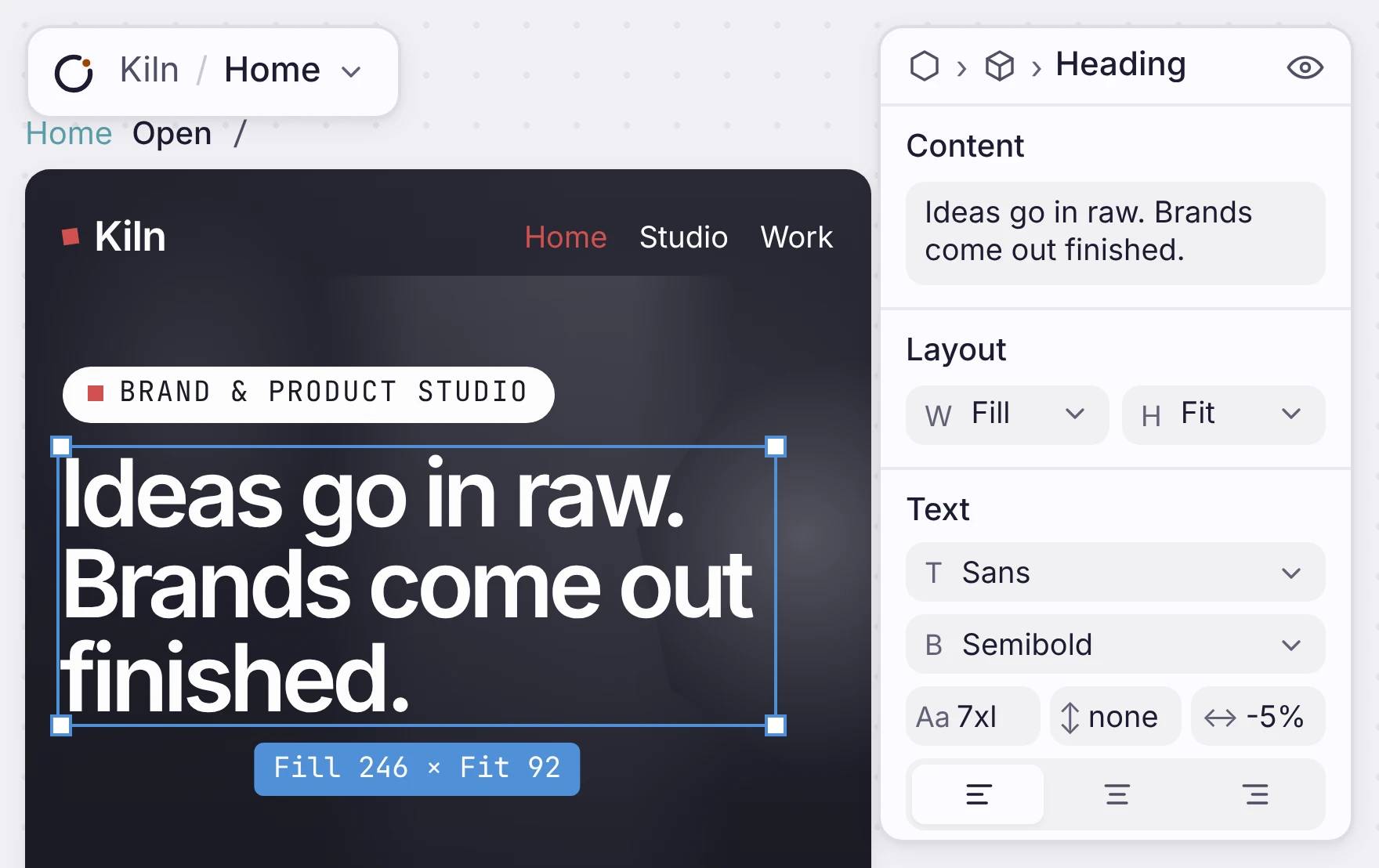
Click a headline and change the words in the panel. Change its font, weight and size in the same place. When you are done, deploy again. You do not need a rebuild or a plugin.
A plain site has no database. When a page needs real records, like a catalogue or a booking form, add a data model. The pages then read from it.
One limit: you cannot export the code. You edit and publish the site here.
Yours to edit on a canvas.
The Northline Frames page selected and ready to edit inside Orbit.
Where it fits
Start with a website. Grow into an app.
Put your site live first. Add sign-in, data, forms or workflows later, in the same app.
Put your site online, on your terms
Describe it, change it until it looks right, and put it on your domain.

