One deploy to your own domain.
Press Go live and your app runs at its own address, with its database and sign-in. Change something, deploy again and the live app updates.
Free to build. Your first live app is free too, on your own domain.
In one deploy
Everything your app needs, in one deploy.
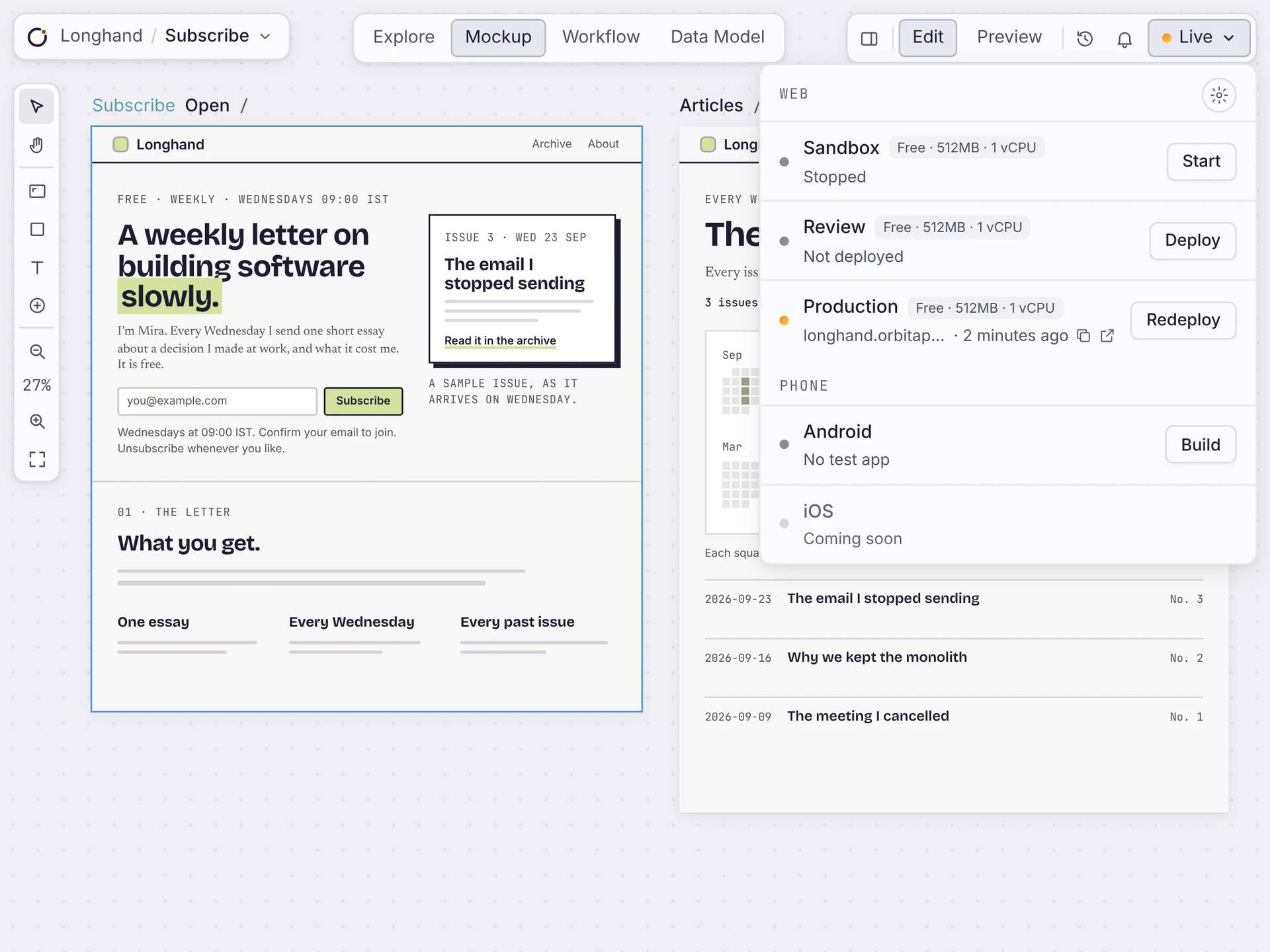
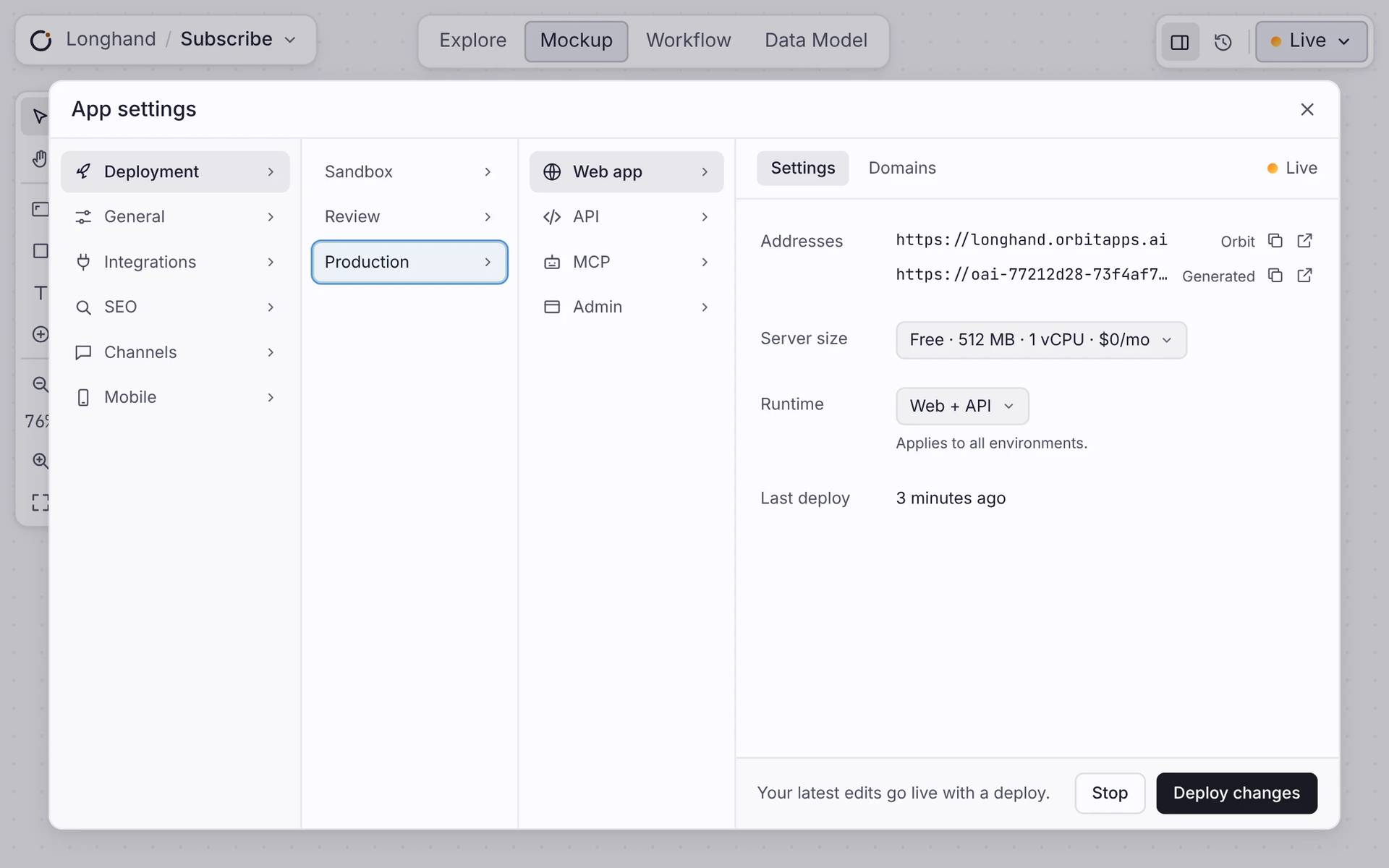
Your pages, workflows and database go live together. App settings shows each place’s address, server size and last deploy.
Your address
Every app gets an address on orbitapps.ai, with HTTPS. Add your own domain when you’re ready.
A database
Every app gets its own Postgres database. Your data stays when you deploy again.
Sign-in
People can sign in to your app. You decide what each person can see.
Servers handled
Pick a server size. Orbit runs it, keeps it secure and updates it.
AFTER YOU GO LIVE
Change it. Deploy again.
Keep editing your app after it’s live. When you’re ready, press Deploy changes and the live app updates. App settings shows when you last deployed. You can stop a place and start it again any time.
THREE PLACES
Try it first. Go live when it’s ready.
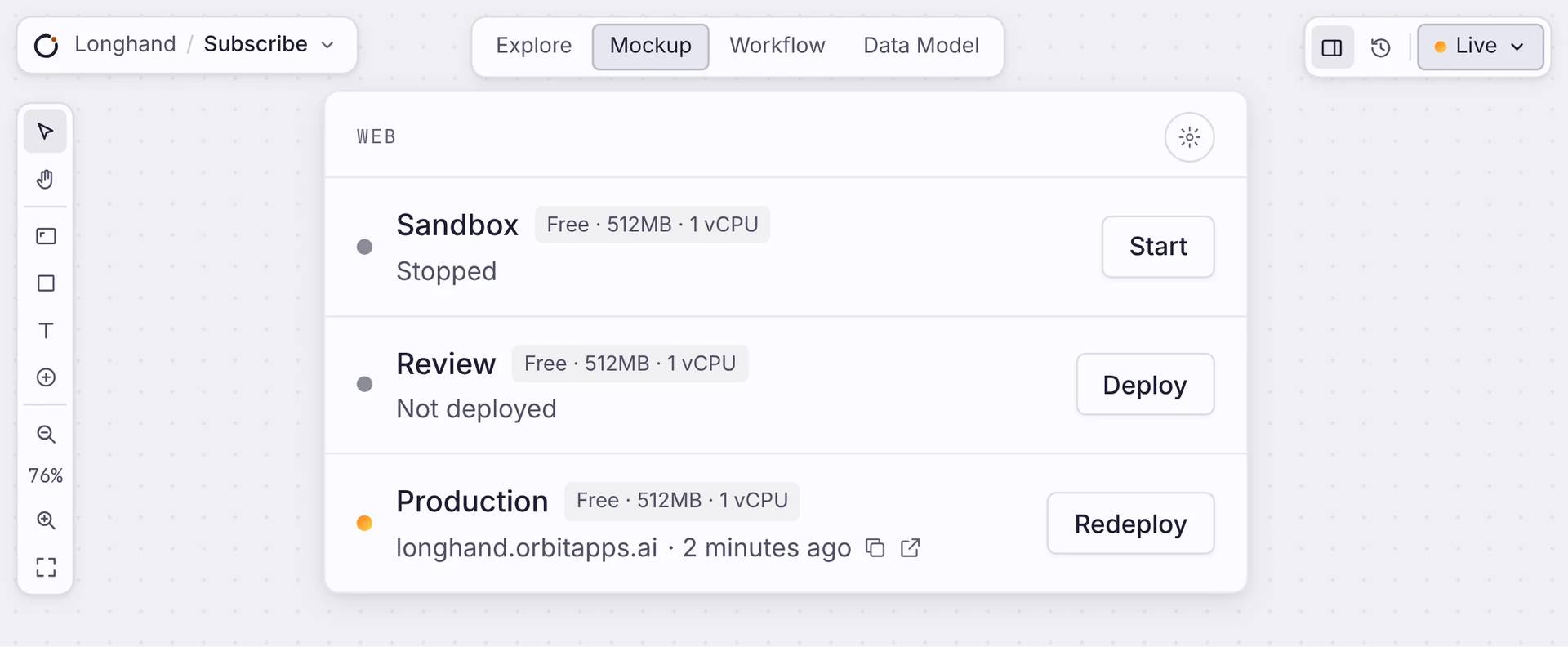
Every app has three copies: Sandbox, Review and Production. Each has its own address and its own state. Nothing reaches Production until you deploy it there.
Sandbox
Experiment freely. Your copy to try things on. Start or stop it any time.
Review
A copy to check a change before anyone else sees it.
Production
The live app your customers use. Only finished work lands here.
Straight answers
About going online.
Do I need my own server?
No. Orbit runs the app on managed hosting. There is no server for you to set up, patch, or scale.
Can I use my own domain?
Yes. Point your domain at the app and Orbit issues and renews the HTTPS certificate. Until then, it is online on an Orbit address.
What do I get when I deploy?
A URL with HTTPS, your own Postgres database, and sign-in, all in one step. Your app is online and ready for its first user.
Is the deploy instant?
It takes a moment, not zero time. Orbit bundles the app, applies safe database changes, and waits until the new version is healthy before it takes over. Your app stays up while it happens.
Can I try changes without affecting customers?
Yes. Deploy to a sandbox or a review environment first, each a separate copy of your app. Production only changes when you publish there.
What if a deploy goes wrong?
Every deploy waits until the new version is healthy before it takes over, so the live app does not drop. If you need to, roll back to any earlier version in one click.
Start
Put your app online.
Build your app, connect your domain, and one deploy puts it online for your first user.

