Un déploiement vers votre propre domaine.
Press Go live and your app runs at its own address, with its database and sign-in. Change something, deploy again and the live app updates.
Créez gratuitement. Votre première app en ligne l’est aussi, sur votre domaine.
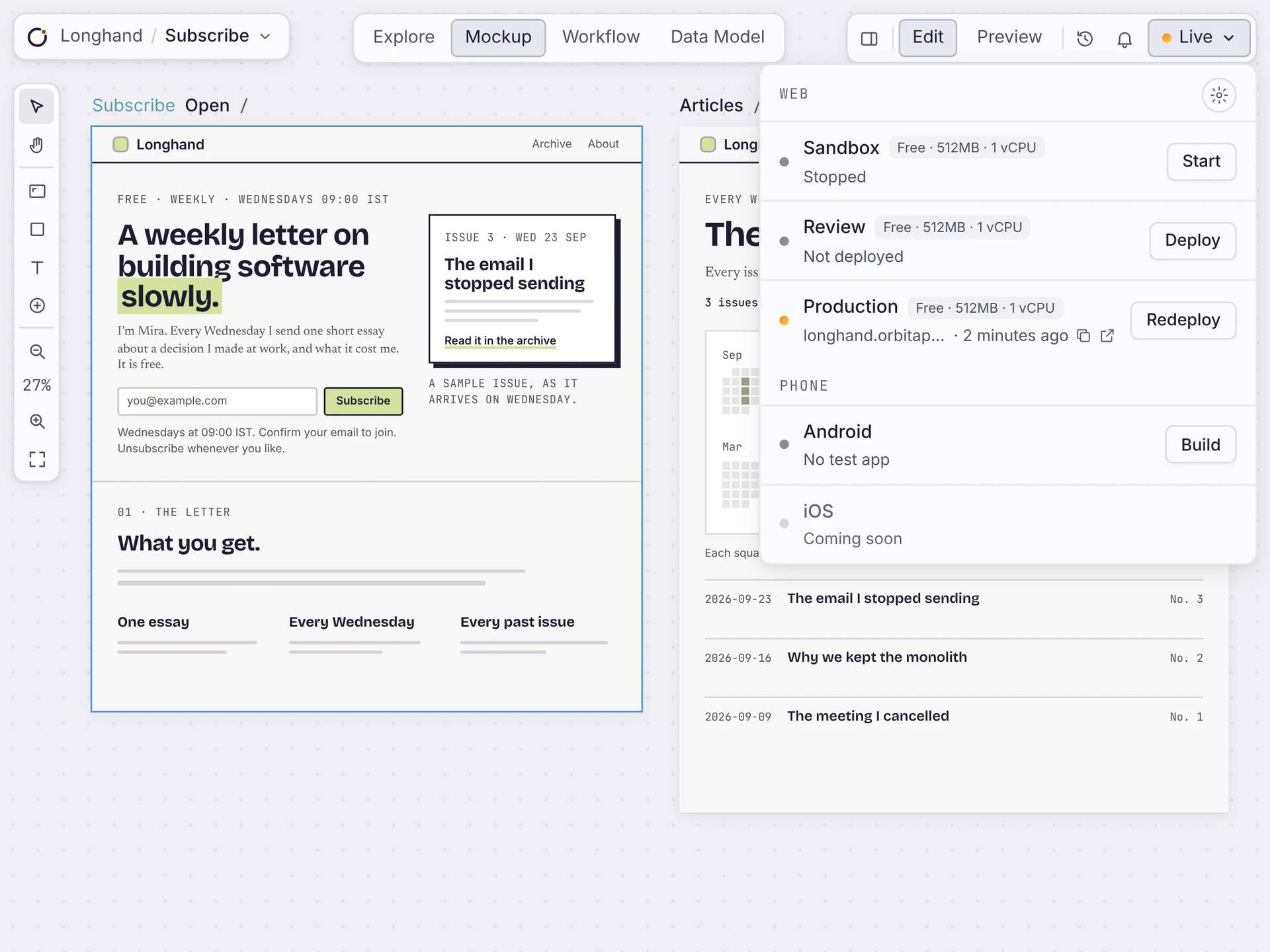
En un déploiement
Everything your app needs, in one deploy.
Your pages, workflows and database go live together. App settings shows each place’s address, server size and last deploy.
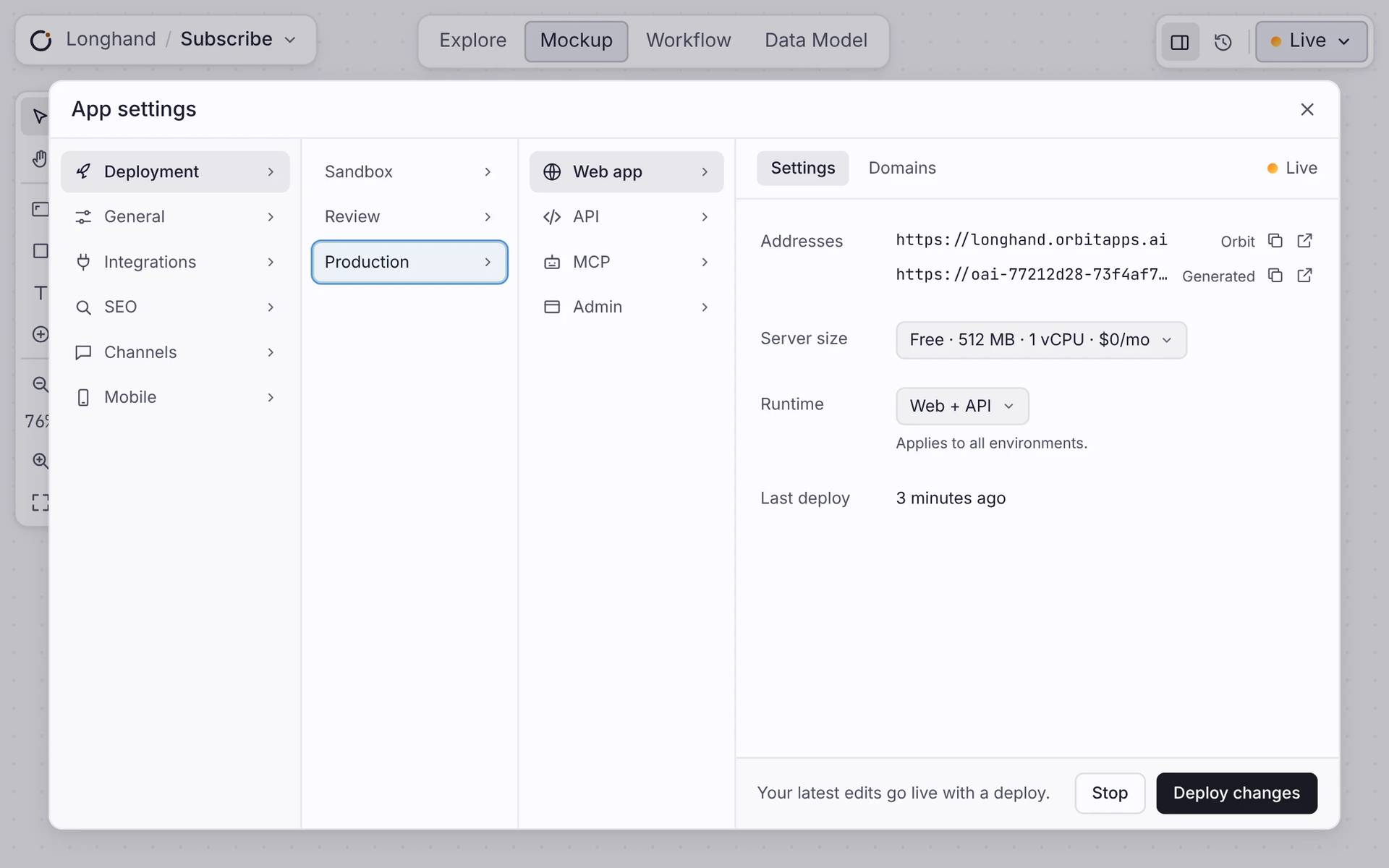
Your address
Every app gets an address on orbitapps.ai, with HTTPS. Add your own domain when you’re ready.
Une base de données
Every app gets its own Postgres database. Your data stays when you deploy again.
Connexion
People can sign in to your app. You decide what each person can see.
Servers handled
Pick a server size. Orbit runs it, keeps it secure and updates it.
AFTER YOU GO LIVE
Change it. Deploy again.
Keep editing your app after it’s live. When you’re ready, press Deploy changes and the live app updates. App settings shows when you last deployed. You can stop a place and start it again any time.
THREE PLACES
Try it first. Go live when it’s ready.
Every app has three copies: Sandbox, Review and Production. Each has its own address and its own state. Nothing reaches Production until you deploy it there.
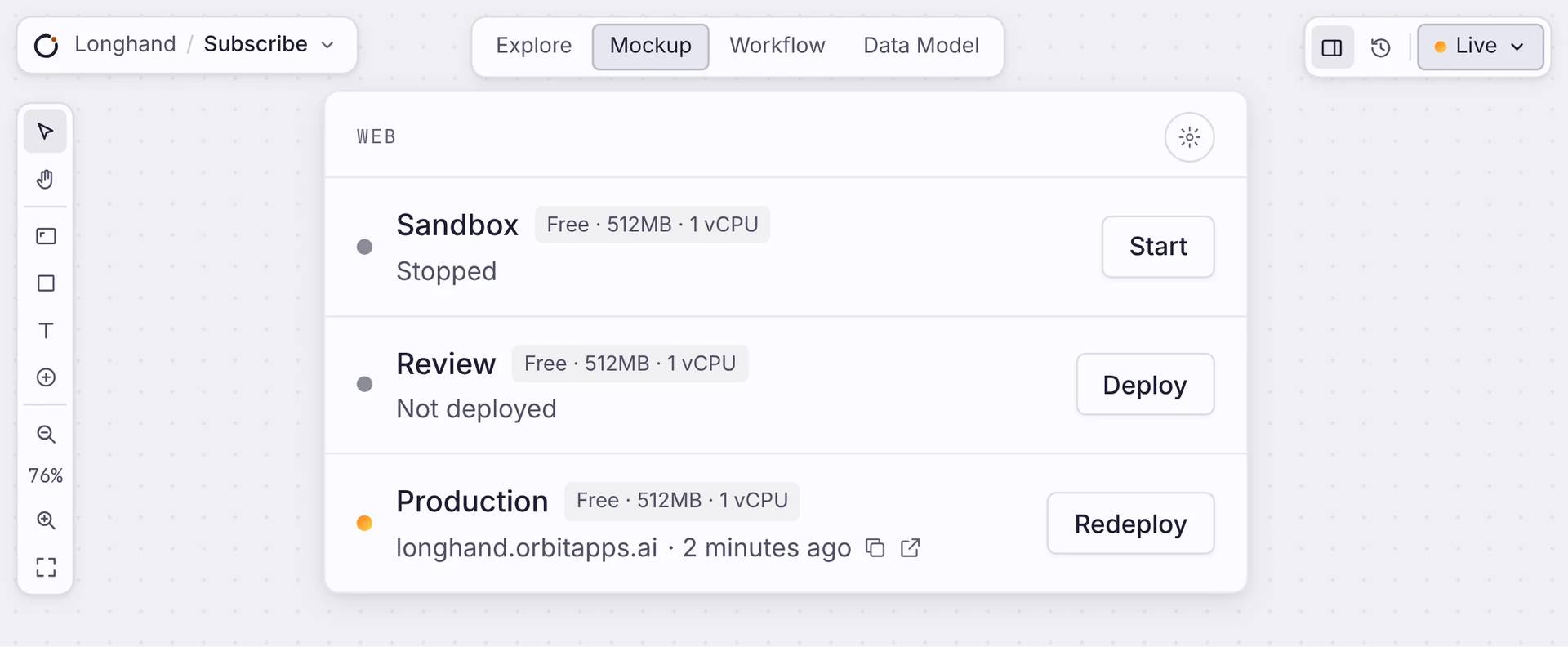
Sandbox
Experiment freely. Your copy to try things on. Start or stop it any time.
Relecture
A copy to check a change before anyone else sees it.
Production
L’app en ligne que vos clients utilisent. Seul le travail fini atterrit ici.
Réponses claires
À propos de la mise en ligne.
Ai-je besoin de mon propre serveur ?
Non. Orbit fait tourner l’app sur un hébergement managé. Il n’y a pas de serveur à mettre en place, à corriger ou à dimensionner.
Puis-je utiliser mon propre domaine ?
Oui. Pointez votre domaine sur l’app et Orbit délivre et renouvelle le certificat HTTPS. En attendant, elle est en ligne sur une adresse Orbit.
Qu’est-ce que j’obtiens en déployant ?
Une URL en HTTPS, votre propre base Postgres et la connexion, le tout en une étape. Votre app est en ligne et prête pour son premier utilisateur.
Le déploiement est-il instantané ?
Cela prend un instant, pas zéro seconde. Orbit empaquette l’app, applique les changements de base sûrs, et attend que la nouvelle version soit en bonne santé avant qu’elle prenne le relais. Votre app reste en ligne pendant ce temps.
Puis-je essayer des changements sans toucher aux clients ?
Oui. Déployez d’abord sur un sandbox ou un environnement de relecture, chacun étant une copie séparée de votre app. La production ne change que quand vous y publiez.
Et si un déploiement se passe mal ?
Chaque déploiement attend que la nouvelle version soit en bonne santé avant de prendre le relais : l’app en ligne ne tombe pas. Au besoin, revenez à n’importe quelle version antérieure en un clic.
Démarrer
Put your app online.
Créez votre app, reliez votre domaine, et un déploiement la met en ligne pour votre premier utilisateur.

