Claude et Orbit
Créez avec Claude. Lancez sur Orbit.
Connectez Orbit à Claude, et il peut créer l’app entière : écrans, données, logique backend et lancement. Vous obtenez une app hébergée, pas un dépôt qu’il vous reste à déployer.
Votre abonnement Claude fait le travail d’IA.
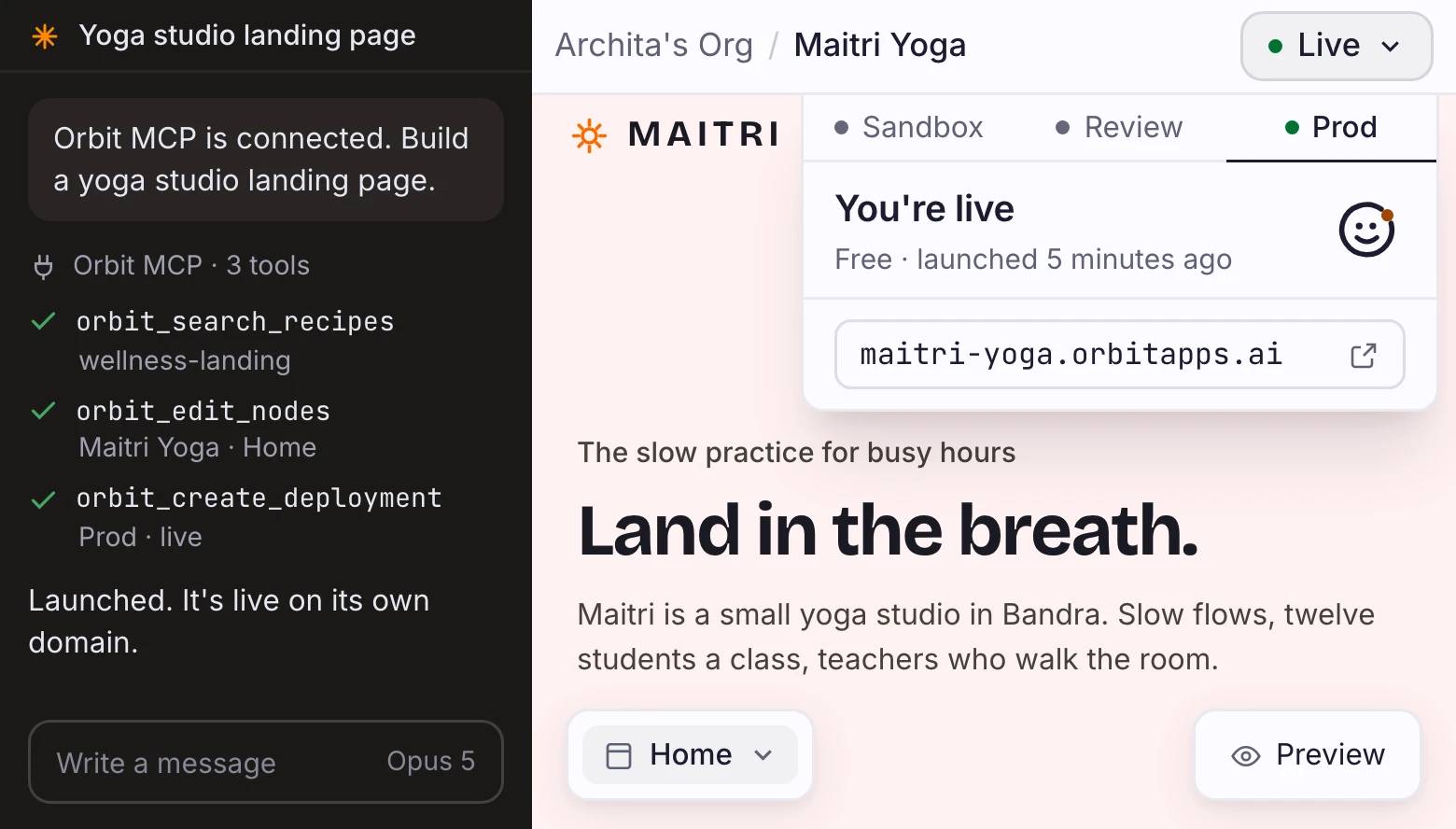
Configuration du connecteur Claude
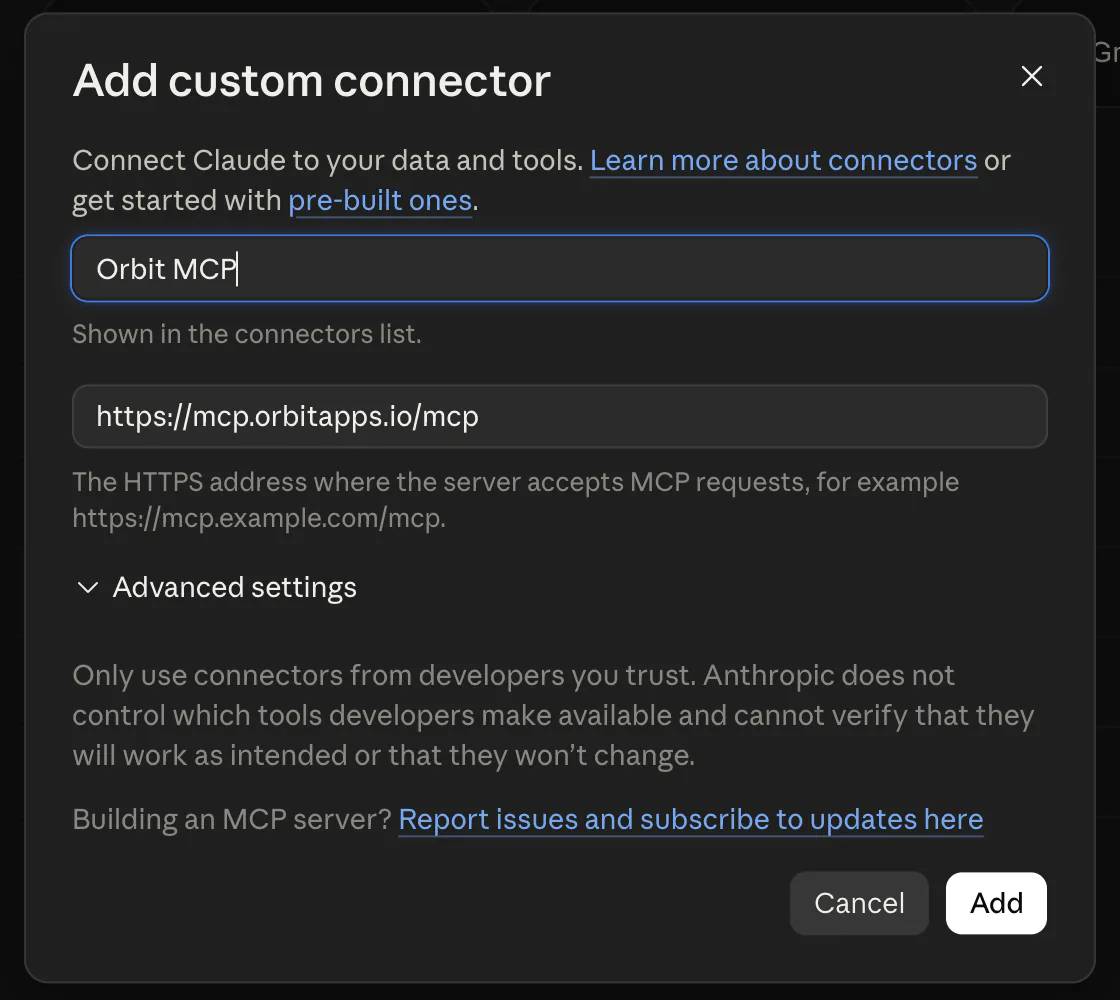
Connectez Orbit à Claude en deux champs
Cliquez sur Connecter Orbit à Claude pour ouvrir les réglages de connecteur personnalisé de Claude.
Ajoutez un connecteur personnalisé nommé Orbit MCP avec l’URL ci-dessous.
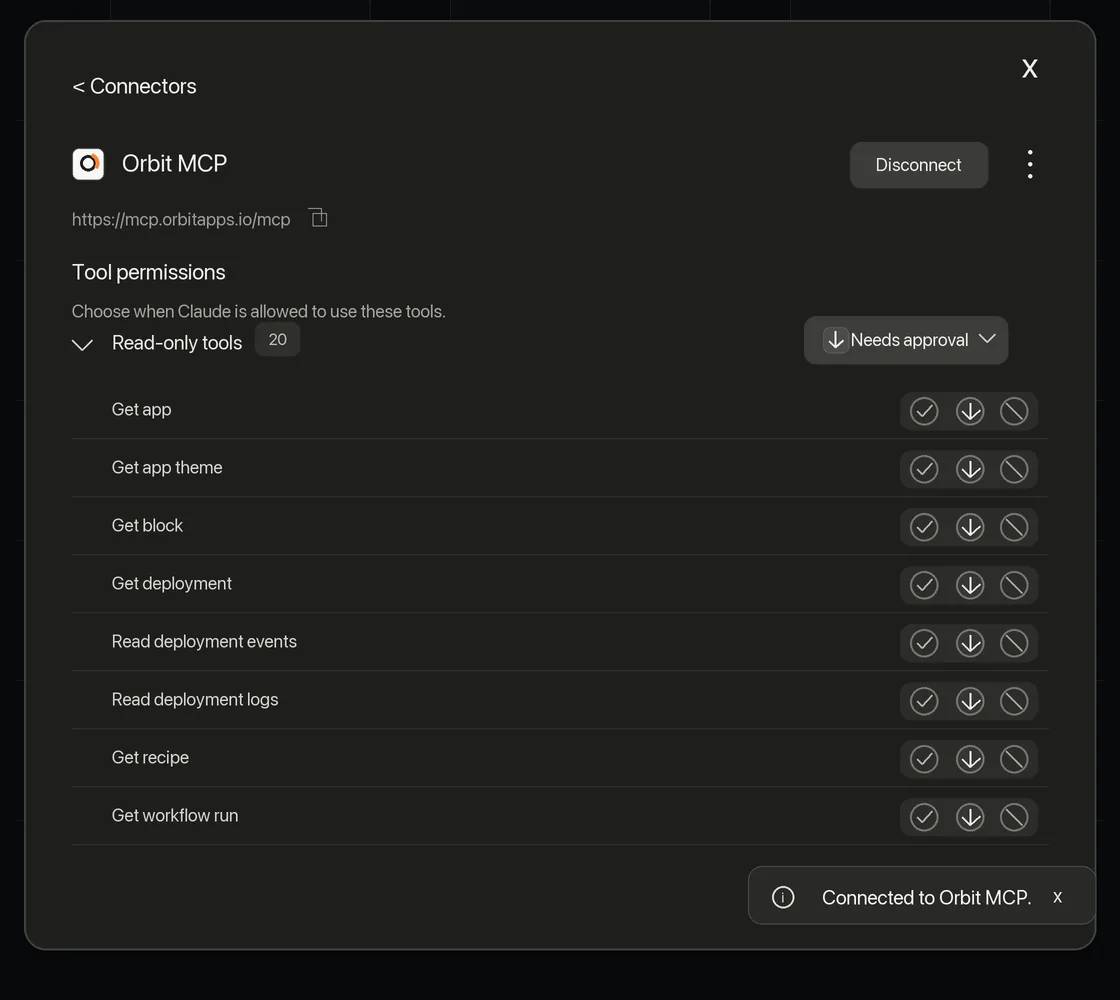
La surface d’outils
Quarante-quatre outils, et une chose qu’ils ne feront pas
Le connecteur met quarante-quatre outils Orbit devant Claude. Chaque nom donne l’action d’abord, puis le nom, si bien que la liste dit elle-même ce qu’elle atteint. Quatre tâches couvrent presque tout ce que vous demanderez.
01
orbit_list_apps et orbit_get_app trouvent l’app. orbit_get_workspace lit un écran nœud par nœud. orbit_get_app_theme renvoie vos tokens de couleur et de police, pour qu’un nouvel écran s’accorde aux précédents. orbit_preview_app capture l’app telle qu’elle est composée, avant tout déploiement, pour que Claude voie ce qu’il vient de faire.
02
orbit_edit_nodes fait le travail : un lot atomique de nœuds, où une seule ligne fautive fait échouer tout le lot au lieu de vous laisser un demi-écran. orbit_search_blocks et orbit_search_recipes trouvent les pièces à composer. orbit_search_images renvoie une photo avec l’attribution qu’exige sa licence.
03
orbit_create_run démarre un Workflow. Un Workflow, c’est de la logique côté serveur qui écrit dans vos données et appelle les services connectés à votre app : une exécution a donc de vrais effets. orbit_get_run_events la suit en direct. orbit_cancel_run l’arrête, et ce qu’elle a déjà écrit reste écrit.
04
orbit_create_deployment met l’app en ligne à son URL et répond avant la fin du déploiement : orbit_get_deployment vous en donne le résultat et orbit_get_deployment_logs vous fait lire un échec. orbit_stop_deployment la retire et libère l’adresse. orbit_get_wallet lit le solde sur lequel tire une offre payante.
Une app Orbit se compose de pièces qui tournent déjà : une base de données, des intégrations et les éléments d’interface dont un écran est fait. Claude choisit les pièces et les relie. Rien n’est écrit dans un fichier, et aucune issue n’y mène. Demandez un composant React sur mesure à Claude Code et vous l’obtenez. Demandez-le par ce connecteur et non.
Questions-réponses
Ai-je besoin du CLI Orbit pour cela ?
Non. Ajoutez Orbit MCP comme connecteur personnalisé avec l’endpoint de cette page.
Orbit facture-t-il le travail de Claude ?
Non. Votre abonnement Claude fait le travail d’IA, et Orbit ne facture rien pour cela.
Puis-je aussi utiliser Claude Code ?
Oui. Ajoutez le même endpoint Orbit à Claude Code comme serveur MCP HTTP distant.
Où tourne l’app ?
Sur Orbit, avec un backend Postgres, la connexion et votre propre domaine. Votre première app en ligne est gratuite.
Que me reste-t-il à faire ?
Juger le résultat. Vous relisez les écrans et les données, renommez ce qui sonne faux, et décidez quand cela part.
Finir l’app, pas la configuration
La prochaine chose que vous créez avec Claude peut être en ligne avant la fin de la conversation.
Votre abonnement Claude fait le travail d’IA.

