Your app’s database, on one canvas.
Add tables, give each field a type, and link the tables together. It runs as a real Postgres database behind your app. You don’t need to know SQL.
Créez gratuitement. Votre première app en ligne l’est aussi, sur votre domaine.
Sur le canevas
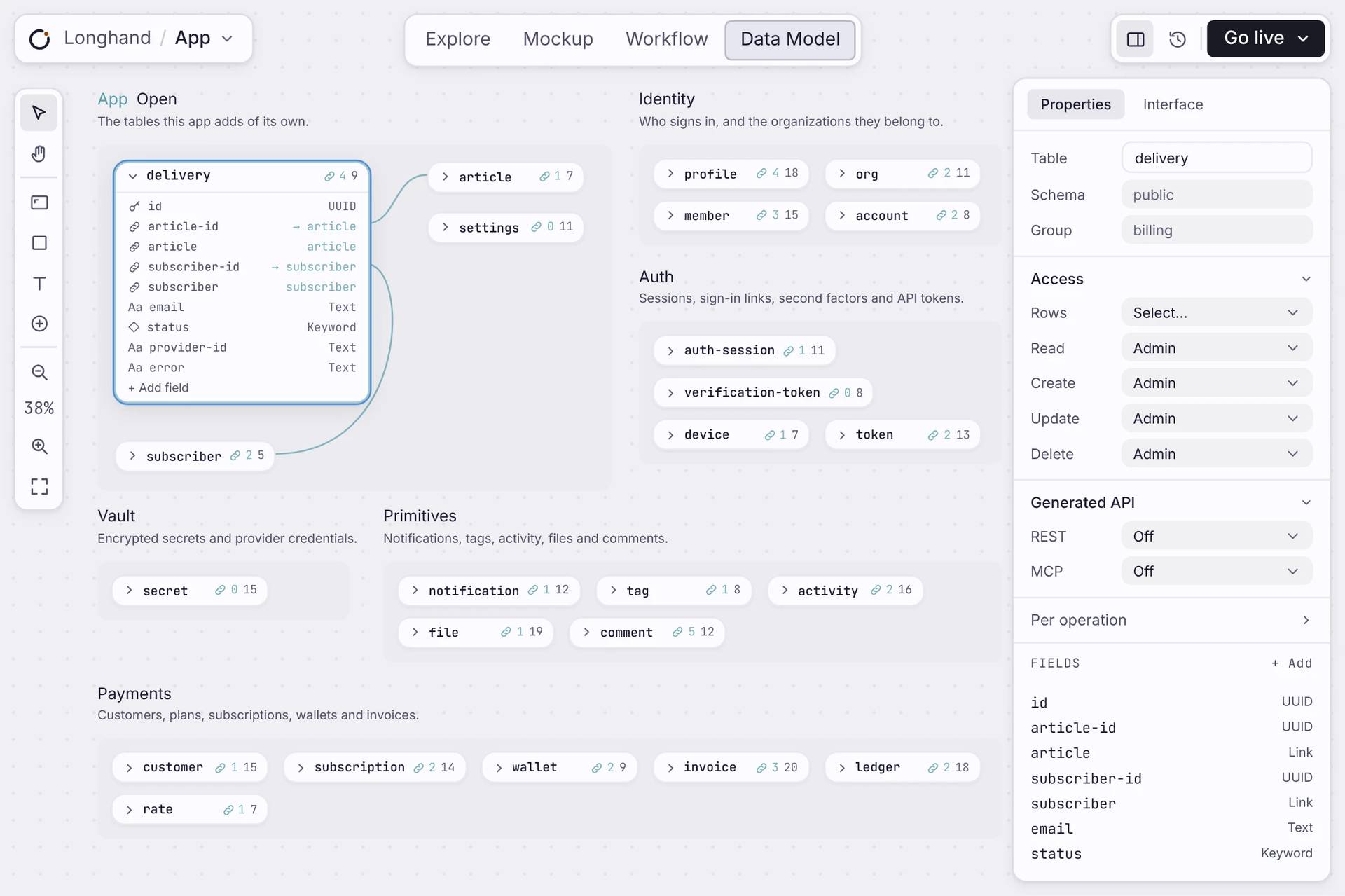
Concevez la base de données de votre app, en la dessinant.
Each table is a card. Open it to see its fields, and click a field to change it.
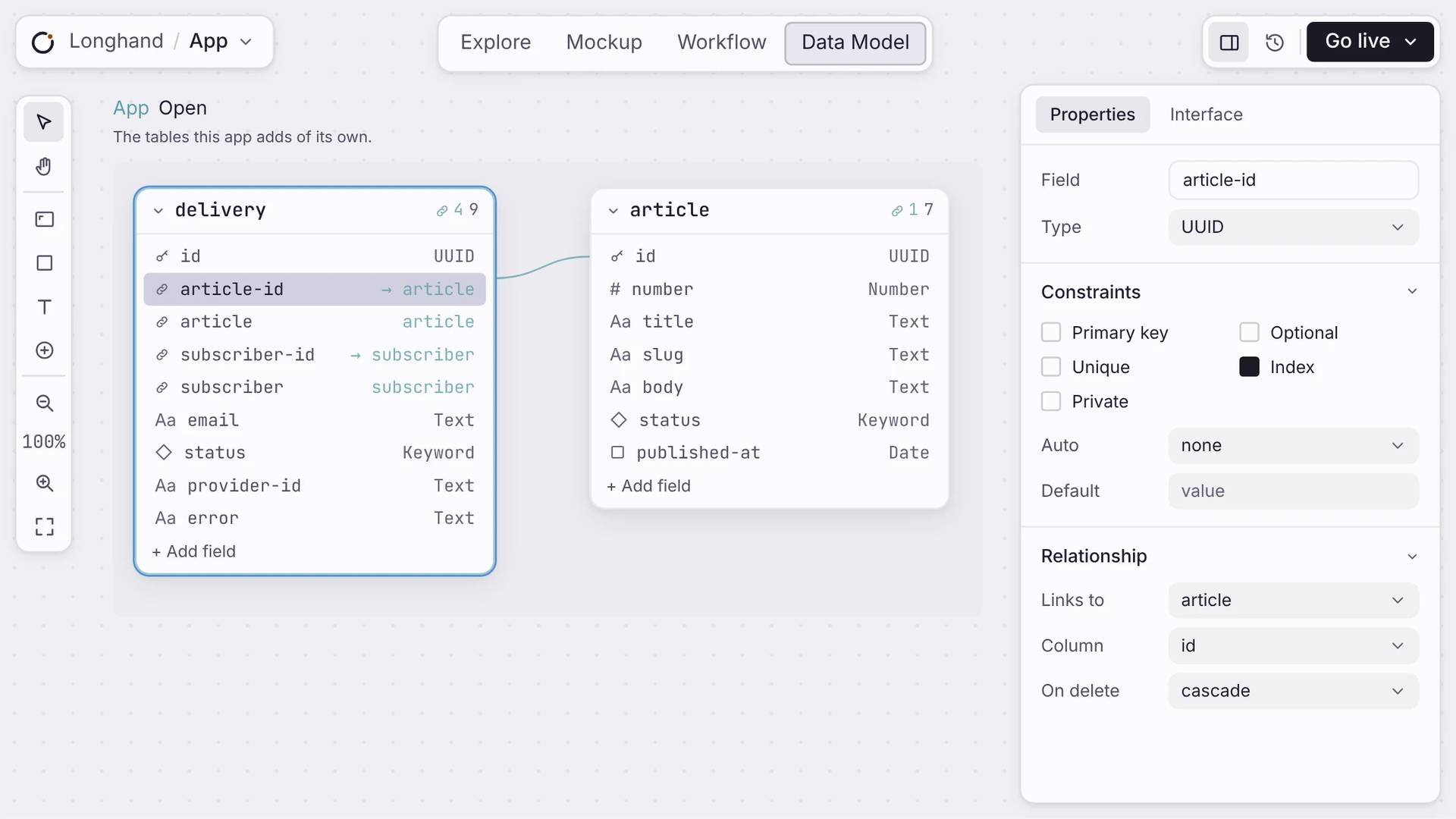
Des champs typés
Each field holds one kind of data: text, a number, a date, true or false, or a link to another table.
Links between tables
Connect a field to another table and the link shows as a line on the canvas. You choose what happens to linked records when one is deleted.
Ready to use
Your pages and workflows can read and write a new table straight away.
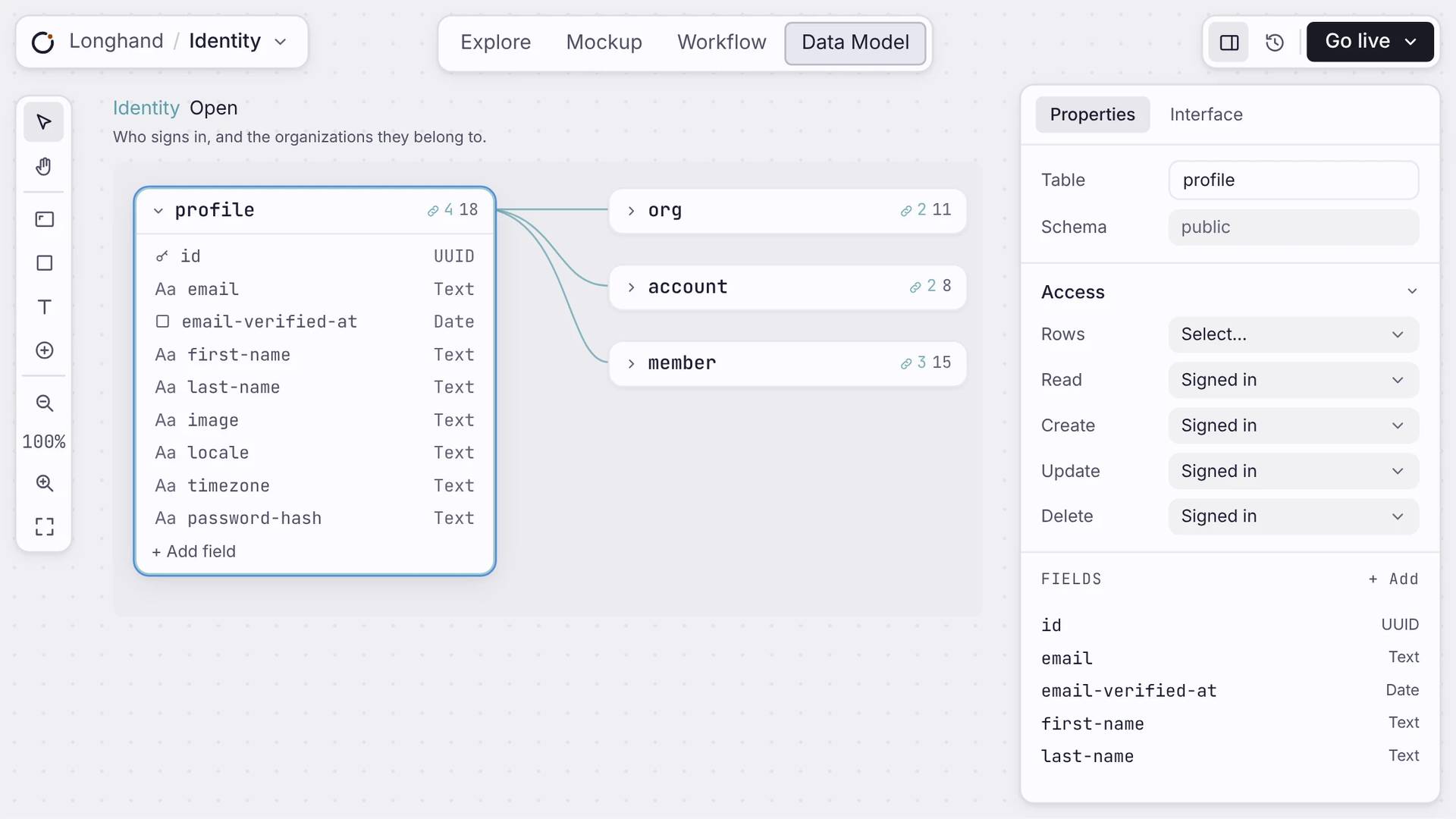
Ready-made tables
Sign-in, teams, payments and files come already set up. Your own tables sit next to them.
ACCESS
Decide who can see each table.
For each table, choose who can read, add, change or delete rows: anyone, signed-in users, or admins. You can also turn on an API for a table, or keep it private.
Réponses claires
À propos de vos données.
Dois-je écrire du SQL ?
Non. Vous concevez la base en dessinant tables et champs sur un canevas. Ce que vous dessinez devient la base en dessous. Vous ne touchez jamais au SQL.
Qu’arrive-t-il à mes données quand je change le schéma ?
Les changements sûrs, comme l’ajout d’un champ, migrent tout seuls. Orbit ne supprime jamais vos données, et bloque un changement qui le ferait. Vos enregistrements survivent à chaque déploiement.
La base de données est-elle une maquette ?
Non. Chaque app reçoit sa propre base Postgres avec tables, index, sécurité et une API. Vos données persistent, et vous pouvez lire le schéma à tout moment.
Où vivent les données de mon app ?
Dans la base Postgres propre à votre app, isolée de toutes les autres. Elle est à vous à lire et à interroger, et c’est la base elle-même qui décide qui peut voir chaque ligne.
Les utilisateurs peuvent-ils chercher dans leurs données ?
Oui. Toute table peut activer la recherche plein texte, intégrée à la base : un champ de recherche renvoie des résultats classés, sans service supplémentaire à faire tourner.
Démarrer
Add your first table.
Name it, add a few fields, and use it in your pages straight away.

