Orbit sur WhatsApp
Créez une app depuis un message WhatsApp
Envoyez à Orbit un message avec l’app que vous voulez. Le résultat revient dans le chat, et une pression la lance.
Rien à installer, et votre première app se lance gratuitement.
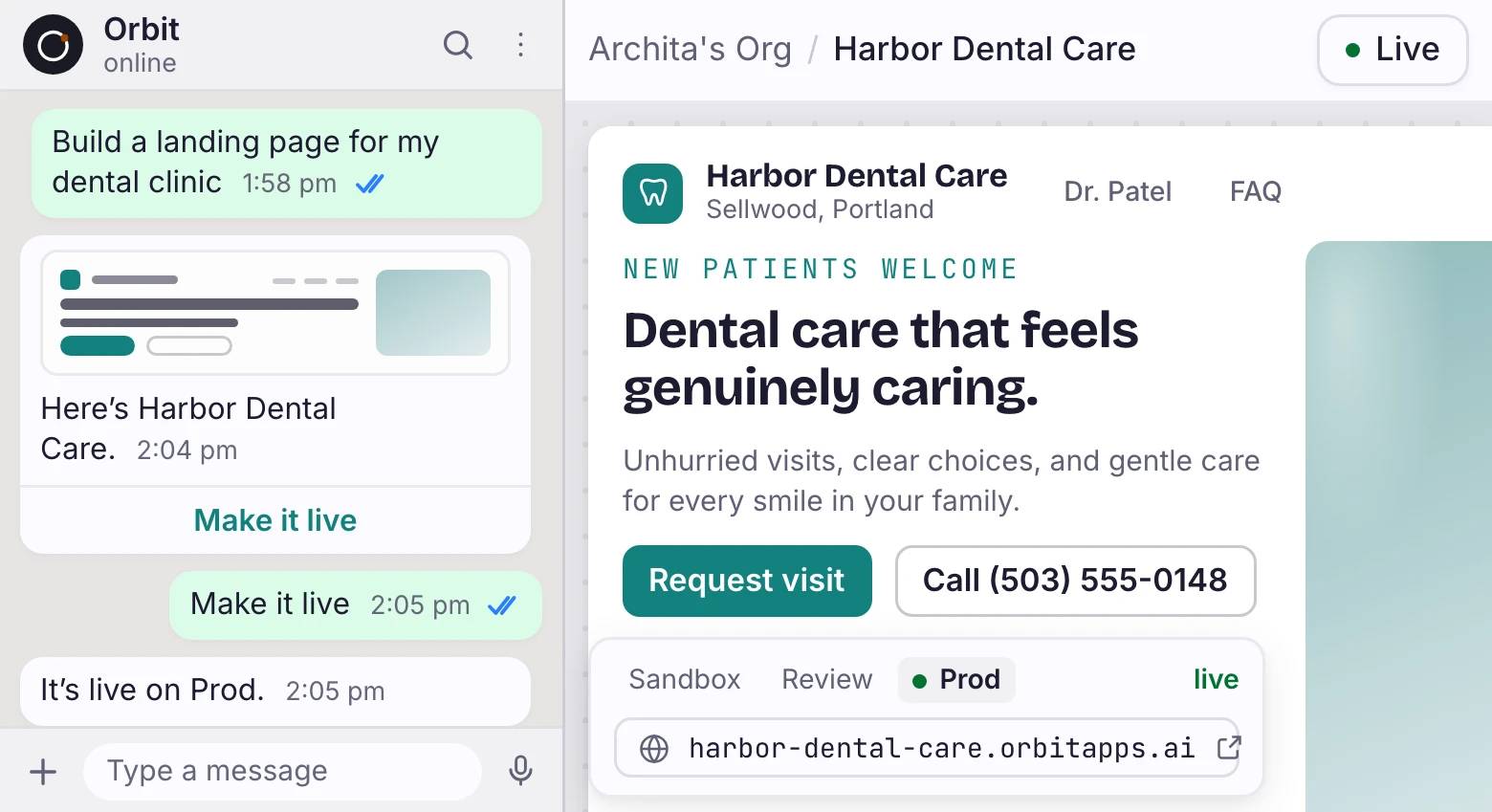
Conversation WhatsApp à côté du studio Orbit montrant l’app en ligne.
L’app revient en image, et vous pouvez la toucher
Orbit rend les écrans que vous avez créés et dépose l’image dans le fil. Les boutons en dessous ouvrent l’aperçu ou mettent l’app en ligne.
Créez une app sur WhatsApp en trois étapes
Dites bonjour
Orbit répond par un lien de connexion. Touchez-le une fois et votre numéro appartient à votre compte.
Décrivez l’app
Dites ce qu’il vous faut avec vos mots. Vous récupérez des écrans et un Data Model à modifier, pas une décision finie.
Touchez pour lancer
L’app passe en ligne avec des données enregistrées et la connexion derrière. Votre première app en ligne est gratuite.
Questions-réponses
Dois-je installer quelque chose pour créer une app sur WhatsApp ?
Non. Orbit fonctionne dans le WhatsApp que vous avez déjà, et l’app qu’il crée tourne sur Orbit.
Comment Orbit sait-il quel compte est le mien ?
Votre premier message revient avec un lien de connexion. En vous connectant, vous liez ce numéro à votre organisation, et vous pouvez le délier quand vous voulez.
Puis-je continuer à modifier l’app après la première création ?
Oui. Orbit suit l’app sur laquelle vous travaillez : « mets l’en-tête en vert » atterrit dessus sans que vous la nommiez à nouveau.
L’app passe-t-elle en ligne depuis le chat ?
Oui. Touchez le bouton de lancement et elle se déploie avec une base de données et la connexion. Votre première app en ligne est gratuite ; les lancements suivants tournent sur l’offre payante la moins chère et puisent dans les crédits.
Depuis quelles apps de chat puis-je créer ?
WhatsApp est aujourd’hui la seule app de chat depuis laquelle créer.
Votre prochaine app commence dans un chat
Envoyez un message à Orbit et voyez la première version avant de reposer votre téléphone.
Rien à installer, et votre première app se lance gratuitement.

