Describe your site. Put it live on your own domain.
Vous décrivez le site, façonnez les pages, puis les pointez vers votre domaine. Le HTTPS est délivré pour vous. Le site que vous lisez a été créé ainsi, et c’est un site web, pas une démo de site web.
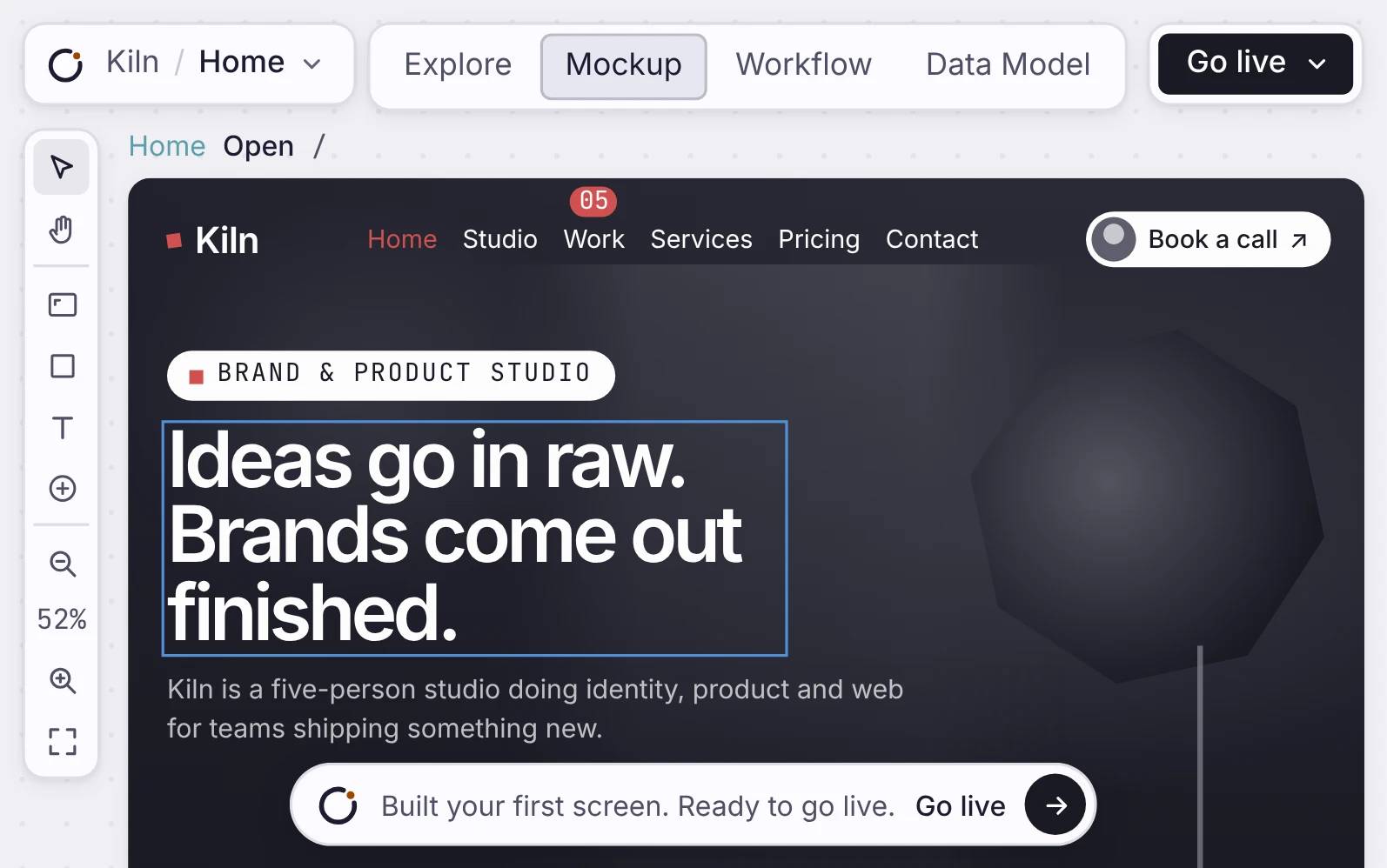
Un vrai site Northline Frames créé avec Orbit, thème sombre et CTA visibles.
Mode d’emploi
Build it, check it, put it live.
Décrivez le site, composez les pages, et pointez-les vers votre domaine. Le certificat est délivré pour vous.
Un site multi-pages qui charge vite
Les pages du site Northline Frames montrées dans le vrai canevas de Mockup Orbit.
Votre propre domaine, certificat compris
Le panneau de lancement Orbit montrant Northline Frames en ligne avec les commandes de lancement visibles.
À vous de la modifier, sur un canevas.
La page Northline Frames sélectionnée et prête à modifier dans Orbit.
Every page, side by side
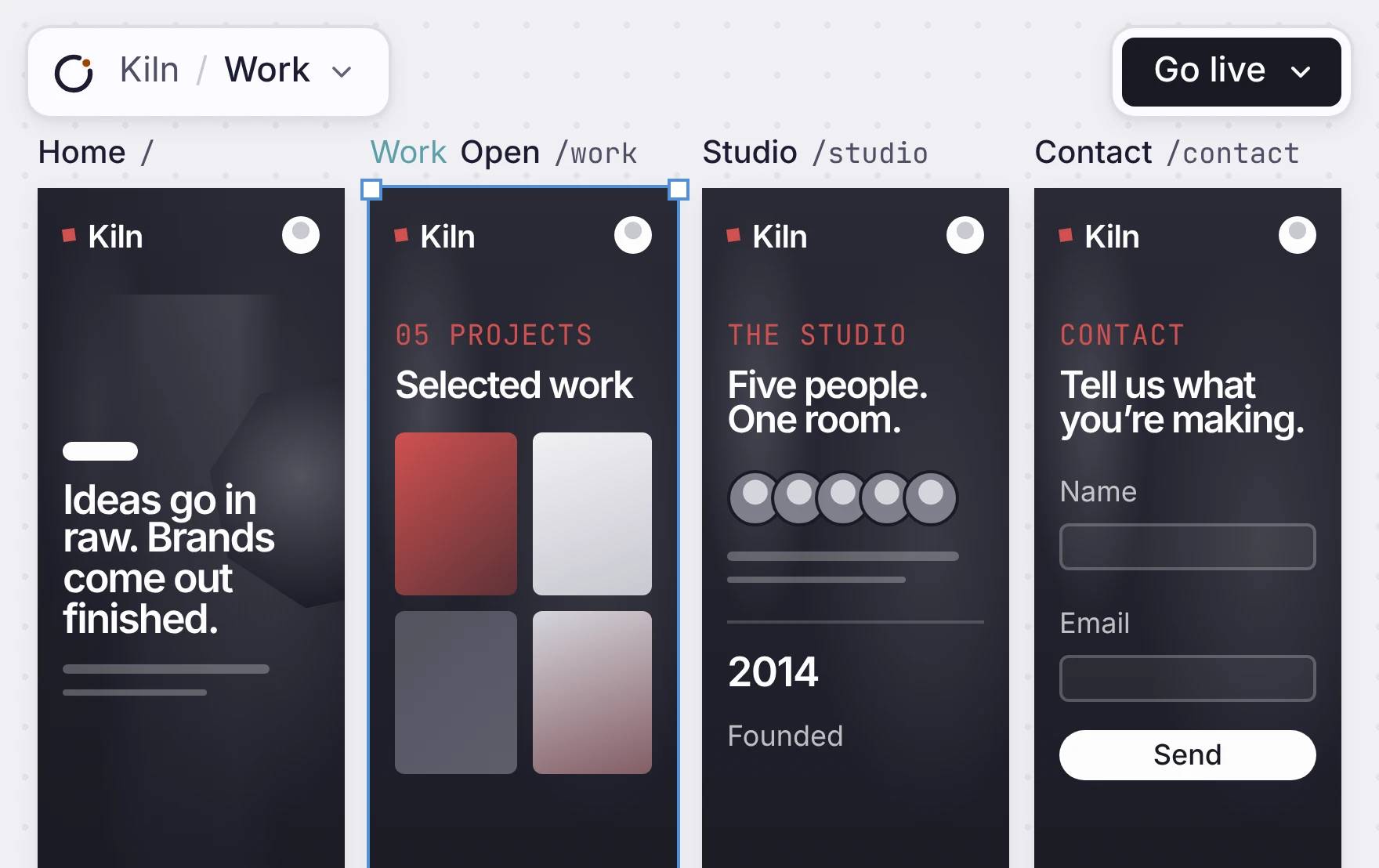
Each page of your site sits on the canvas as a frame. The name and address are above it. To add a page, ask the agent or add a frame. Visitors get the words in the first response, and so do search engines.
WHAT EVERY SITE GETS
See them on this site: /robots.txt, /sitemap.xml and /llms.txt.
Un site multi-pages qui charge vite
Les pages du site Northline Frames montrées dans le vrai canevas de Mockup Orbit.
Your own domain, with HTTPS
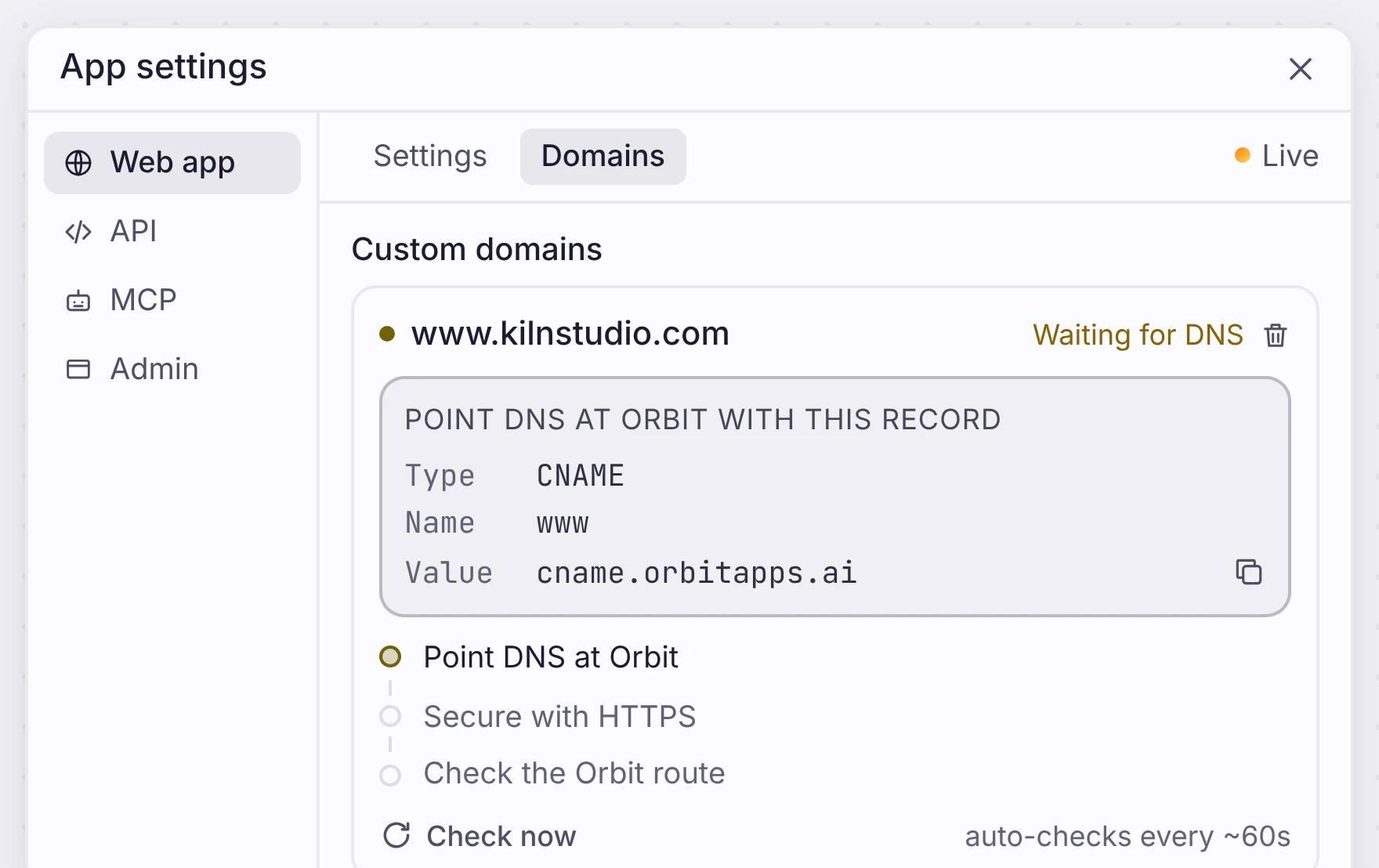
Open App settings, go to Domains, and type your domain. You get one record to add at your DNS provider. Copy it, paste it, and the check runs on its own every minute.
Your site is live on its own orbitapps.ai address before your domain connects, so you can share the link today. To check a change first, deploy it to Review, then to Production.
Votre propre domaine, certificat compris
Le panneau de lancement Orbit montrant Northline Frames en ligne avec les commandes de lancement visibles.
Change anything on the canvas
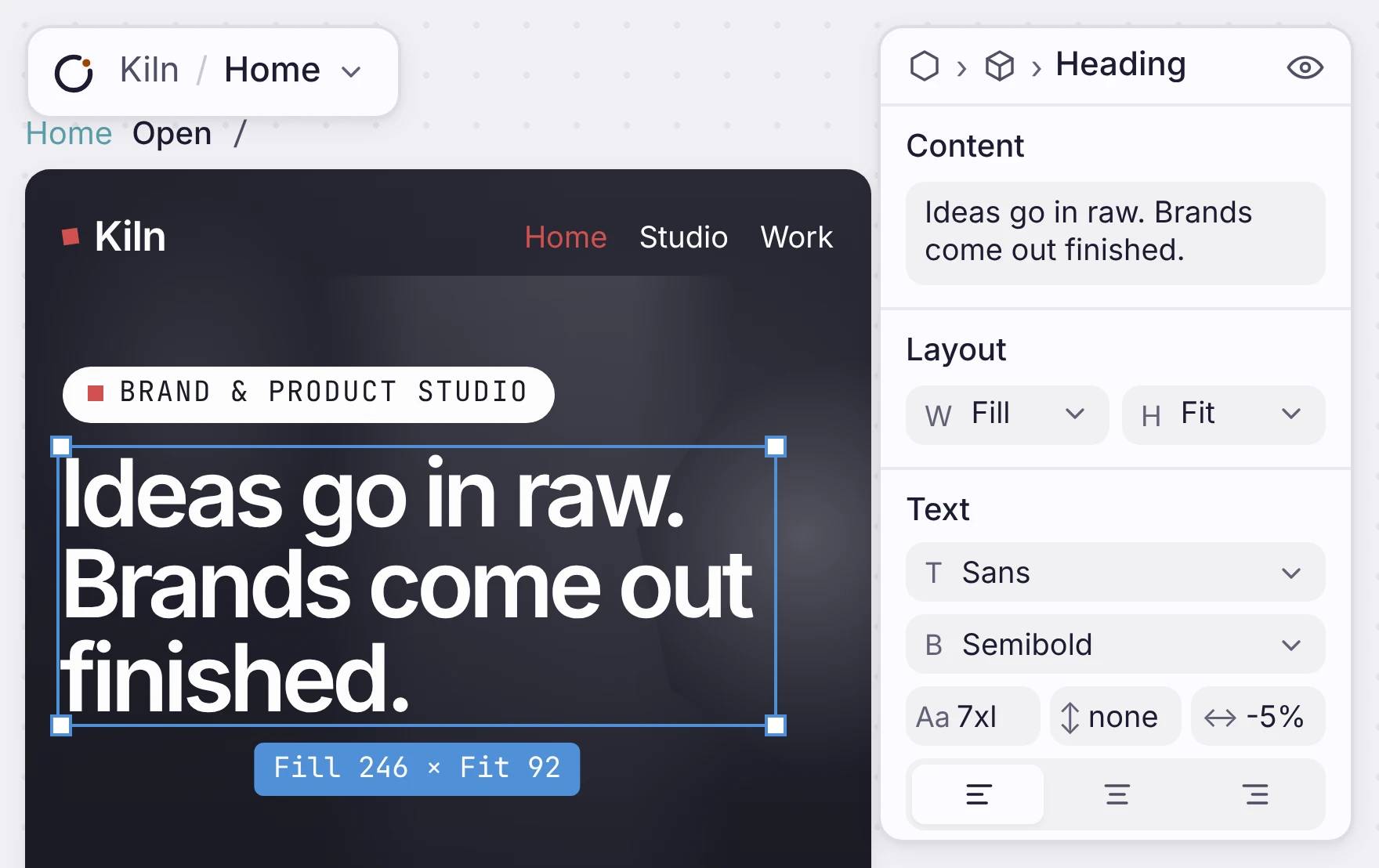
Click a headline and change the words in the panel. Change its font, weight and size in the same place. When you are done, deploy again. You do not need a rebuild or a plugin.
A plain site has no database. When a page needs real records, like a catalogue or a booking form, add a data model. The pages then read from it.
One limit: you cannot export the code. You edit and publish the site here.
À vous de la modifier, sur un canevas.
La page Northline Frames sélectionnée et prête à modifier dans Orbit.
Où cela s’inscrit
Commencez par un site web. Devenez une app.
Put your site live first. Add sign-in, data, forms or workflows later, in the same app.
Mettez votre site en ligne, à vos conditions
Describe it, change it until it looks right, and put it on your domain.

