Describe your site. Put it live on your own domain.
サイトを説明し、ページを整え、自分のドメインに向けます。HTTPS は自動で発行されます。いま読んでいるこのサイトも、そうやって作られました。デモではなく、本物のウェブサイトです。
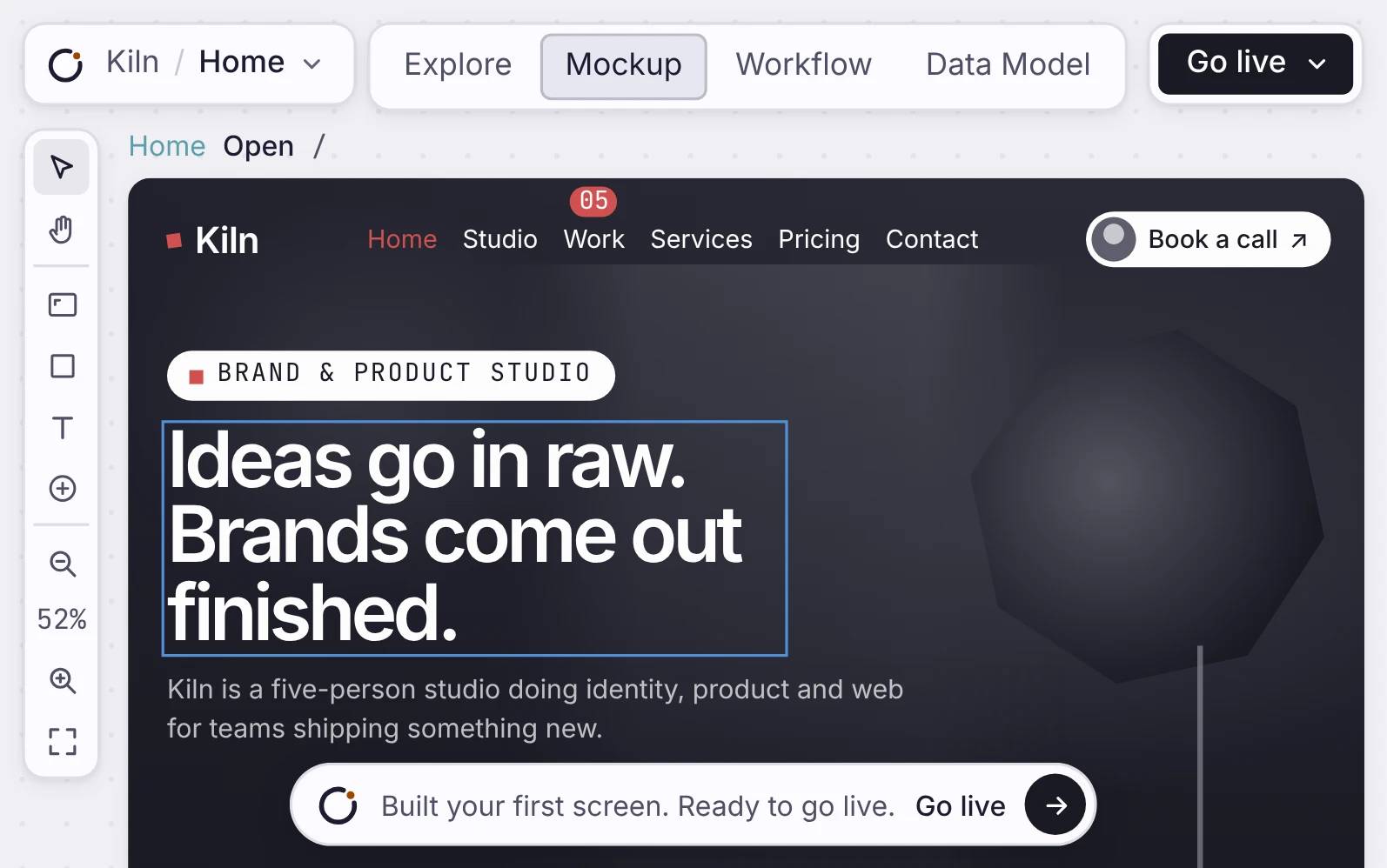
ダークテーマと誘導ボタンが見える、Orbit で作られた本物の Northline Frames のウェブサイト。
仕組み
Build it, check it, put it live.
サイトを説明し、ページを組み立て、自分のドメインに向けます。証明書は自動で発行されます。
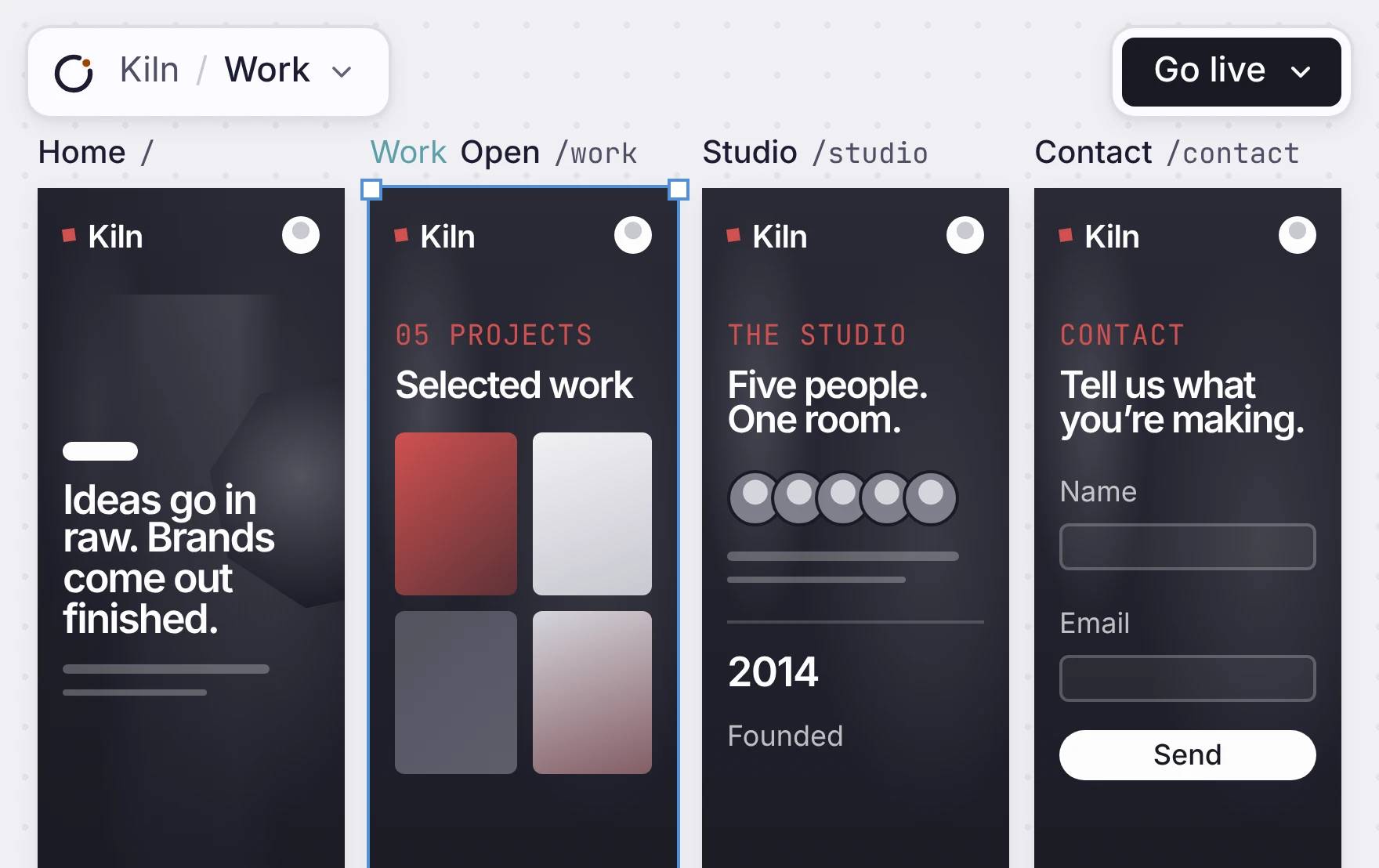
速く読み込まれる、複数ページのサイト
本物の Orbit の Mockup キャンバスの中に表示された、Northline Frames のウェブサイトのページ。
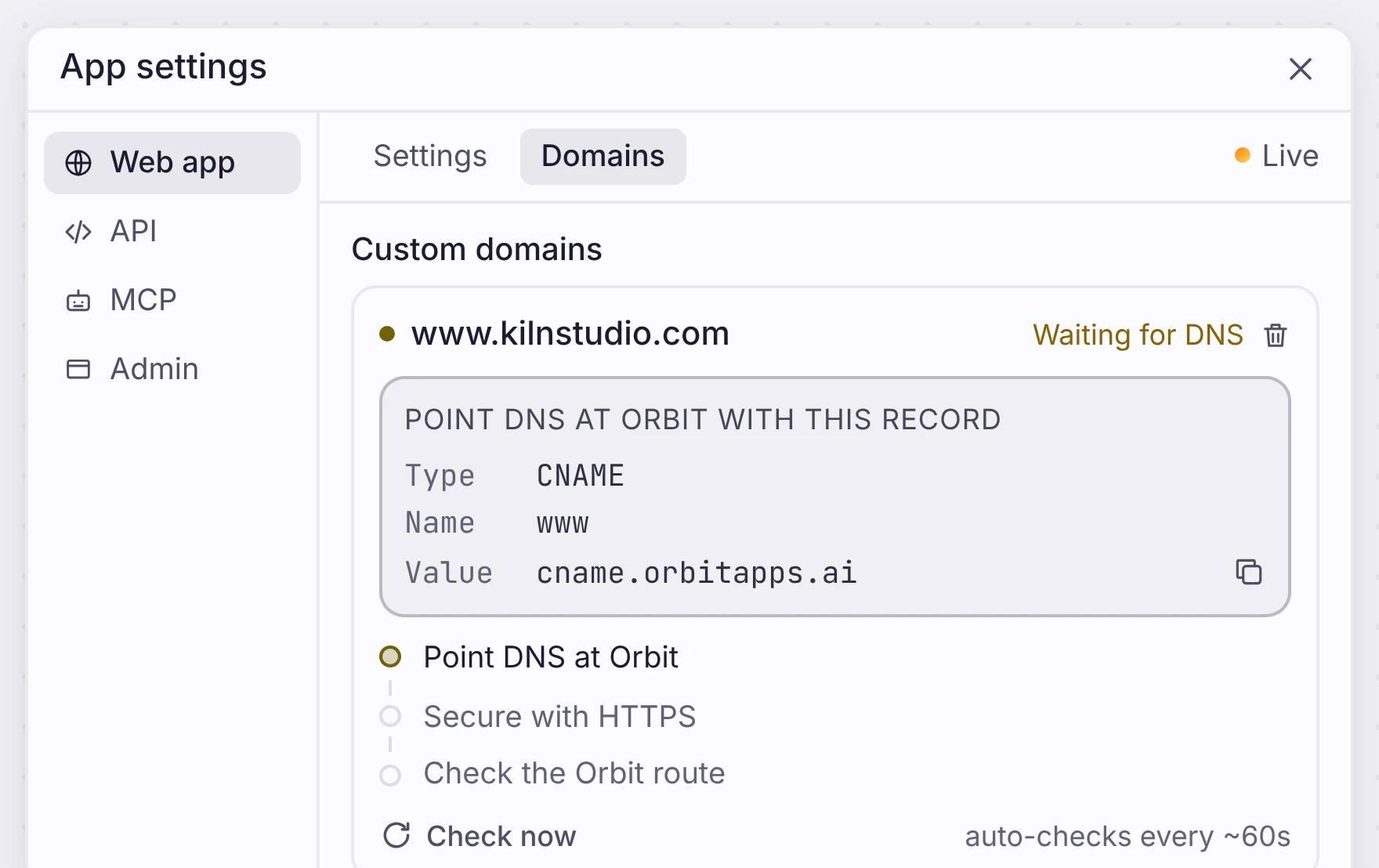
自分のドメインと、証明書まで一式
Northline Frames が公開中で、公開の操作が見えている Orbit の公開パネル。
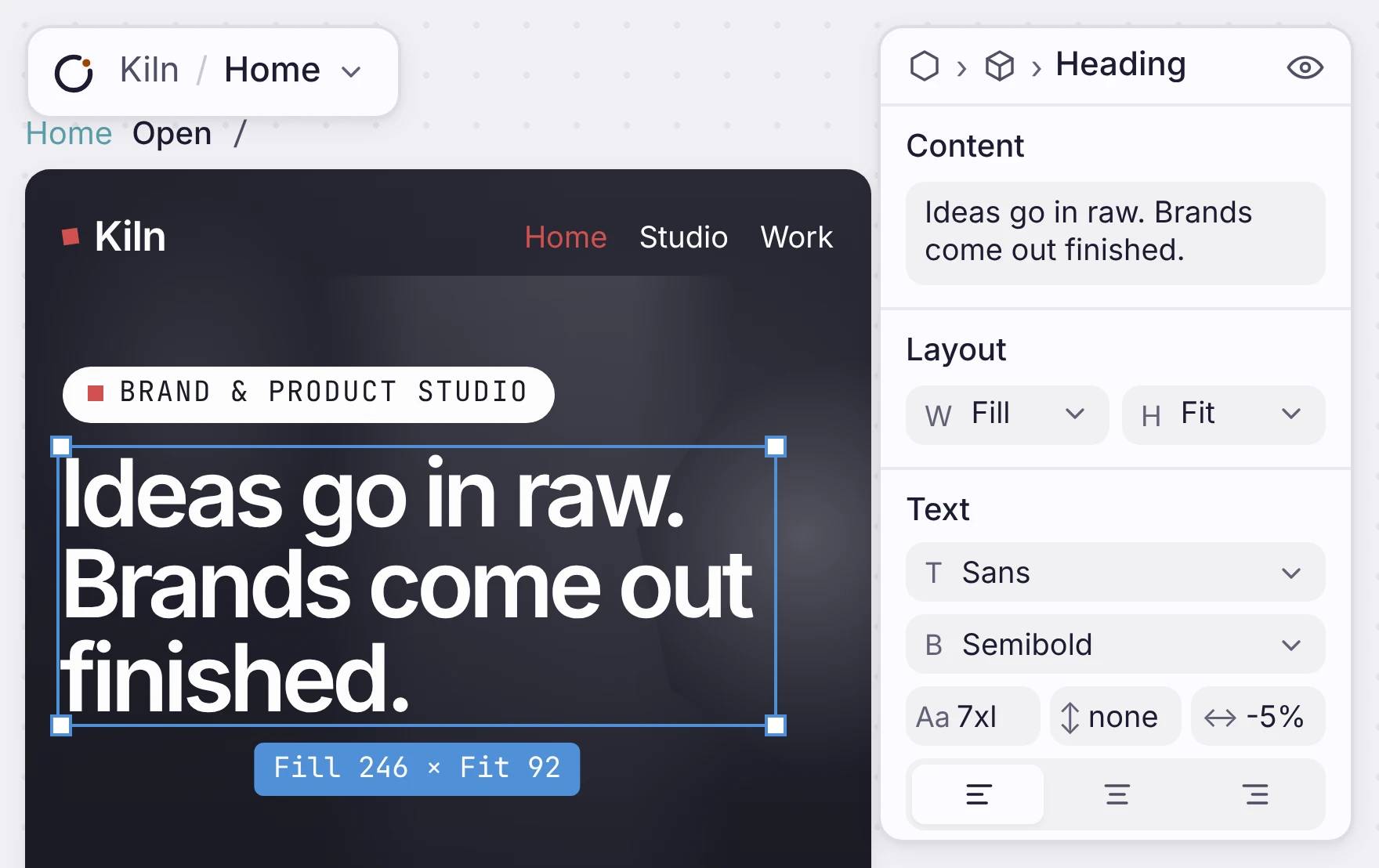
キャンバスの上で、自分で編集できます。
Orbit の中で選択され、編集できる状態の Northline Frames のページ。
Every page, side by side
Each page of your site sits on the canvas as a frame. The name and address are above it. To add a page, ask the agent or add a frame. Visitors get the words in the first response, and so do search engines.
WHAT EVERY SITE GETS
See them on this site: /robots.txt, /sitemap.xml and /llms.txt.
速く読み込まれる、複数ページのサイト
本物の Orbit の Mockup キャンバスの中に表示された、Northline Frames のウェブサイトのページ。
Your own domain, with HTTPS
Open App settings, go to Domains, and type your domain. You get one record to add at your DNS provider. Copy it, paste it, and the check runs on its own every minute.
Your site is live on its own orbitapps.ai address before your domain connects, so you can share the link today. To check a change first, deploy it to Review, then to Production.
自分のドメインと、証明書まで一式
Northline Frames が公開中で、公開の操作が見えている Orbit の公開パネル。
Change anything on the canvas
Click a headline and change the words in the panel. Change its font, weight and size in the same place. When you are done, deploy again. You do not need a rebuild or a plugin.
A plain site has no database. When a page needs real records, like a catalogue or a booking form, add a data model. The pages then read from it.
One limit: you cannot export the code. You edit and publish the site here.
キャンバスの上で、自分で編集できます。
Orbit の中で選択され、編集できる状態の Northline Frames のページ。
どこに位置するか
ウェブサイトから始めて、アプリに育てる。
Put your site live first. Add sign-in, data, forms or workflows later, in the same app.

