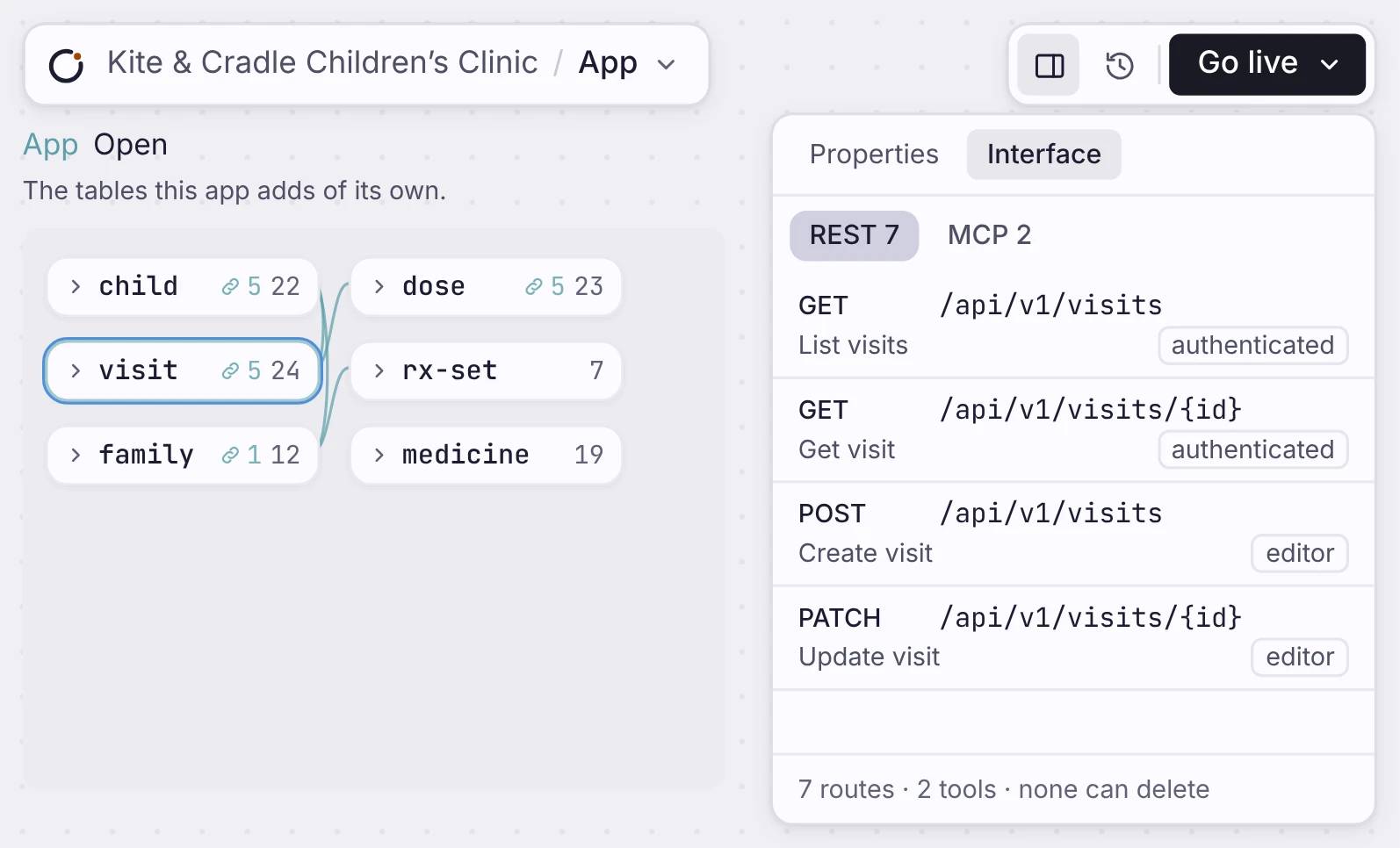
Billing Ops のデータモデルが、生成された REST API のエンドポイントと OpenAPI スキーマに対応します。
仕組み
スキーマから生まれ、既定で範囲が絞られた API。
The API is off until you turn it on. Turn it on for a table and you get REST routes, MCP tools and an OpenAPI file. Each request checks who is signed in.
すべてのエンティティに、REST エンドポイントを
テーブルを定義すると、GET、POST、PATCH、DELETE のルートが付きます。
常に同期する、ライブの OpenAPI スキーマ
アプリは、API のルートと同じスキーマから生成された OpenAPI 3.0 ファイルを公開します。
既定で範囲が絞られ、保護されます。
各リクエストはまずサインイン中の利用者を確認し、許可されたデータだけに結果を絞ります。
Routes for the tables you choose
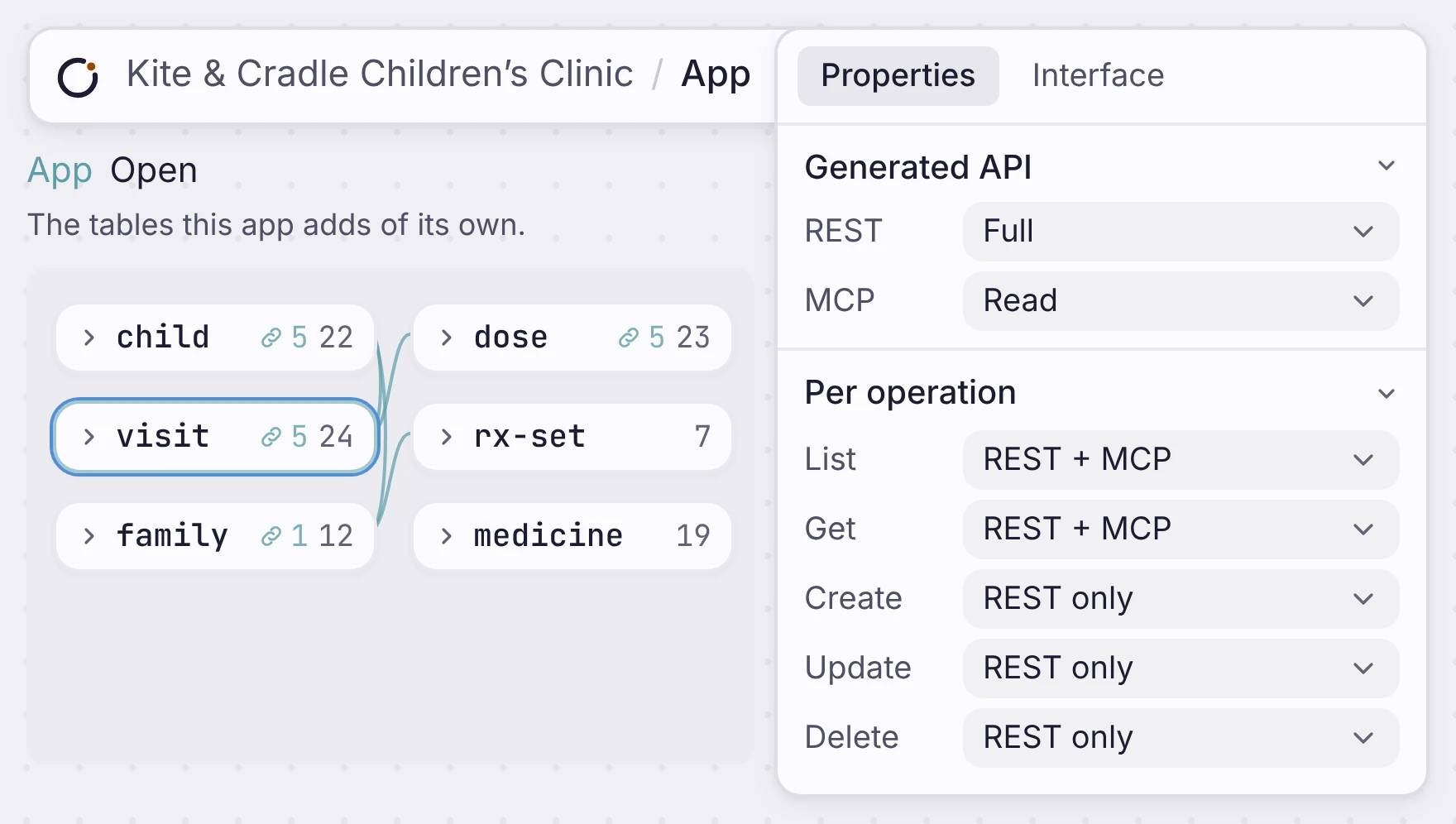
Open a table and set its Generated API. Choose Off, Read, Read and write, or Full, for REST and for MCP. You can also set each action on its own, such as create over REST only, or delete not at all.
すべてのエンティティに、REST エンドポイントを
テーブルを定義すると、GET、POST、PATCH、DELETE のルートが付きます。
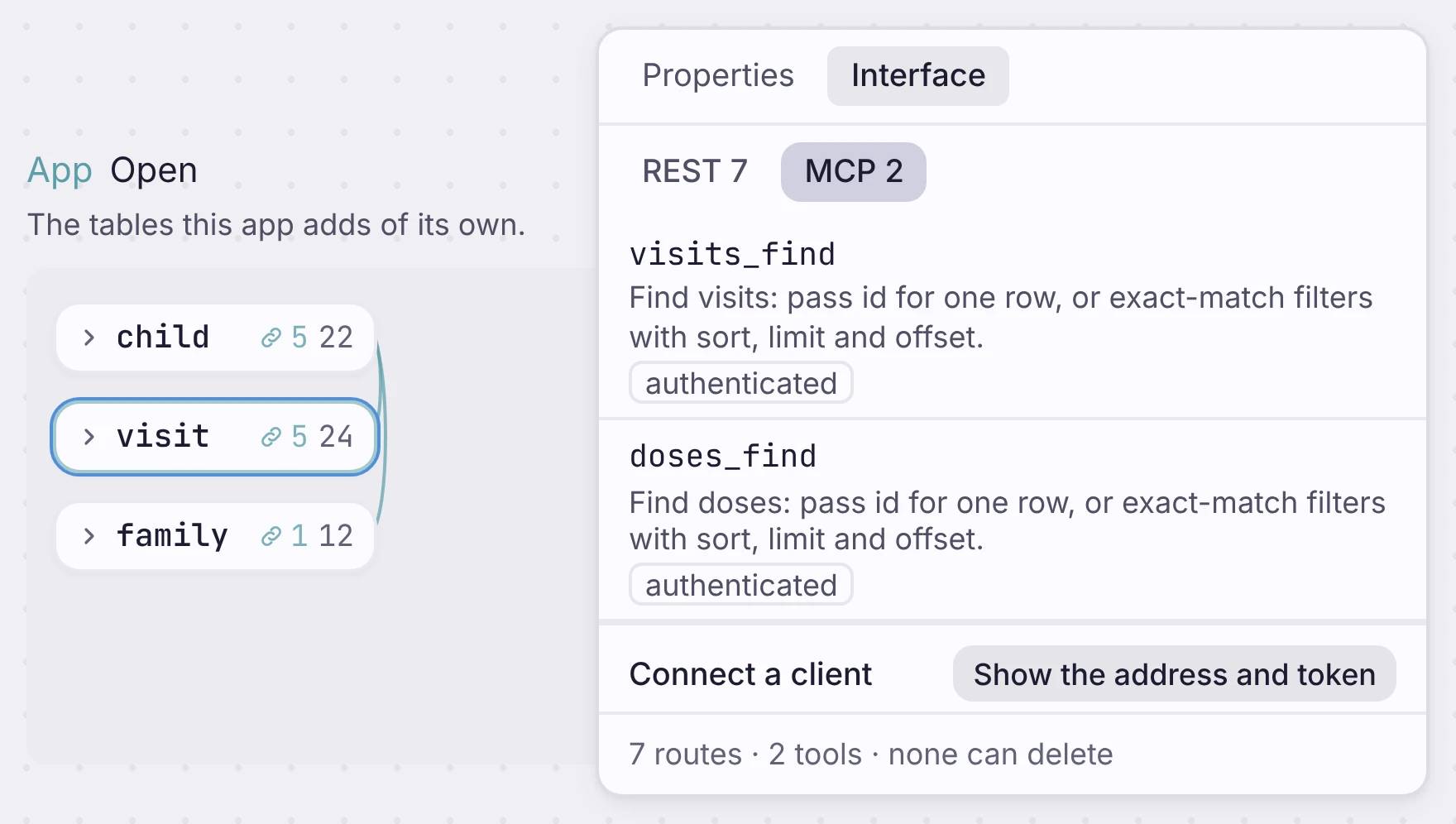
REST for code, MCP for agents
The Interface tab shows what your app serves: every REST route, every MCP tool, and who can call each one. The footer counts them and tells you how many tools can delete. Your app also publishes an OpenAPI file at /openapi.json, and every deploy updates it.
常に同期する、ライブの OpenAPI スキーマ
アプリは、API のルートと同じスキーマから生成された OpenAPI 3.0 ファイルを公開します。
既定で範囲が絞られ、保護されます。
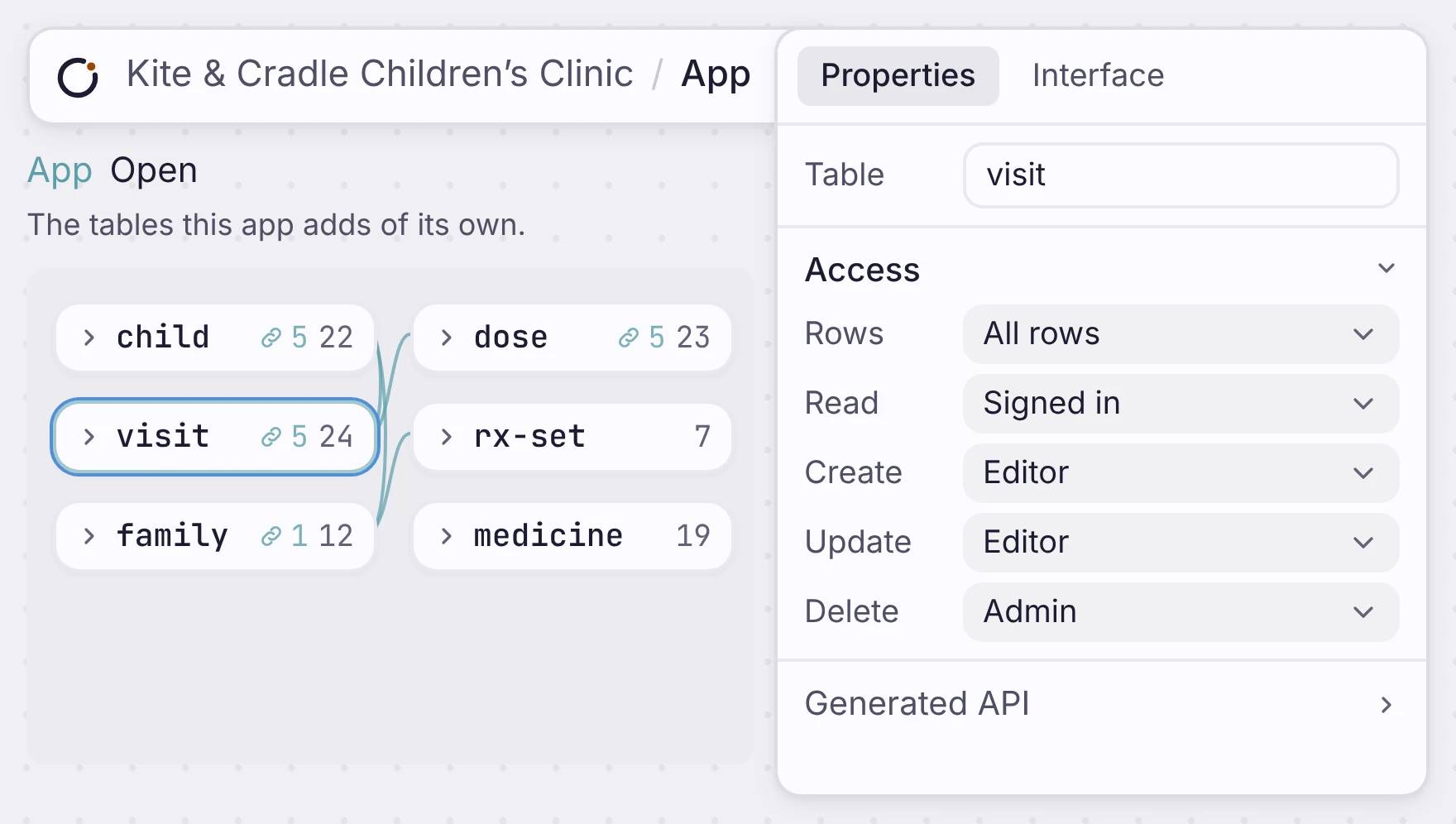
Each request checks who is signed in before it touches data. For each table, set who can read, create, update and delete. The levels are Anyone (read only), Signed in, Viewer, Editor, Admin and Owner. You can also limit reads to each person’s own rows.
既定で範囲が絞られ、保護されます。
各リクエストはまずサインイン中の利用者を確認し、許可されたデータだけに結果を絞ります。
どこに位置するか
The API comes from your data.
API を別に作ることはありません。データモデルから生まれるので、スキーマが変われば API も一緒に変わります。

