エージェントをアプリにつなぐ。
Your app can be an MCP server. Claude and other agents can find records, add them and run your workflows. You decide which tables and workflows they can use and each call follows your access rules.
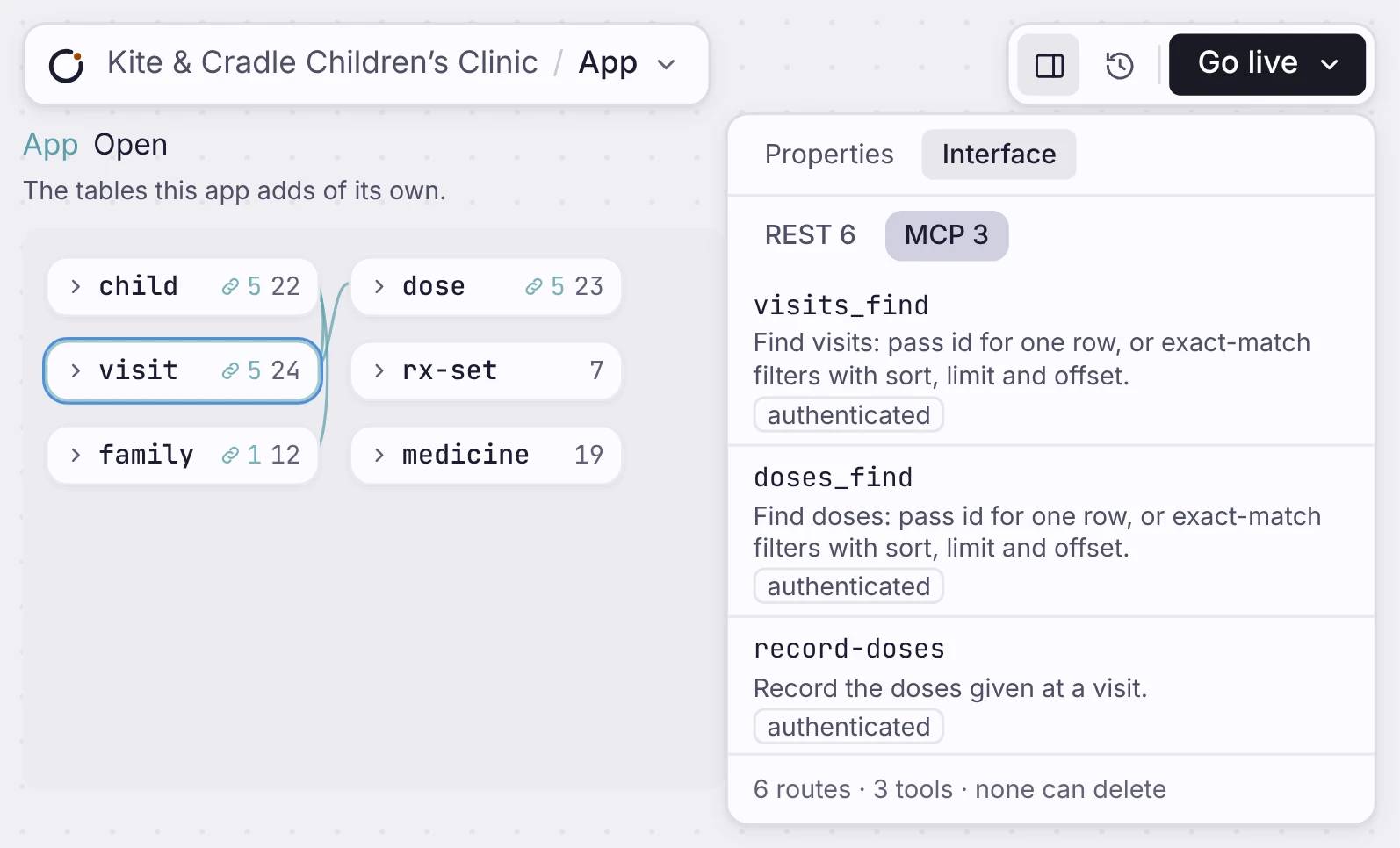
Billing Ops のエンティティと Workflow が、エージェント向けに生成された MCP ツールに対応します。
仕組み
Pick what agents can use.
Nothing is open to agents until you turn it on. Turn on MCP for a table and agents can find, add or change its rows. Offer a workflow and agents can run it. Your app serves all of it at /mcp.
エージェントが読むインターフェース、REST と OpenAPI
データモデルが、REST API と /openapi.json の OpenAPI 3.0 スキーマを作ります。
回答エンジンがアプリを見つけるための llms.txt
すべてのアプリが llms.txt を公開するので、LLM と回答エンジンがアプリを理解できます。
アプリから作られる MCP サーバー。
Workflow とエンティティが、トークン認証とサインイン中の利用者の範囲を備えた MCP ツールになります。
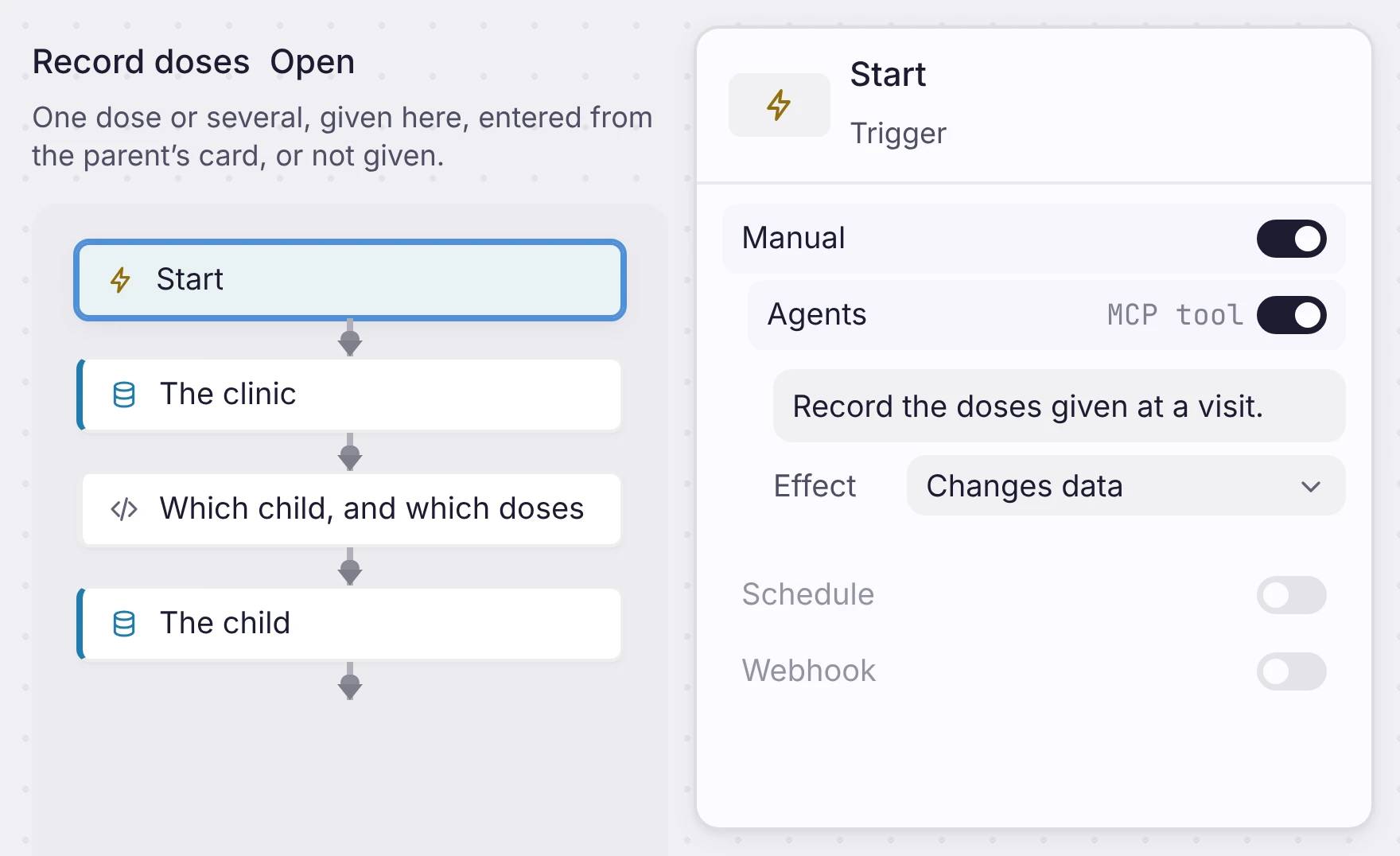
A workflow as a tool
Open a workflow and select its Start step. Under Manual, switch on Agents. Write one line about what the workflow does, because an agent reads it to pick the right tool. Then set the Effect: Only reads data, Changes data, or Can delete data.
エージェントが読むインターフェース、REST と OpenAPI
データモデルが、REST API と /openapi.json の OpenAPI 3.0 スキーマを作ります。
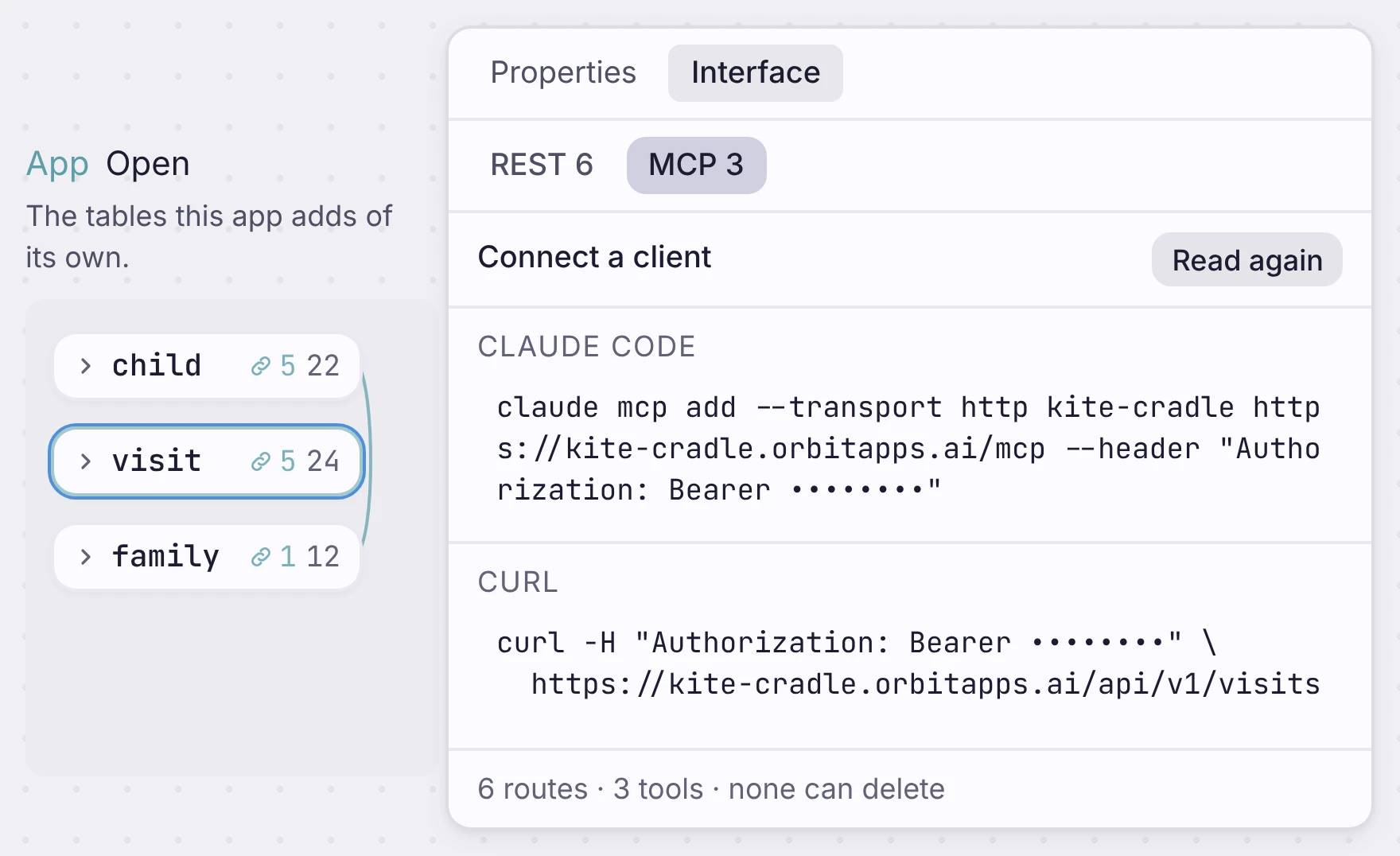
Connect Claude or any client
Open the Interface tab and click “Show the address and token”. You get lines to copy for Claude Code, a config file, the MCP Inspector and curl. Paste one, and the agent sees your tools.
回答エンジンがアプリを見つけるための llms.txt
すべてのアプリが llms.txt を公開するので、LLM と回答エンジンがアプリを理解できます。
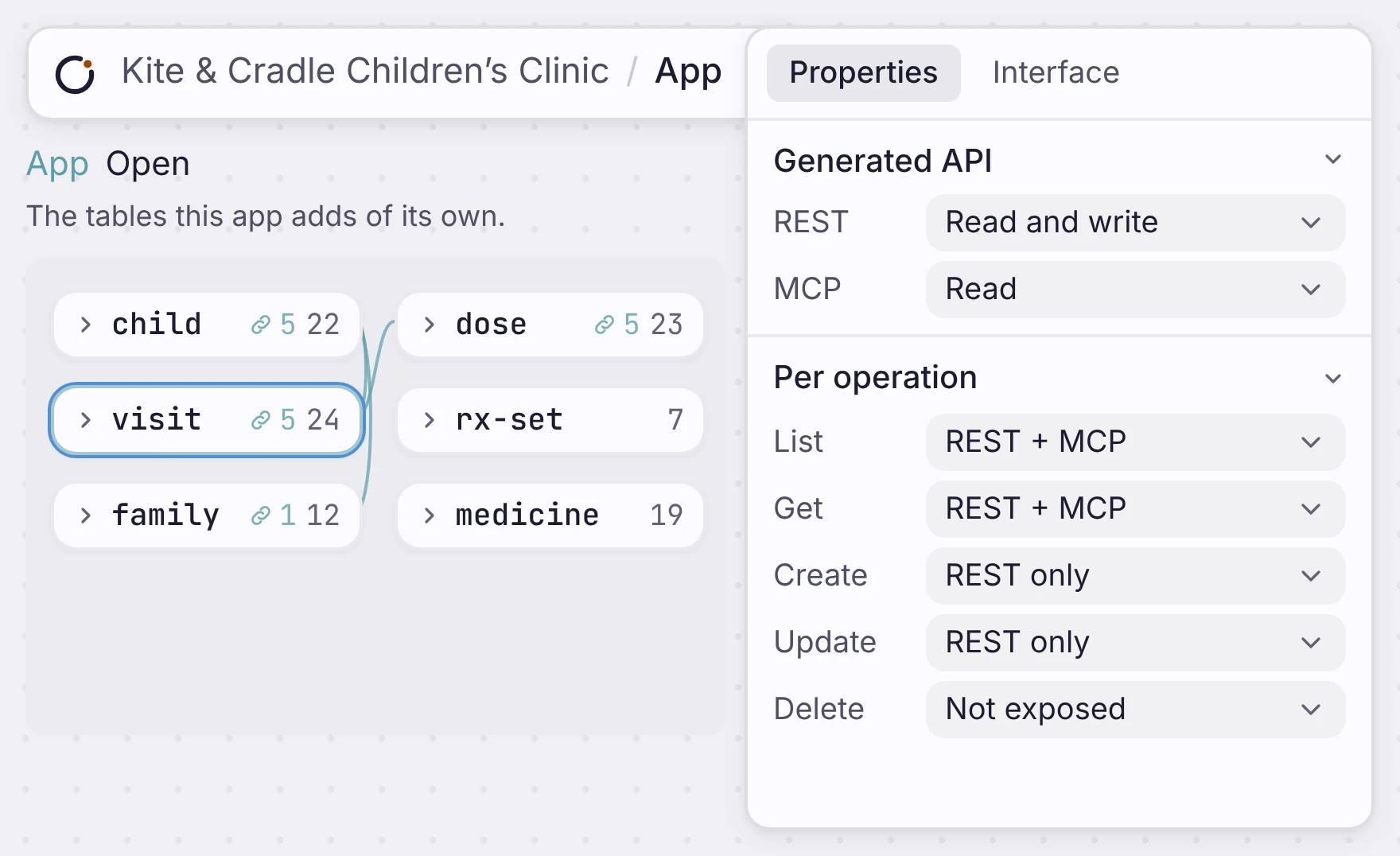
Safe by default
Each table’s MCP setting starts off. Set it to Read, Read and write, or Full, or set each action on its own. For example, let agents find visits but not change them, and never let them delete. Tools follow the same access rules as your REST API.
アプリから作られる MCP サーバー。
Workflow とエンティティが、トークン認証とサインイン中の利用者の範囲を備えた MCP ツールになります。
どこに位置するか
One app. People, code and agents use the same data.
Your screens, your REST API and your MCP tools all read the same tables. Change a table and deploy, and all three change with it.
Build an app that agents can use
Build it, choose what agents can do, and connect them with a token.

