Design the page people will use.
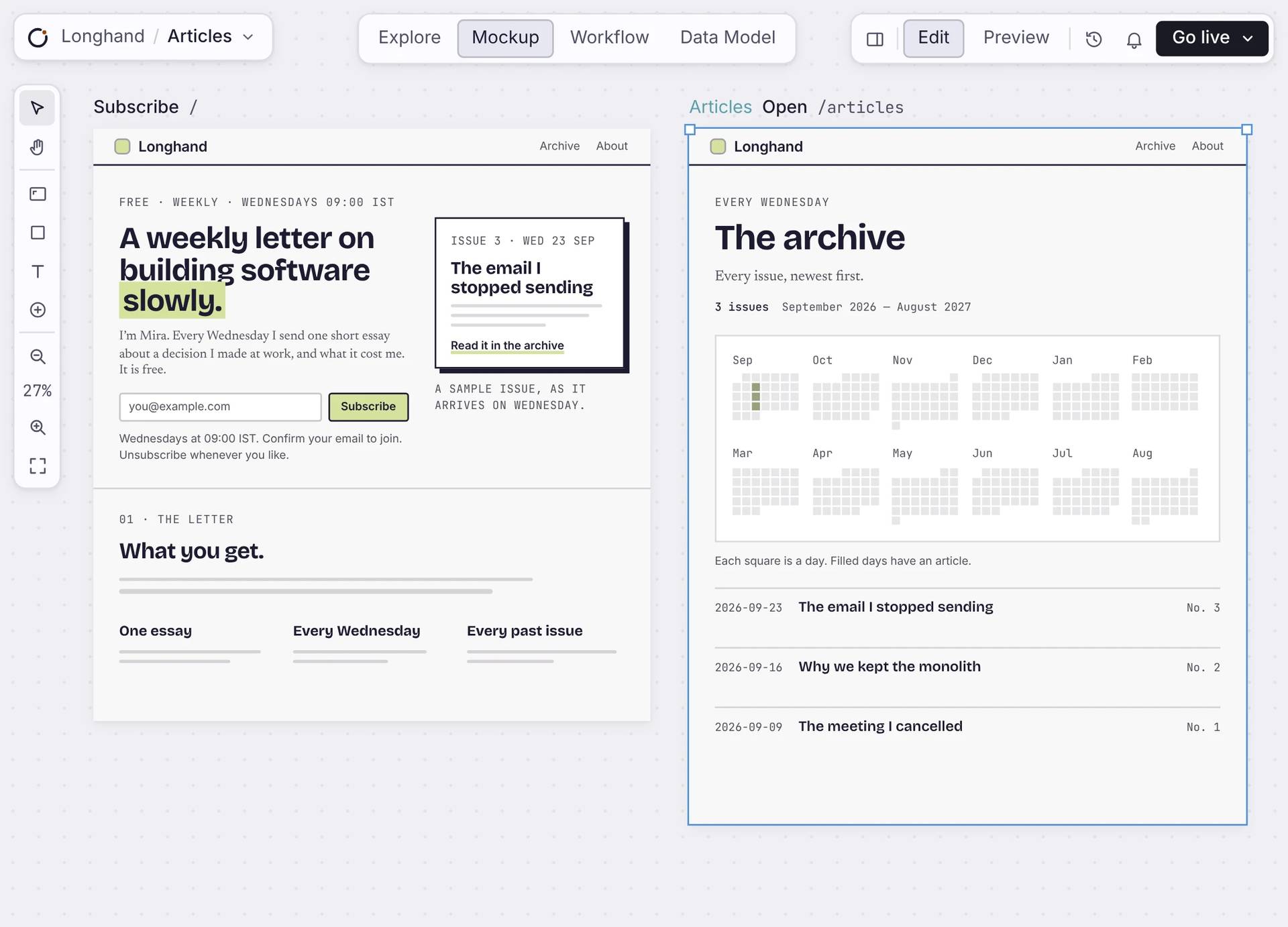
Lay out every page of your app on one canvas. Each page has its own URL and reads from your data. When you go live, people use the page you designed.
作るのは無料です。最初の 1 本も、自分のドメインで無料で公開できます。
エディタの中で
Design each page, piece by piece.
Pick a section and change it, or type the change for Orbi. Every page sits next to the others, so the app stays consistent.
Real components
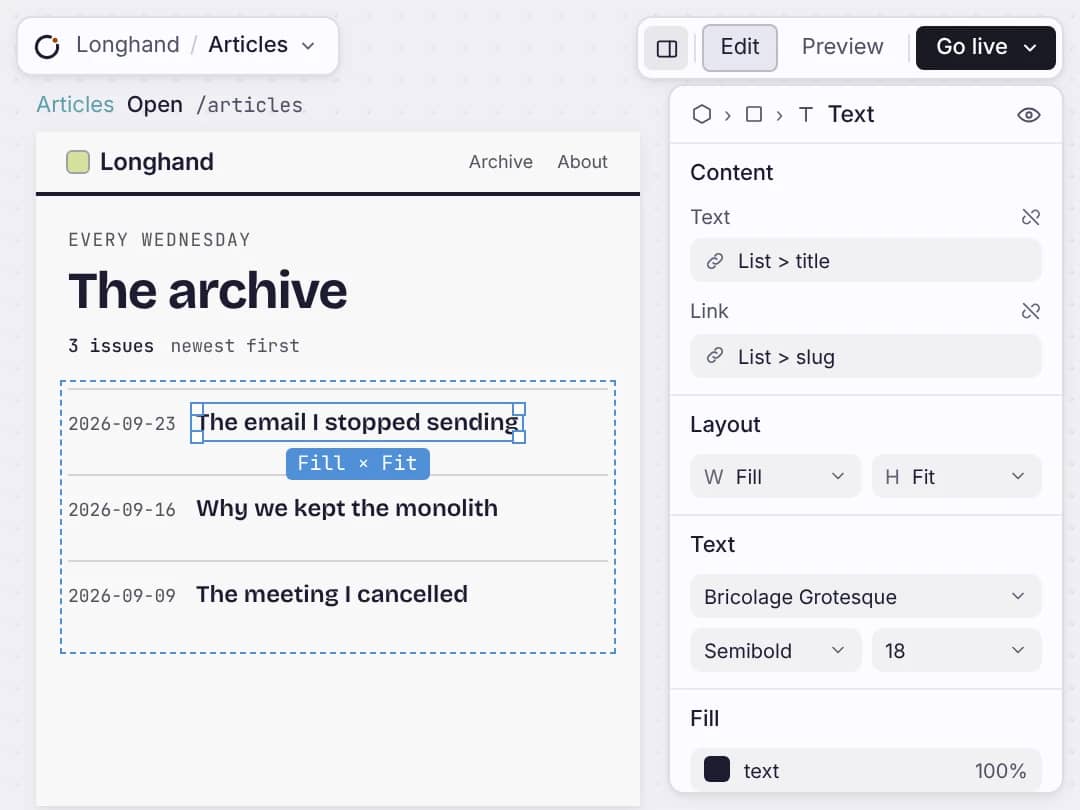
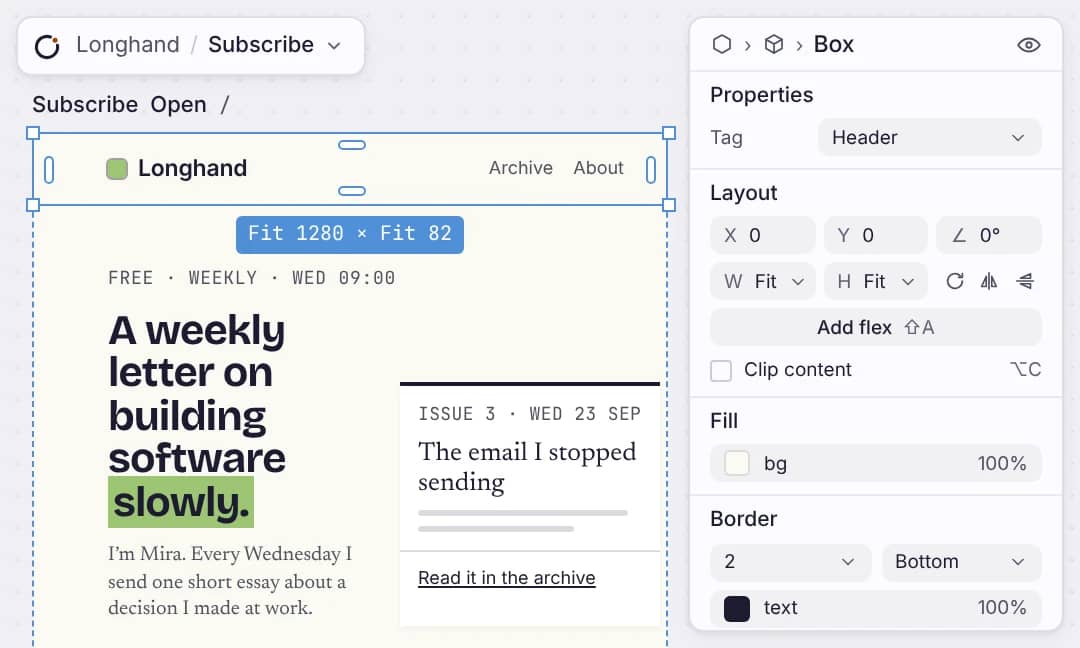
Forms, lists, calendars and buttons are the same ones your live app uses. Change size, spacing and colour in the inspector. No CSS.
Real data
Connect a list to a table and it shows your real records. Add a record and the page shows it.
One page, one URL
Each page has its own address. Choose who can see it: everyone, signed-in members, or only you while it’s a draft.
One theme
Set your colours and type once. Every page follows them, so a restyle is one change.
届くもの
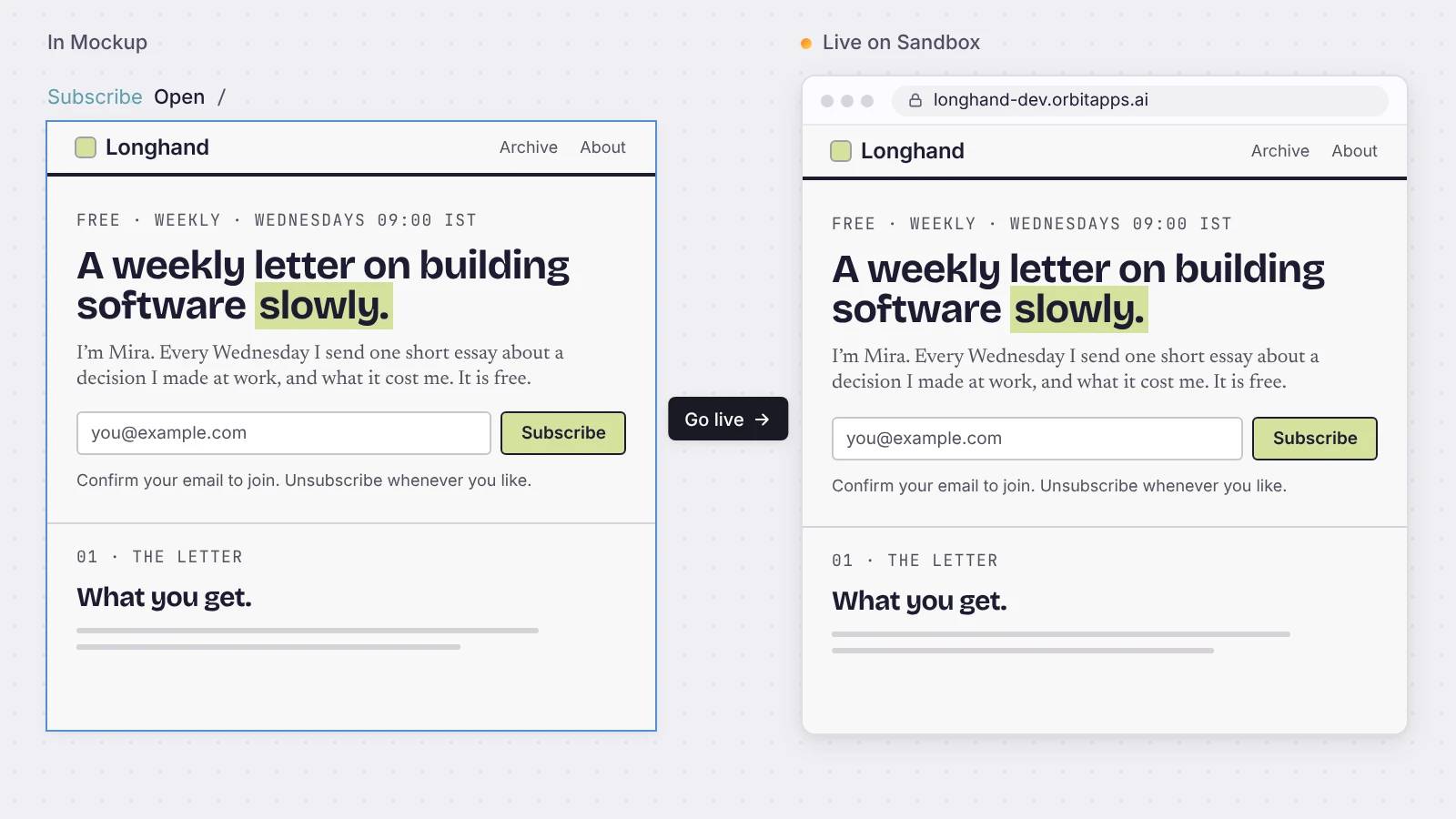
Mockup が、そのまま公開アプリとしてデプロイされます。
Press Go live and the same page runs at its own address, with your data, sign-in and forms already working.
率直な答え
画面について。
CSS を書く必要がありますか。
No. You style components in the inspector with your theme. The styles come from what you set, so you never touch CSS.
Mockup は試作品ですか、それとも公開する画面ですか。
It is the page you launch. Every page is a live route in your app, with your data and working forms and buttons. There is no separate prototype.
誰が画面を見られるかを決められますか。
各ページには、全員、サインインした人、下書きのいずれかを設定します。下書きはエディタの中に留まり、デプロイされません。サインインした人向けのページは、サインインの内側に置かれます。
自分のデザインを持ち込めますか。
アプリに付属するコンポーネントと、自分が管理するテーマで設計します。自由に絵を描く道具ではなく、コンポーネントのキャンバスです。ですから公開したときにデザインが崩れることはありません。
画面には何を置けますか。
リスト、フォーム、テーブル、グラフ、カレンダー、日付選択、ダイアログ、タブなど、コンポーネントライブラリにあるものです。並べるのであって、描くのではありません。
始める
Design your first page.
Put it on the canvas, connect it to your data, and go live.

