バックエンド込みで、ウェブアプリを作る。
Someone signs in, works for an hour, and closes the tab. A week later, every record is where they left it. That needs a database, sign-in and logic on a server. Your app gets all three.
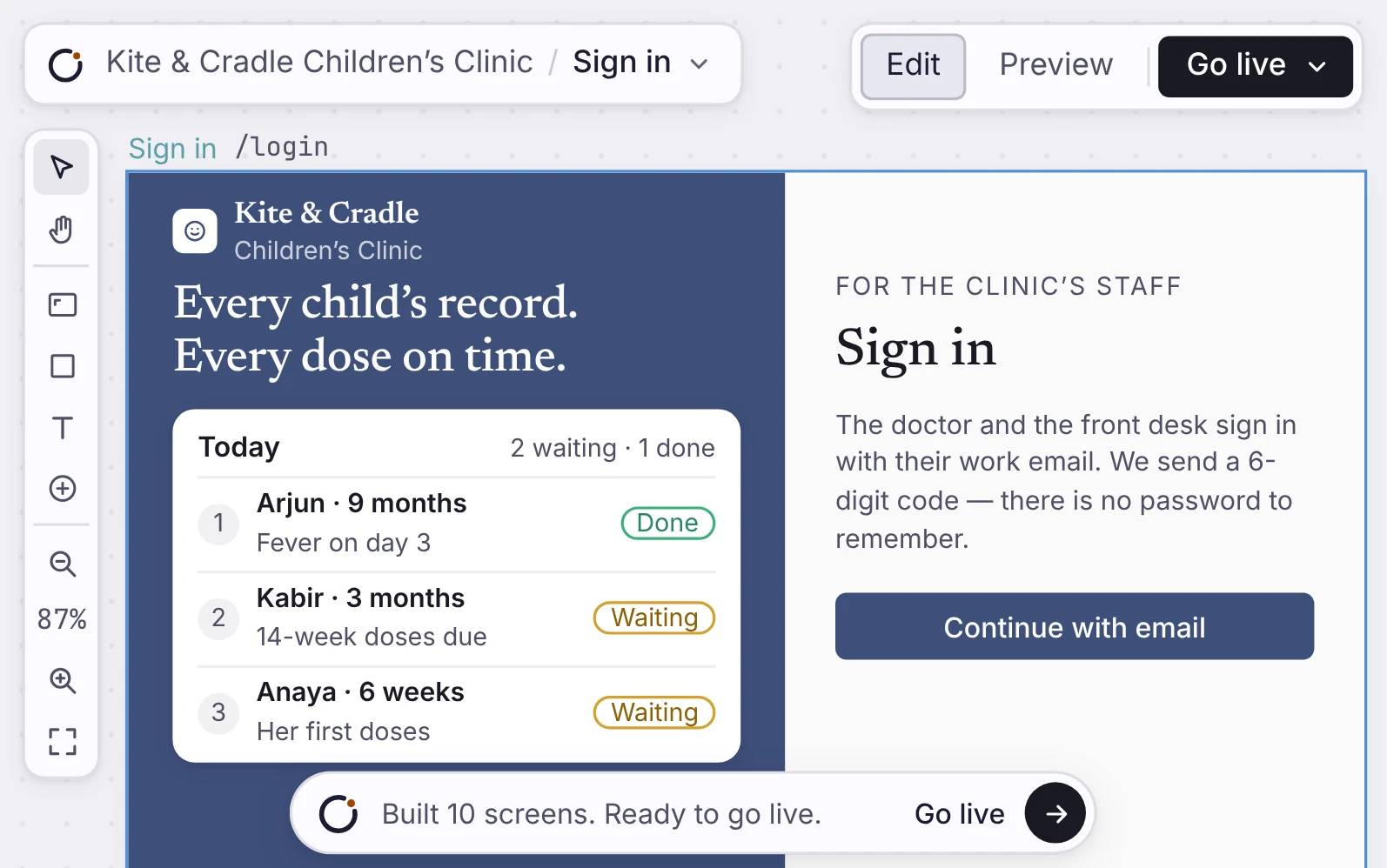
Orbit で作られた完成版のウェブアプリ。公開パネルは Prod、アプリは dealroom.orbitapps.ai で公開中、Pipeline のページが選ばれています。
仕組み
アプリには、スタック全体が付いてきます。
Each app gets its own Postgres database. Your pages, sign-in, workflows and API all use the same tables. You do not connect anything later.
サインインと Postgres のデータベース
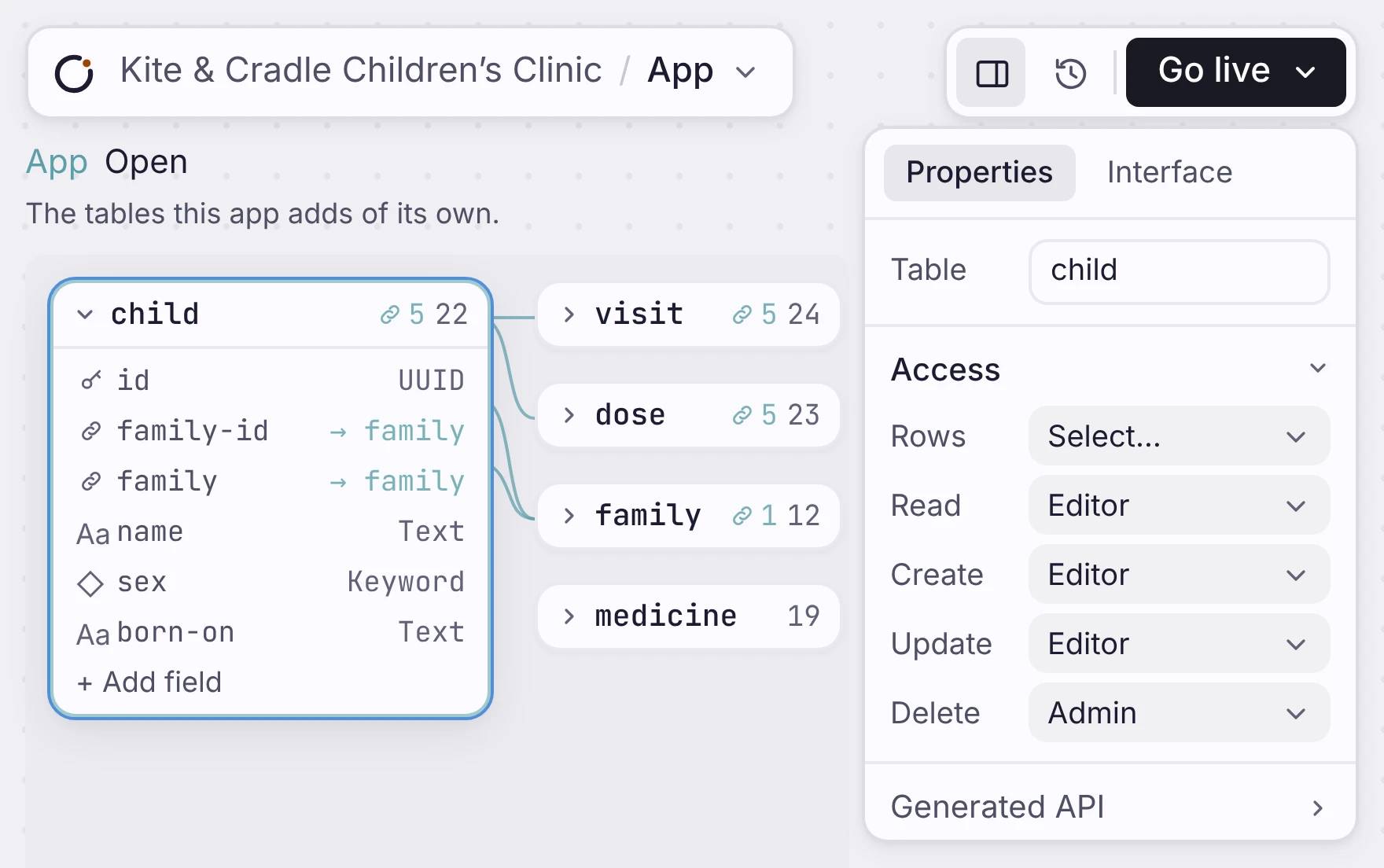
Dealroom アプリのデータモデル。バックエンドのデータベースとして、Orbit のエンティティノードで表示しています。
サーバーのロジックと、ライブ更新
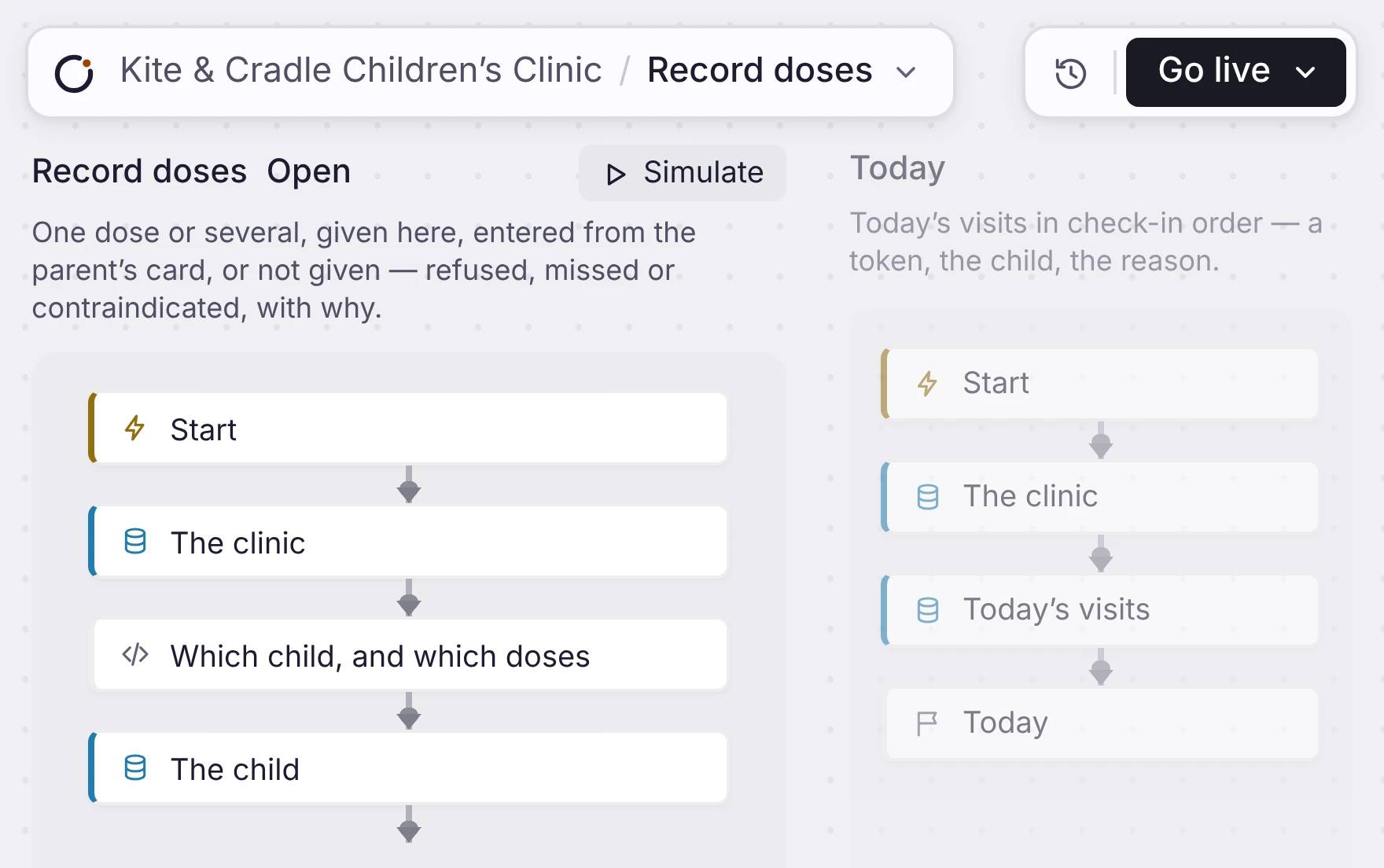
Dealroom の Workflow キャンバス。バックエンドの処理が、動くアプリのロジックとしてつながっています。
同じアプリのための API
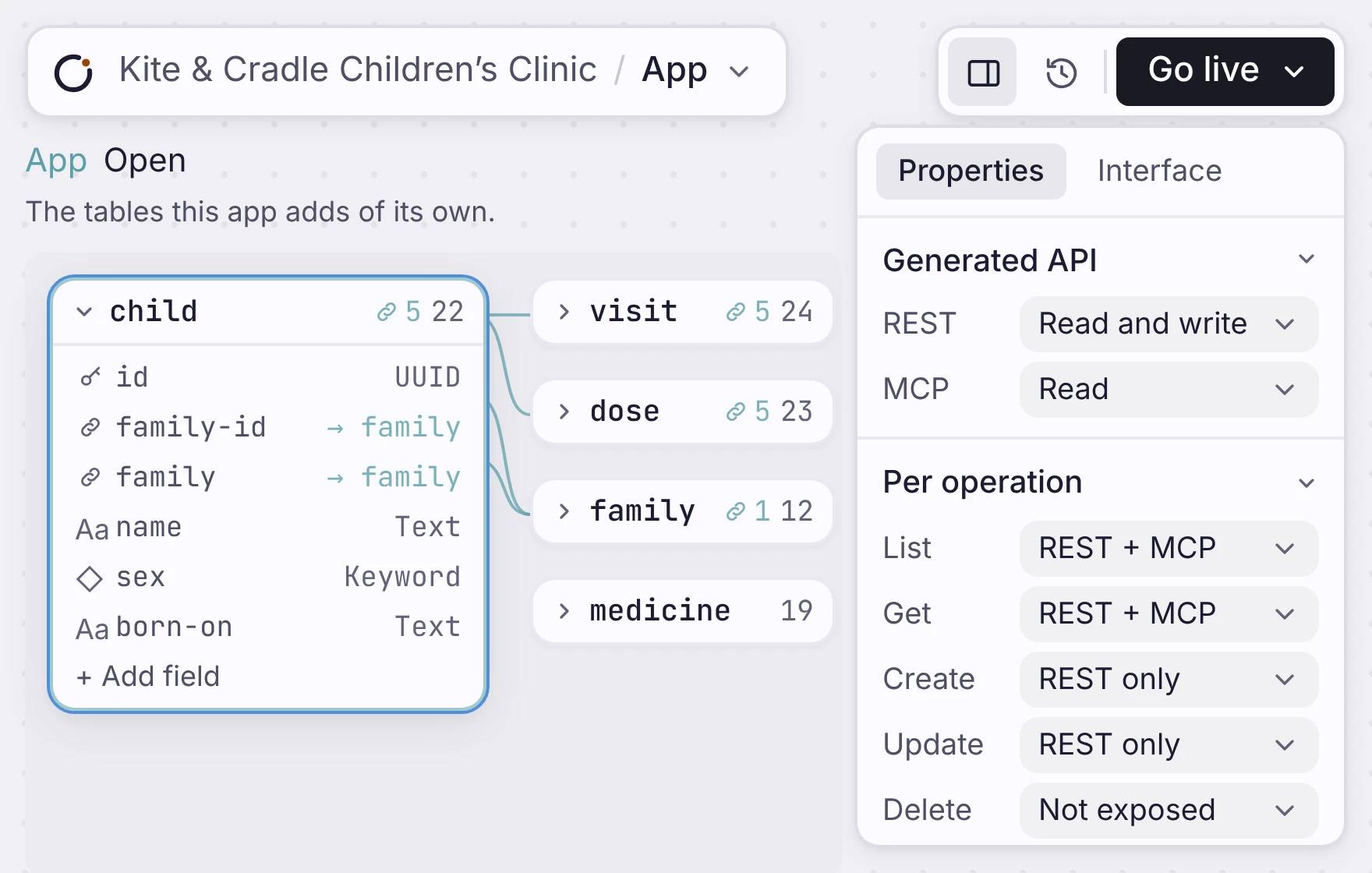
同じバックエンドのデータを使う、Dealroom のアプリ画面と REST API のレスポンス。
サインインと Postgres のデータベース
Users can log in, stay logged in and save their data. Each user only sees the data they are allowed to access.
Each table you add is a real Postgres table. Every field has a type, and a row with the wrong data is refused. Switch on Google or email sign-in, and the database itself decides which rows each person can read.
データモデルの仕組みサインインと Postgres のデータベース
Dealroom アプリのデータモデル。バックエンドのデータベースとして、Orbit のエンティティノードで表示しています。
サーバーのロジックと、ライブ更新
Workflow はバックグラウンドで動き、アプリのデータを更新します。データが変わると、ダッシュボードや待ち行列はページを再読み込みせずに自動で更新されます。
Workflow は、ブラウザを閉じていても、デプロイ済みのアプリの中でスケジュール実行またはオンデマンドで動きます。Gmail や Resend で送信し、GitHub や Linear に書き込み、1 ステップを Claude や GPT に渡せます。失敗したステップは永続キューから最大 20 回まで再試行されます。
Workflow を構成するものサーバーのロジックと、ライブ更新
Dealroom の Workflow キャンバス。バックエンドの処理が、動くアプリのロジックとしてつながっています。
同じアプリのための API
アプリのデータモデルが、REST API も作ります。つまり画面と連携先は同じデータを使い、ずれません。
The API is off until you turn it on. For each table, choose Read, Read and write, or Full, over REST, MCP or both. You can also set each action on its own. For example, list over REST and MCP, create over REST only, and delete not at all.
One limit: the API acts as the person who is signed in. It is the API behind your app, not a public API with keys.
生成された API を見る同じアプリのための API
同じバックエンドのデータを使う、Dealroom のアプリ画面と REST API のレスポンス。
どこに位置するか
1 つのウェブアプリに、スタック全体。
画面、データベース、Workflow、ログイン、API が、まとめて届きます。別々の部品をあとからつなぐのではなく、完成した 1 つのアプリを作れます。
Build the app and its backend together
利用者に何をしてほしいかを説明し、画面、サインイン、データベース、ロジックを 1 つの動くアプリに組み上げてください。

