Build a web app with the backend included.
Someone signs in, works for an hour, and closes the tab. A week later, every record is where they left it. That needs a database, sign-in and logic on a server. Your app gets all three.
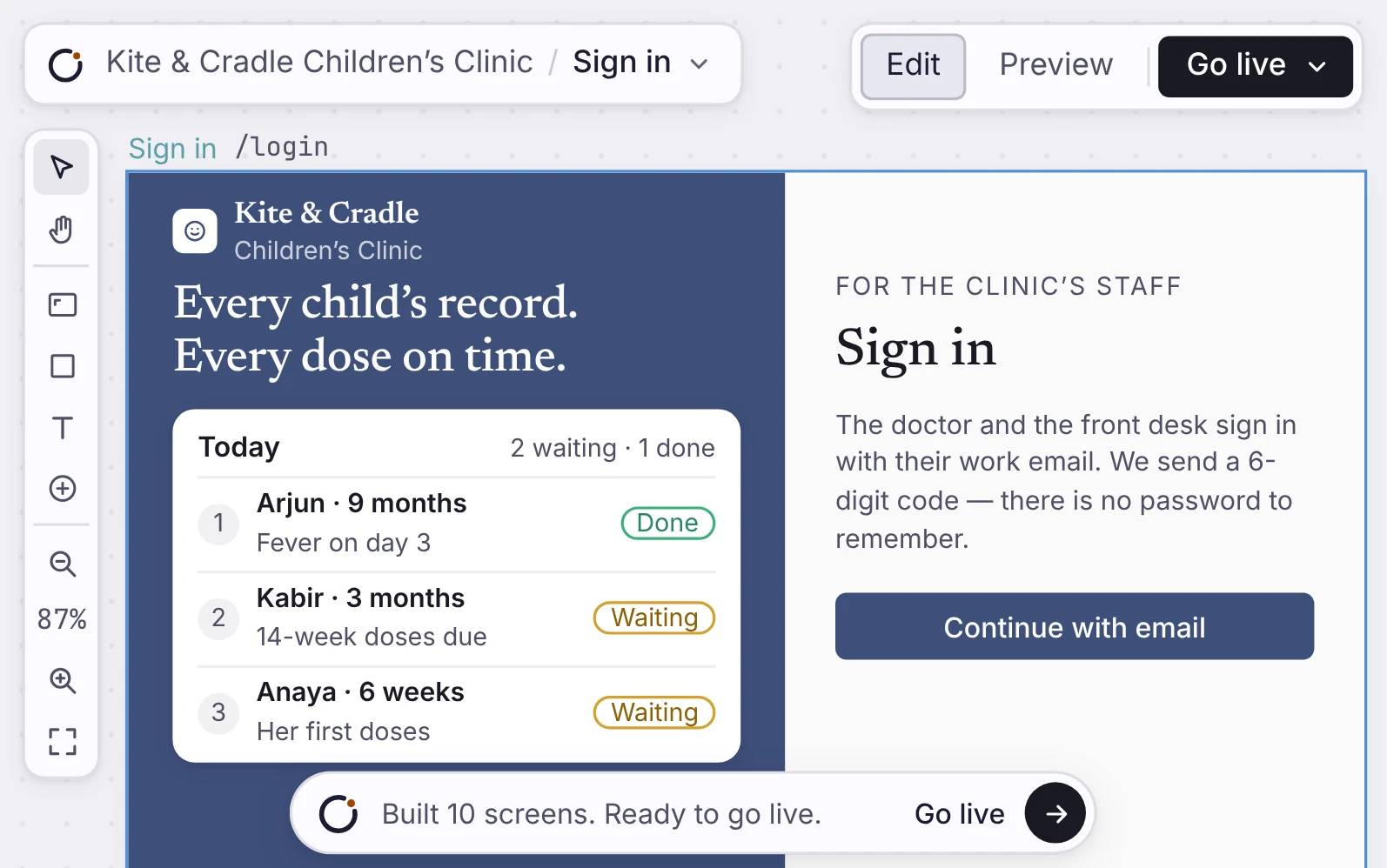
A complete Orbit-built web app with the launch panel on Prod, the app live on dealroom.orbitapps.ai, and the Pipeline page selected.
How it works
Your app comes with the whole stack.
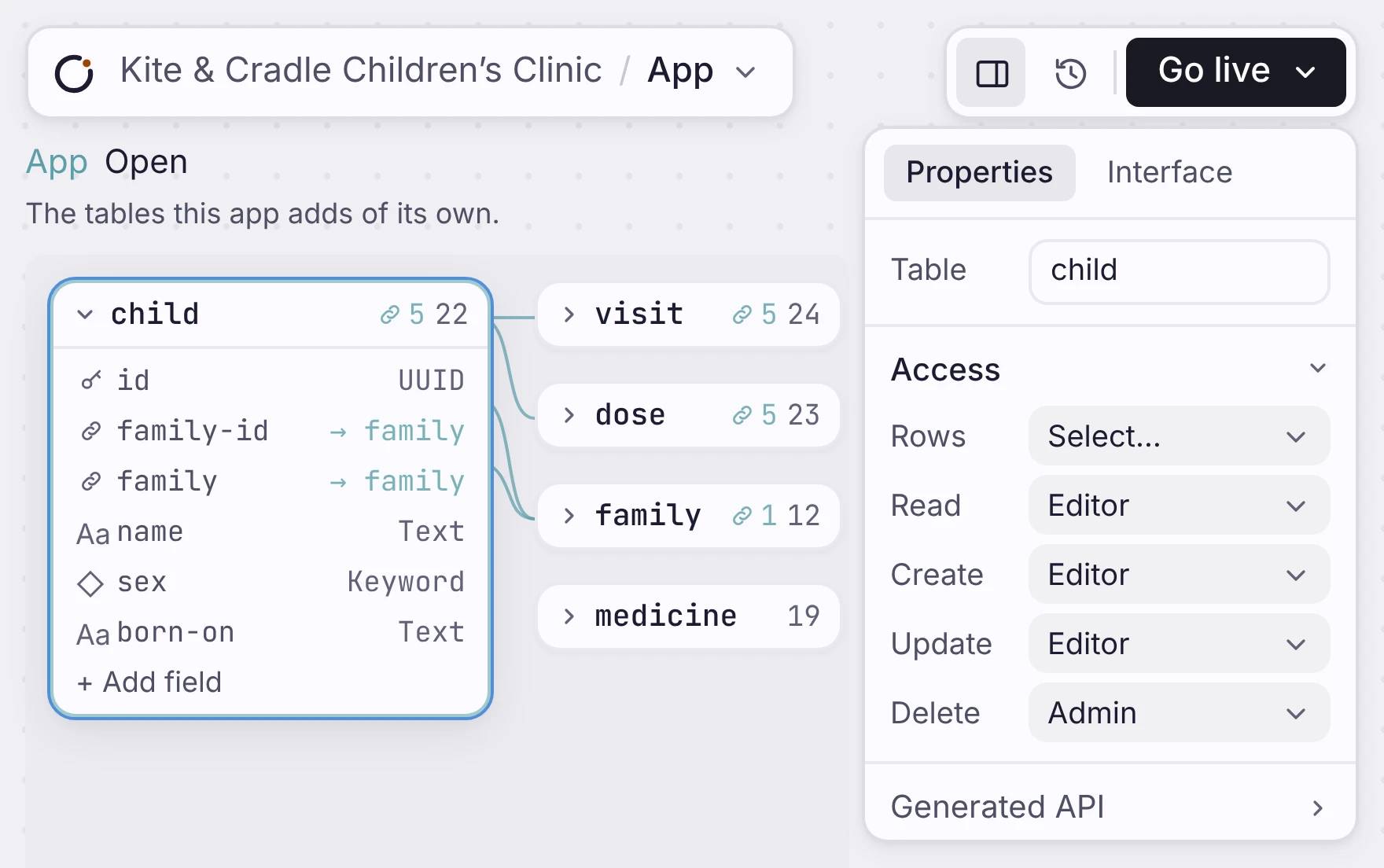
Each app gets its own Postgres database. Your pages, sign-in, workflows and API all use the same tables. You do not connect anything later.
Sign-in and a Postgres database
The Dealroom app data model, shown as Orbit entity nodes for the backend database.
Server logic and live updates
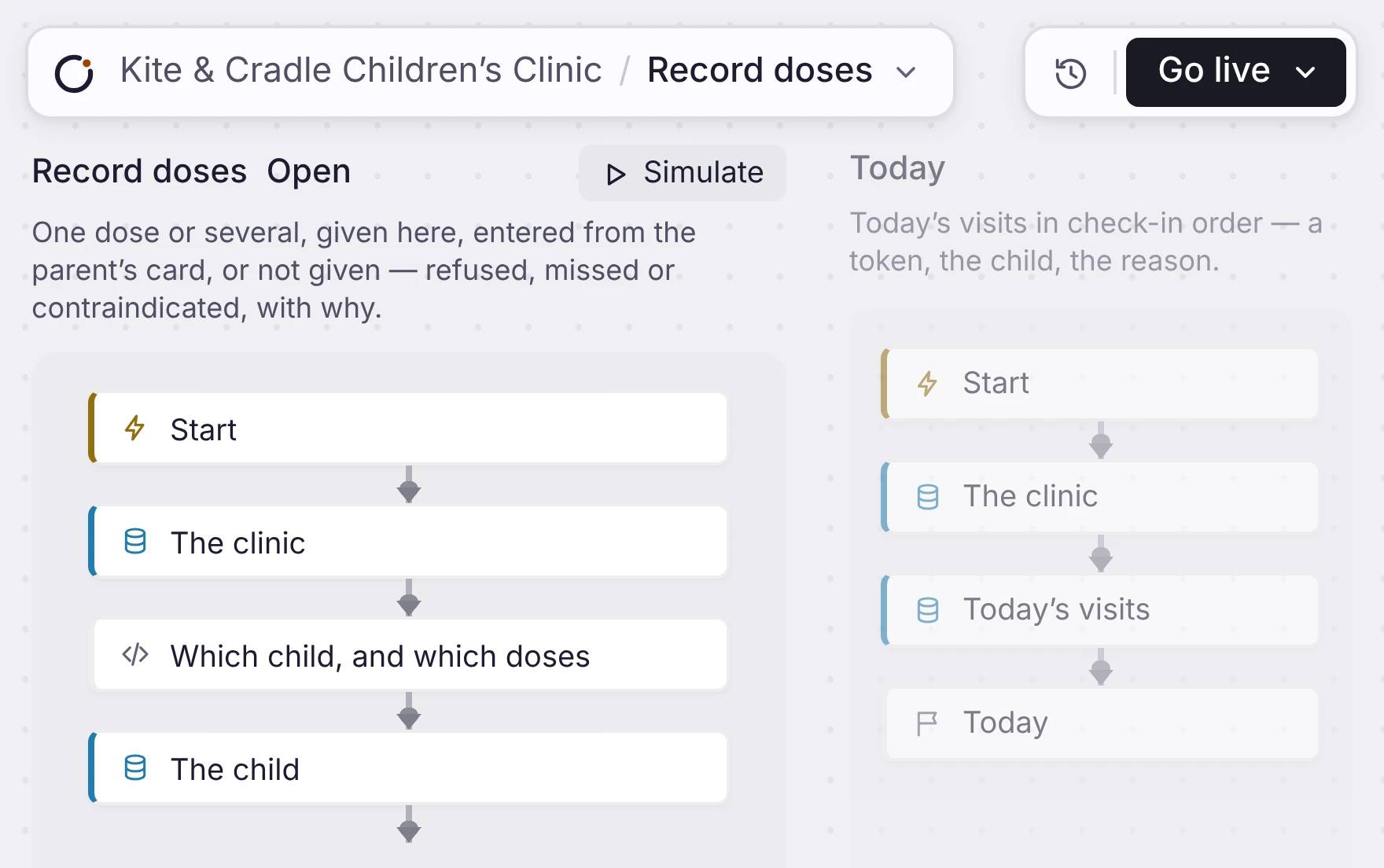
The Dealroom workflow canvas, showing backend actions connected as live app logic.
An API for the same app
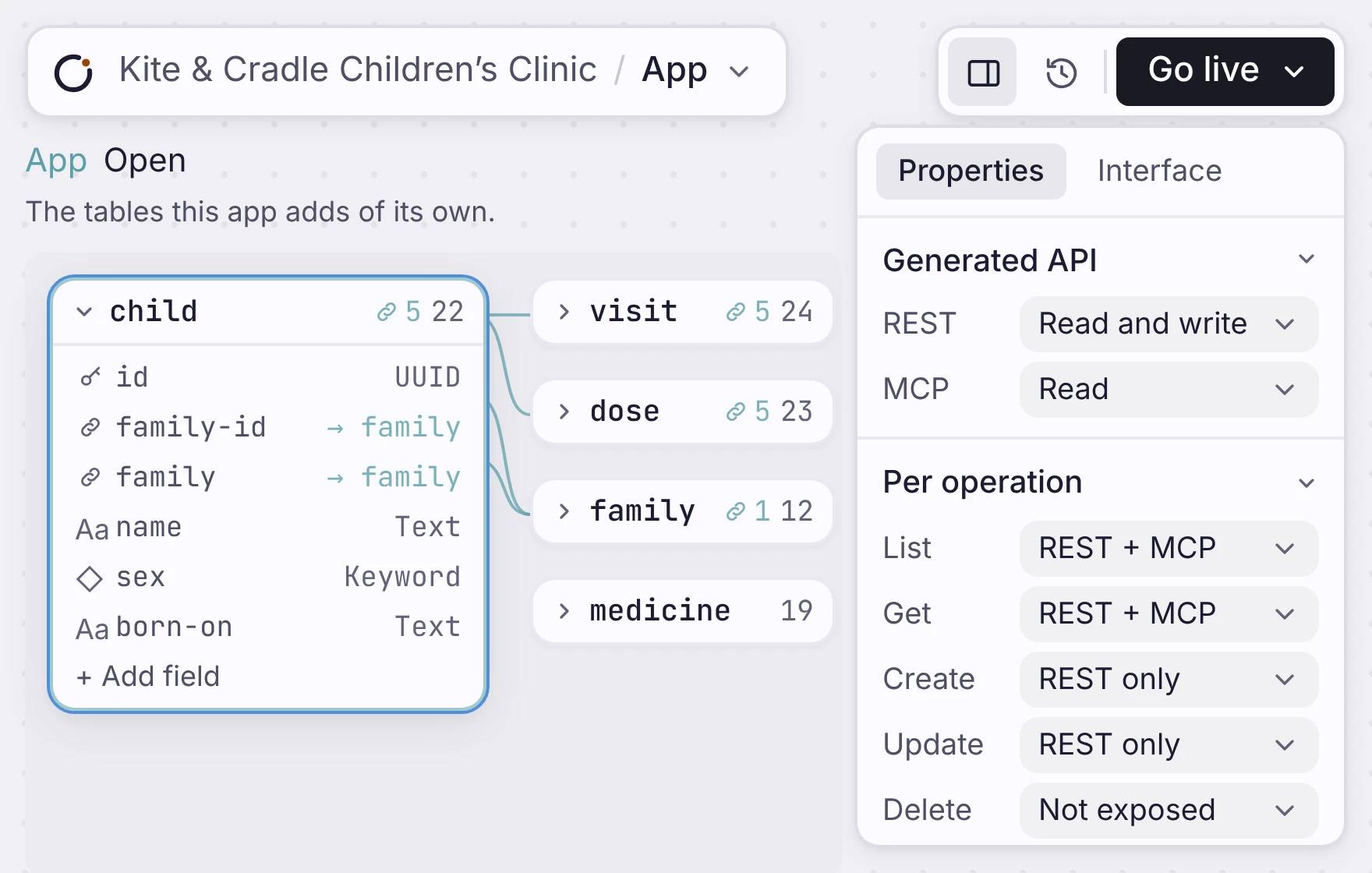
The Dealroom app screen and REST API response using the same backend data.
Sign-in and a Postgres database
Users can log in, stay logged in and save their data. Each user only sees the data they are allowed to access.
Each table you add is a real Postgres table. Every field has a type, and a row with the wrong data is refused. Switch on Google or email sign-in, and the database itself decides which rows each person can read.
How the data model worksSign-in and a Postgres database
The Dealroom app data model, shown as Orbit entity nodes for the backend database.
Server logic and live updates
Workflows run in the background and update your app's data. When data changes, dashboards and queues update automatically without reloading the page.
A workflow runs inside your deployed app, on a schedule or on demand, with your browser shut. It can send through Gmail or Resend, write to GitHub or Linear, or hand a step to Claude or GPT. A failed step retries from a durable queue, up to twenty times.
What a workflow is made ofServer logic and live updates
The Dealroom workflow canvas, showing backend actions connected as live app logic.
An API for the same app
Your app's data model also creates a REST API. That means your screens and integrations use the same data and stay in sync.
The API is off until you turn it on. For each table, choose Read, Read and write, or Full, over REST, MCP or both. You can also set each action on its own. For example, list over REST and MCP, create over REST only, and delete not at all.
One limit: the API acts as the person who is signed in. It is the API behind your app, not a public API with keys.
See the generated APIAn API for the same app
The Dealroom app screen and REST API response using the same backend data.
Where it fits
One web app, the whole stack.
Everything ships together: screens, database, workflows, login, and API. You build one complete app instead of connecting separate pieces later.
Build the app and its backend together
Describe what users need to do, then compose the screens, sign-in, database and logic into one working app.

