Connect agents to your app.
Your app can be an MCP server. Claude and other agents can find records, add them and run your workflows. You decide which tables and workflows they can use and each call follows your access rules.
Billing Ops entities and workflows map into generated MCP tools for agents.
How it works
Pick what agents can use.
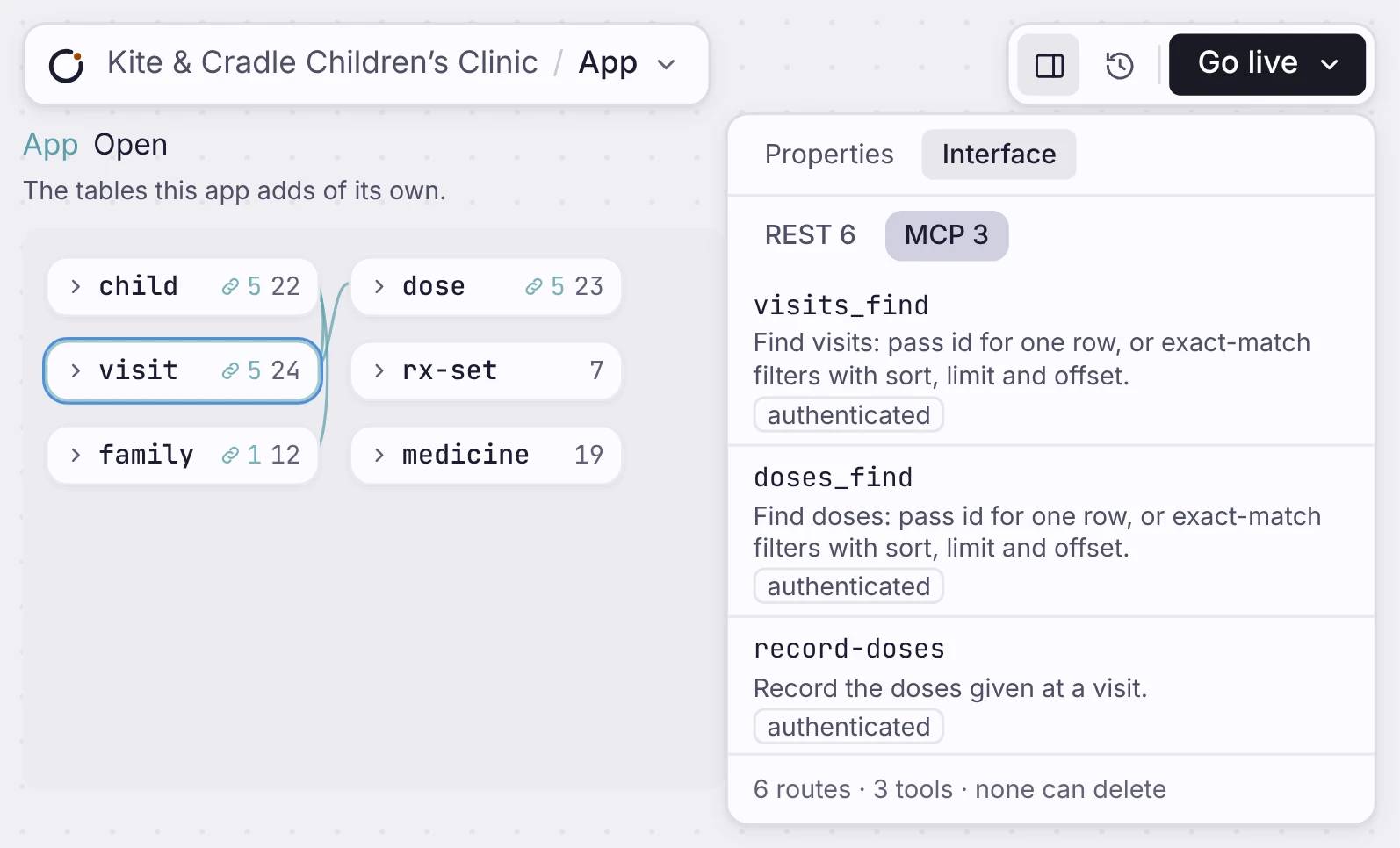
Nothing is open to agents until you turn it on. Turn on MCP for a table and agents can find, add or change its rows. Offer a workflow and agents can run it. Your app serves all of it at /mcp.
REST plus OpenAPI, the interface agents read
Your data model creates a REST API and an OpenAPI 3.0 schema at /openapi.json.
An llms.txt so answer engines find your app
Every app publishes an llms.txt file so LLMs and answer engines can understand your app.
An MCP server built from your app.
Your workflows and entities become MCP tools with token auth and signed-in user scope.
A workflow as a tool
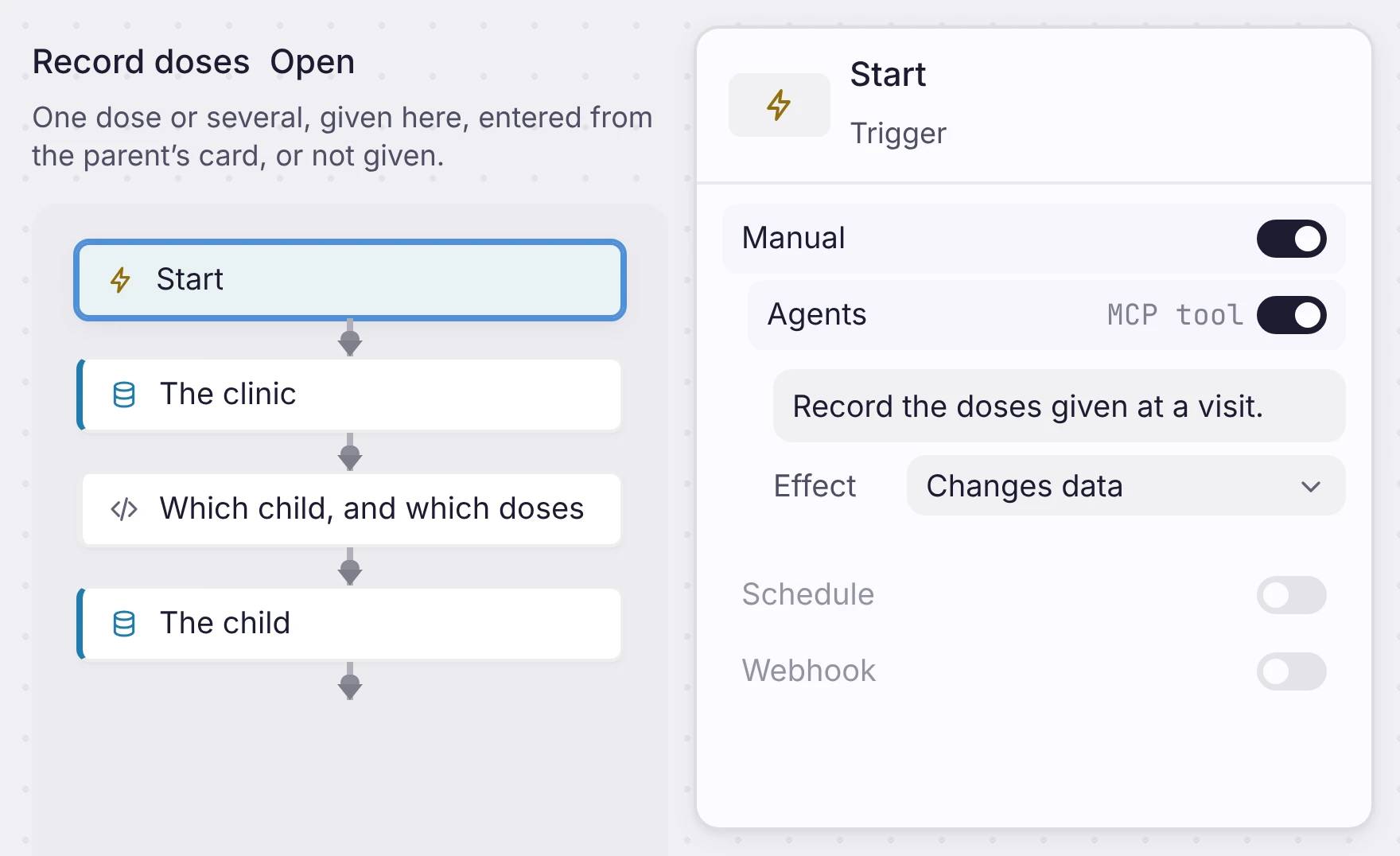
Open a workflow and select its Start step. Under Manual, switch on Agents. Write one line about what the workflow does, because an agent reads it to pick the right tool. Then set the Effect: Only reads data, Changes data, or Can delete data.
REST plus OpenAPI, the interface agents read
Your data model creates a REST API and an OpenAPI 3.0 schema at /openapi.json.
Connect Claude or any client
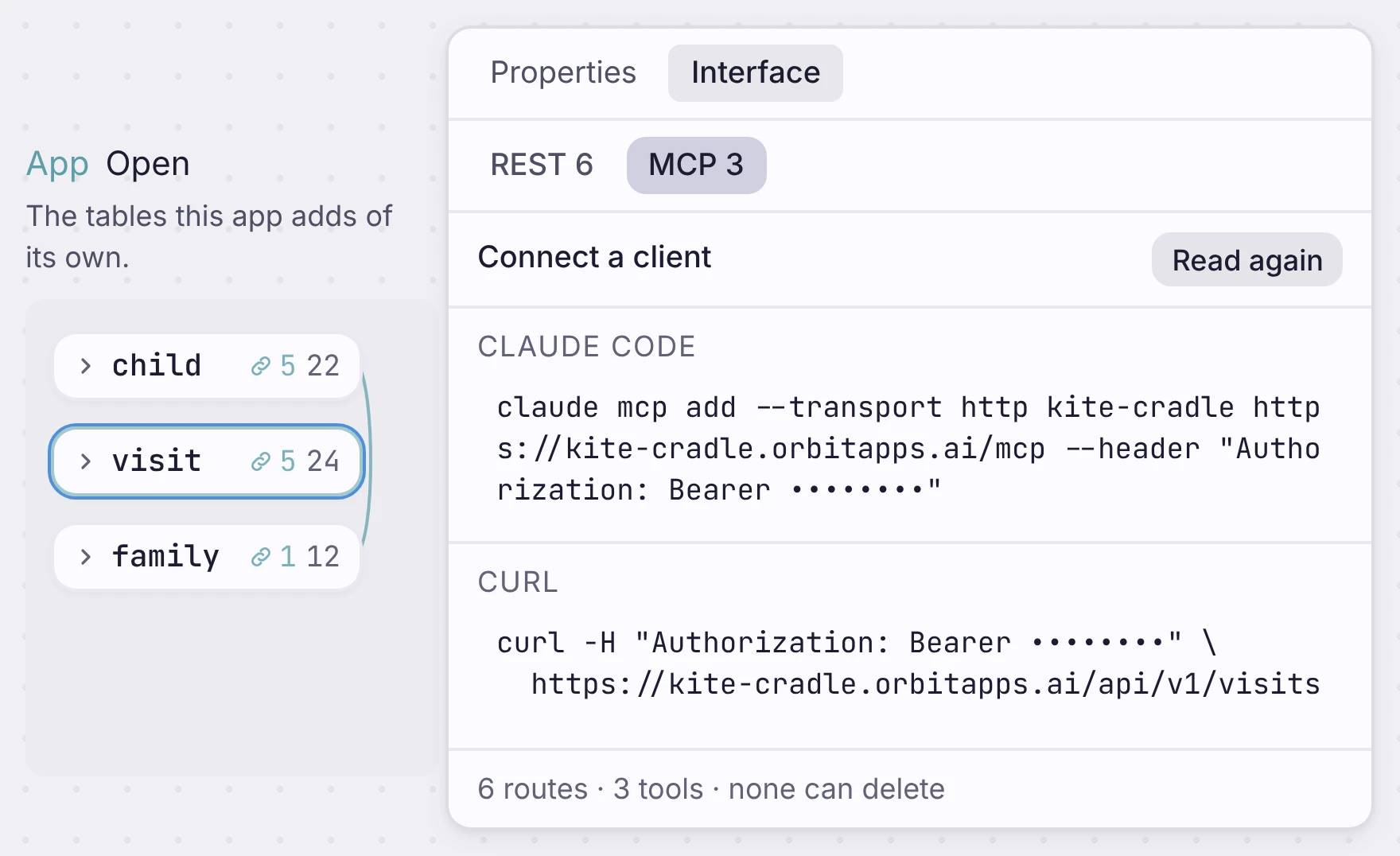
Open the Interface tab and click “Show the address and token”. You get lines to copy for Claude Code, a config file, the MCP Inspector and curl. Paste one, and the agent sees your tools.
An llms.txt so answer engines find your app
Every app publishes an llms.txt file so LLMs and answer engines can understand your app.
Safe by default
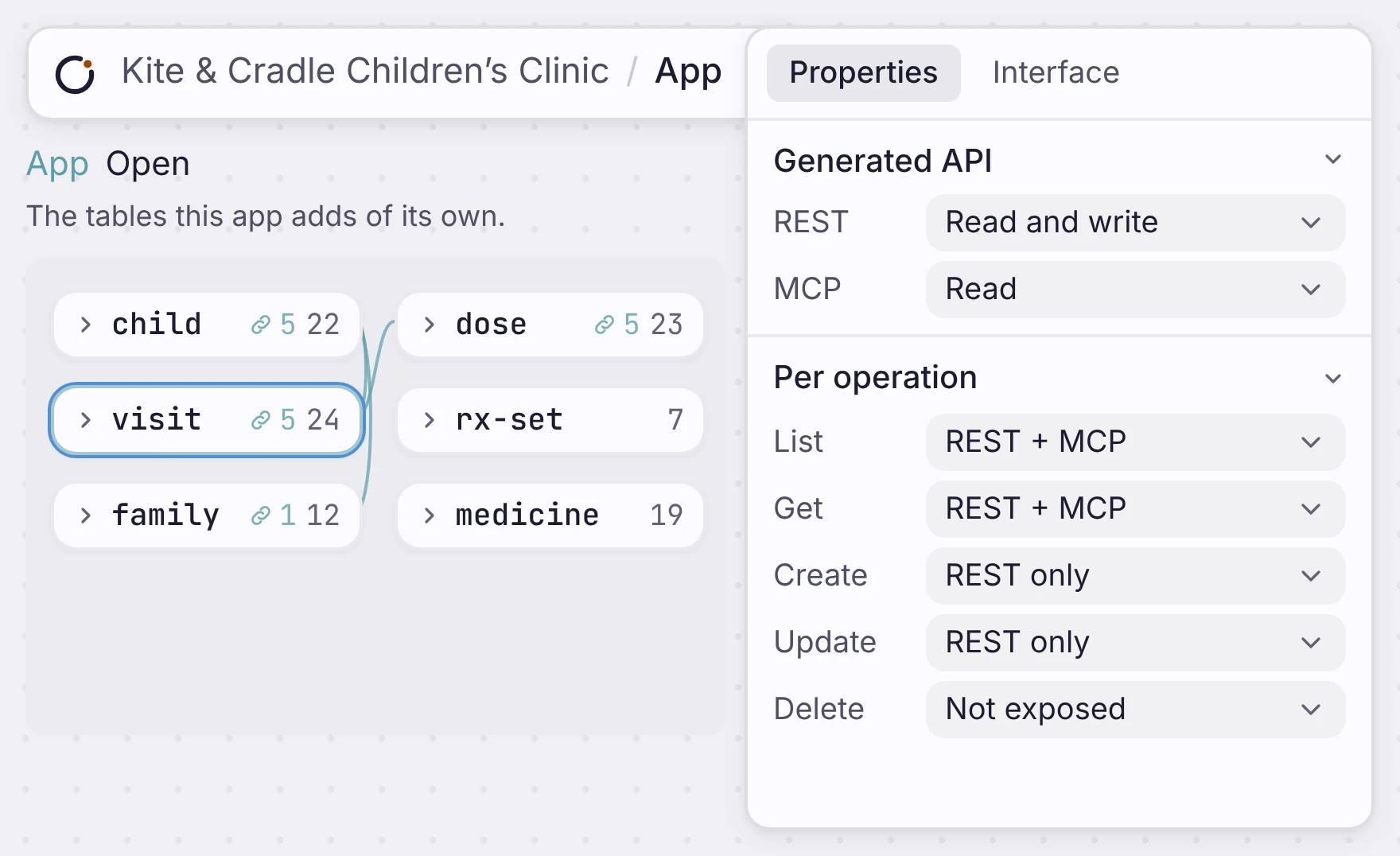
Each table’s MCP setting starts off. Set it to Read, Read and write, or Full, or set each action on its own. For example, let agents find visits but not change them, and never let them delete. Tools follow the same access rules as your REST API.
An MCP server built from your app.
Your workflows and entities become MCP tools with token auth and signed-in user scope.
Where it fits
One app. People, code and agents use the same data.
Your screens, your REST API and your MCP tools all read the same tables. Change a table and deploy, and all three change with it.
Build an app that agents can use
Build it, choose what agents can do, and connect them with a token.

