Design the page people will use.
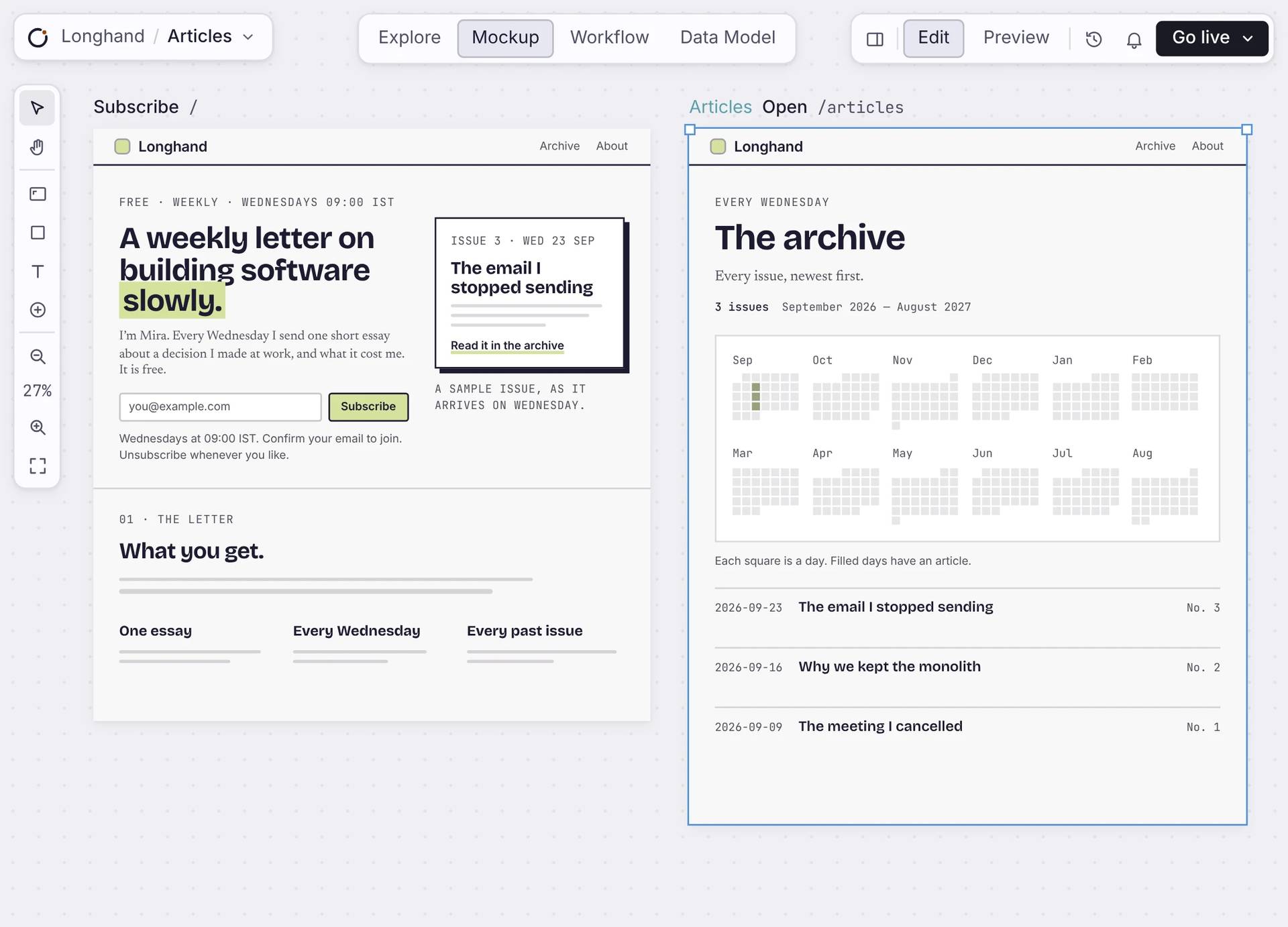
Lay out every page of your app on one canvas. Each page has its own URL and reads from your data. When you go live, people use the page you designed.
Free to build. Your first live app is free too, on your own domain.
In the editor
Design each page, piece by piece.
Pick a section and change it, or type the change for Orbi. Every page sits next to the others, so the app stays consistent.
Real components
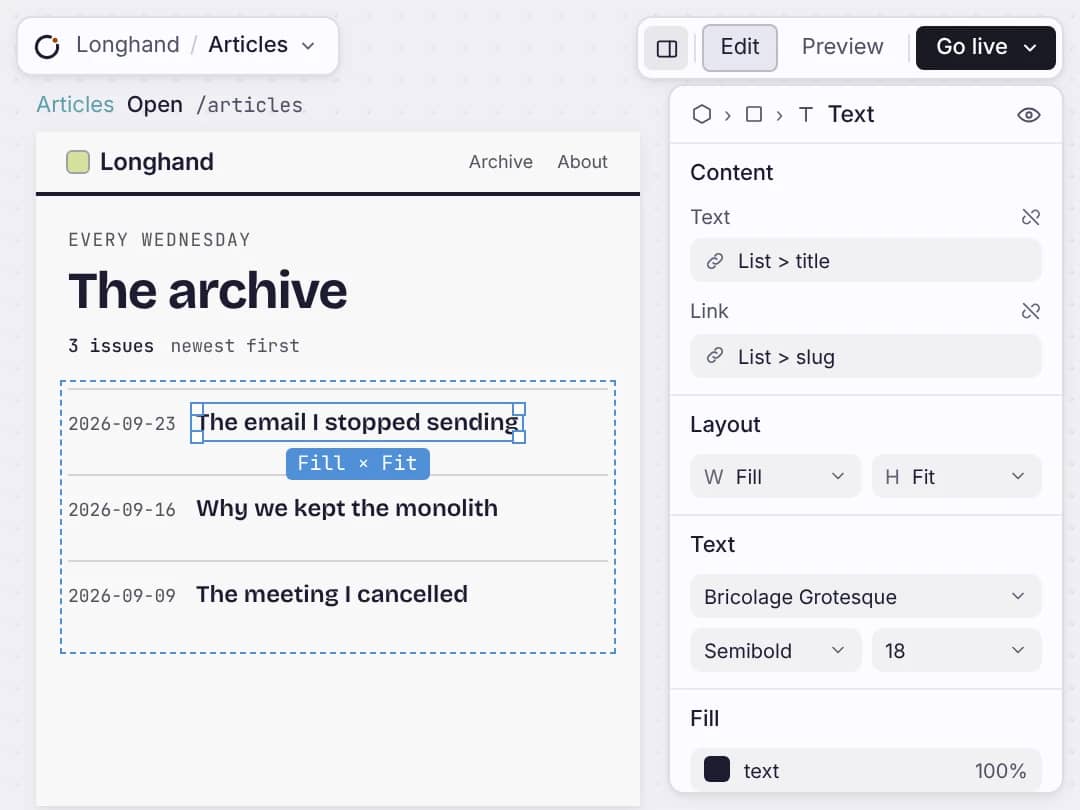
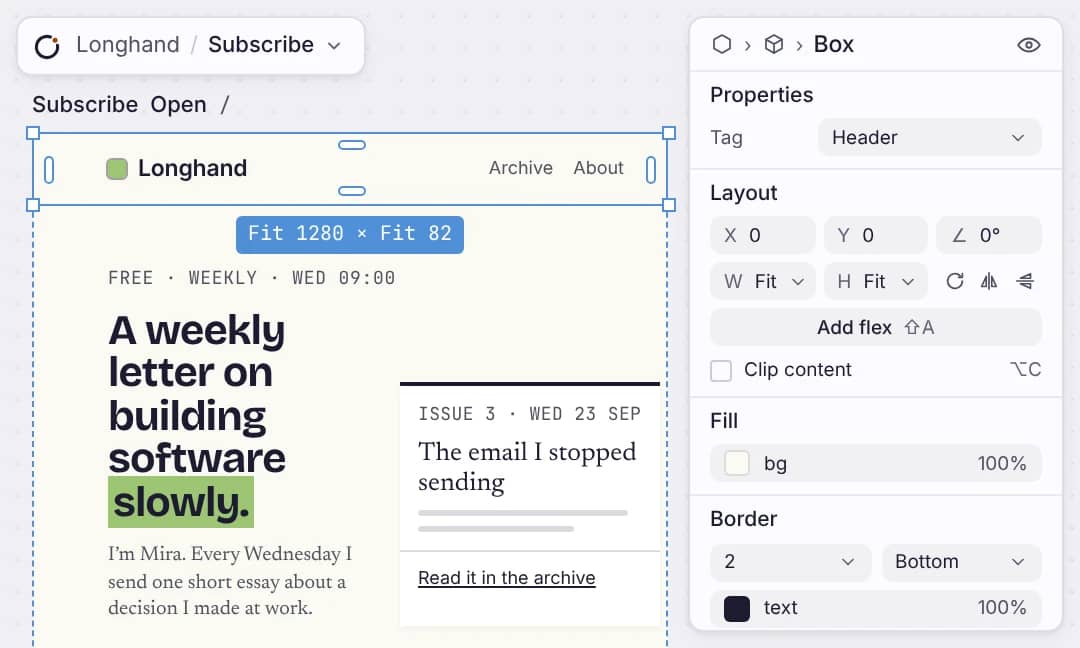
Forms, lists, calendars and buttons are the same ones your live app uses. Change size, spacing and colour in the inspector. No CSS.
Real data
Connect a list to a table and it shows your real records. Add a record and the page shows it.
One page, one URL
Each page has its own address. Choose who can see it: everyone, signed-in members, or only you while it’s a draft.
One theme
Set your colours and type once. Every page follows them, so a restyle is one change.
What ships
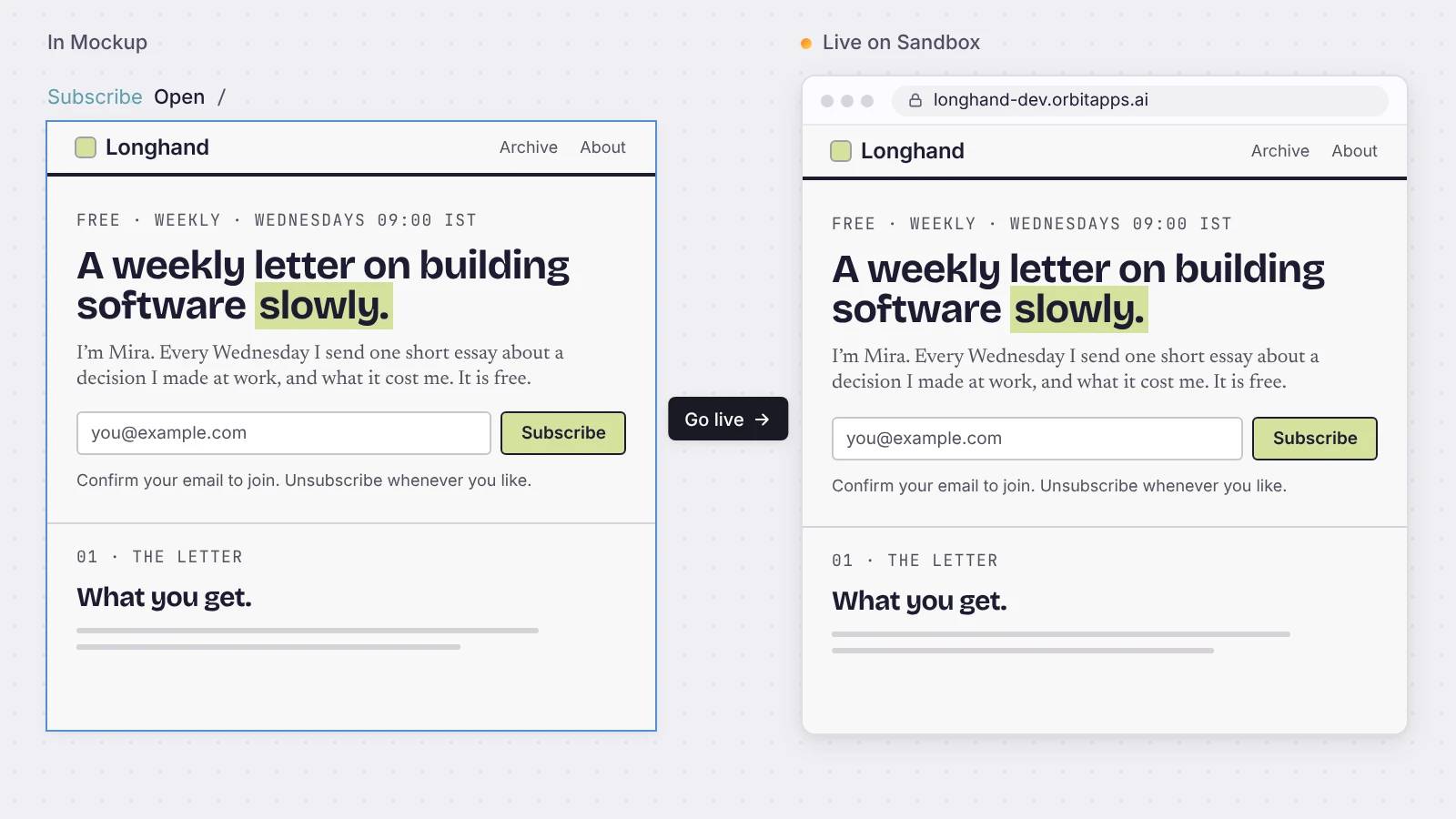
The mockup deploys as the live app.
Press Go live and the same page runs at its own address, with your data, sign-in and forms already working.
Straight answers
About your screens.
Do I need to write CSS?
No. You style components in the inspector with your theme. The styles come from what you set, so you never touch CSS.
Is the mockup a prototype, or the screen I launch?
It is the page you launch. Every page is a live route in your app, with your data and working forms and buttons. There is no separate prototype.
Can I control who sees a screen?
Each page is set to everyone, signed-in members, or draft. A draft stays in the editor and never deploys. Members pages sit behind sign-in.
Can I bring my own design?
You design with the components your app ships and a theme you control. It is a component canvas, not a freeform drawing tool, so your design cannot break when it goes live.
What can I put on a screen?
Lists, forms, tables, charts, calendars, date pickers, dialogs, tabs, and more from the component library. You arrange them, you do not draw them.
Start
Design your first page.
Put it on the canvas, connect it to your data, and go live.

