Design the page people will use.
Lay out every page of your app on one canvas. Each page has its own URL and reads from your data. When you go live, people use the page you designed.
Créez gratuitement. Votre première app en ligne l’est aussi, sur votre domaine.
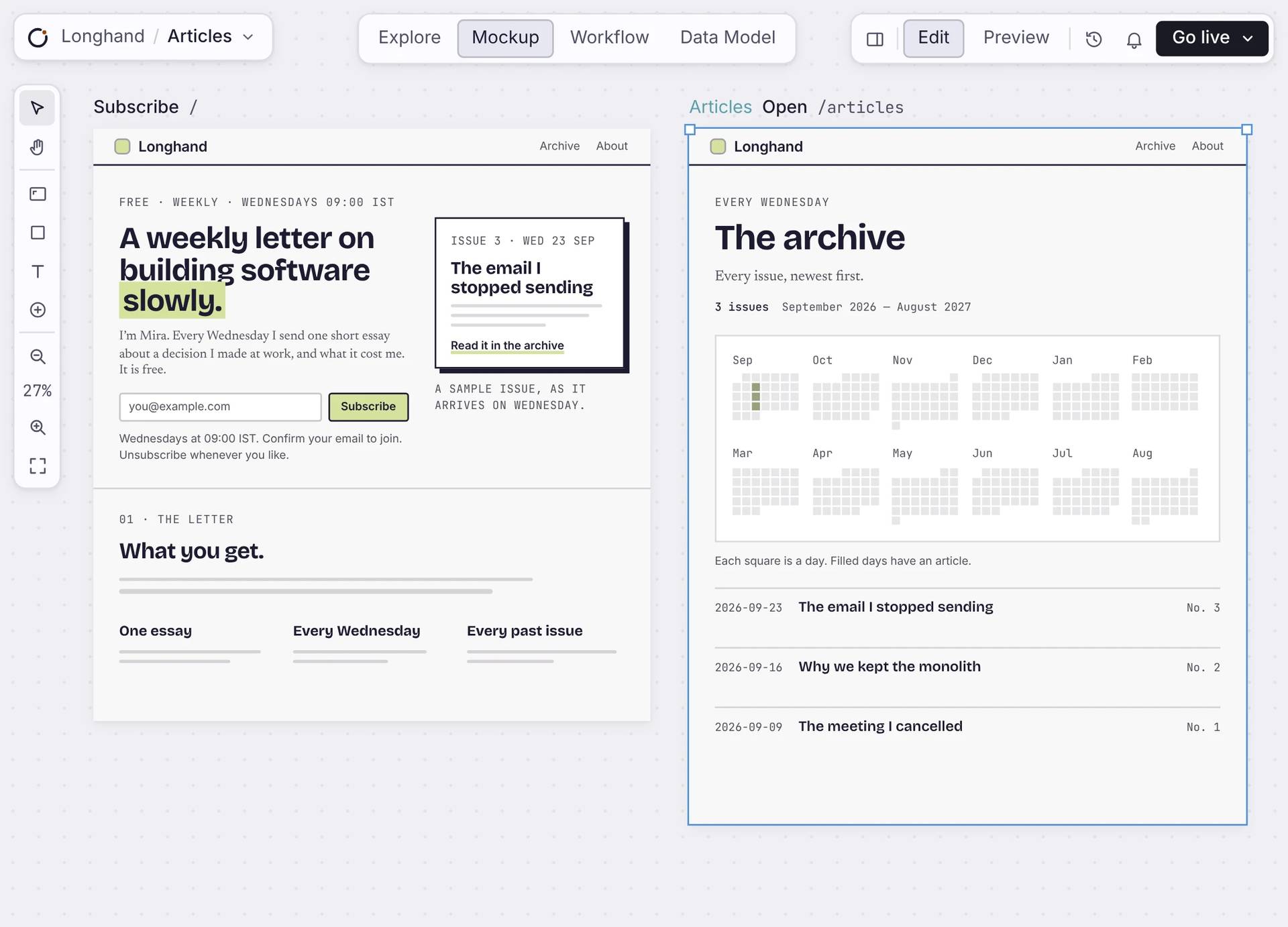
Dans l’éditeur
Design each page, piece by piece.
Pick a section and change it, or type the change for Orbi. Every page sits next to the others, so the app stays consistent.
Real components
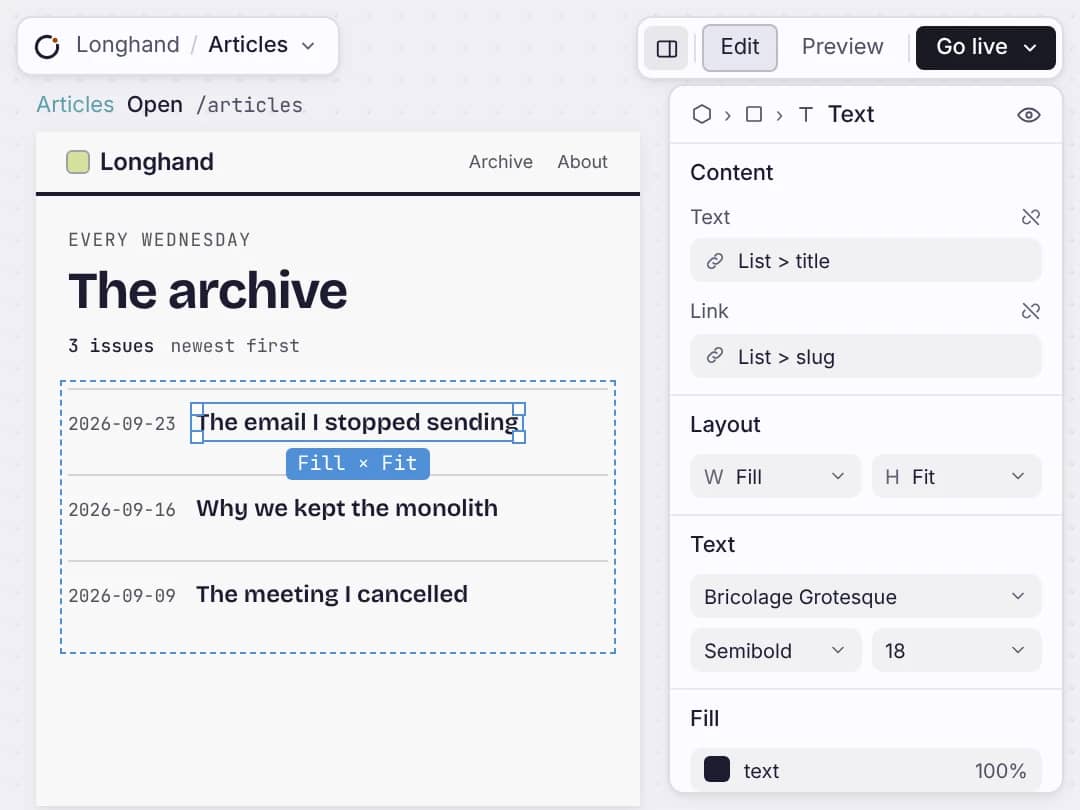
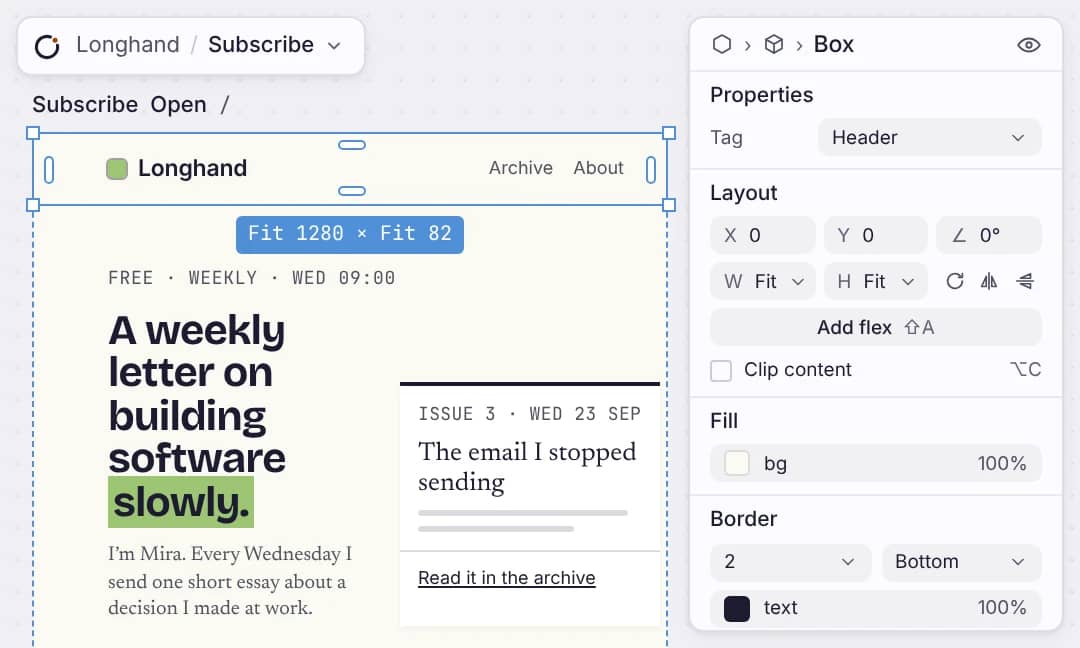
Forms, lists, calendars and buttons are the same ones your live app uses. Change size, spacing and colour in the inspector. No CSS.
Real data
Connect a list to a table and it shows your real records. Add a record and the page shows it.
One page, one URL
Each page has its own address. Choose who can see it: everyone, signed-in members, or only you while it’s a draft.
One theme
Set your colours and type once. Every page follows them, so a restyle is one change.
Ce qui part
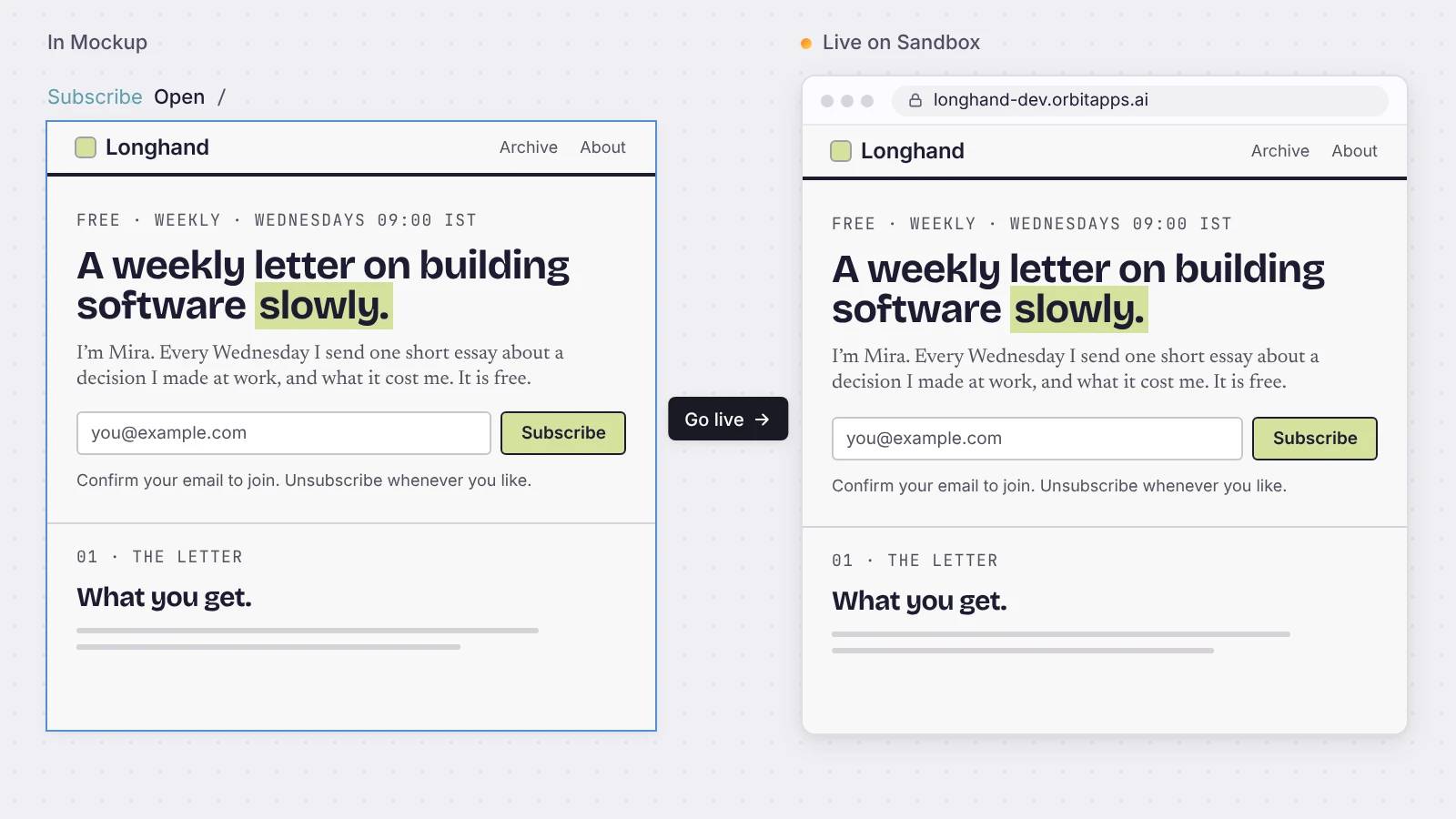
Le Mockup se déploie comme l’app en ligne.
Press Go live and the same page runs at its own address, with your data, sign-in and forms already working.
Réponses claires
À propos de vos écrans.
Dois-je écrire du CSS ?
No. You style components in the inspector with your theme. The styles come from what you set, so you never touch CSS.
Le Mockup est-il un prototype, ou l’écran que je lance ?
It is the page you launch. Every page is a live route in your app, with your data and working forms and buttons. There is no separate prototype.
Puis-je contrôler qui voit un écran ?
Chaque page est réglée sur tout le monde, membres connectés, ou brouillon. Un brouillon reste dans l’éditeur et ne se déploie jamais. Les pages membres se tiennent derrière la connexion.
Puis-je apporter mon propre design ?
Vous dessinez avec les composants que livre votre app et un thème que vous contrôlez. C’est un canevas de composants, pas un outil de dessin libre : votre design ne peut pas casser une fois en ligne.
Que puis-je mettre sur un écran ?
Listes, formulaires, tableaux, graphiques, calendriers, sélecteurs de date, boîtes de dialogue, onglets et bien d’autres, depuis la bibliothèque de composants. Vous les disposez, vous ne les dessinez pas.
Démarrer
Design your first page.
Put it on the canvas, connect it to your data, and go live.

