Logic you can read, step by step.
Créez la logique dont votre app a besoin. Orbit exécute chaque Workflow sur vos données, sur un serveur, et vous laisse voir ce qui s’est passé à chaque étape.
Créez gratuitement. Votre première app en ligne l’est aussi, sur votre domaine.
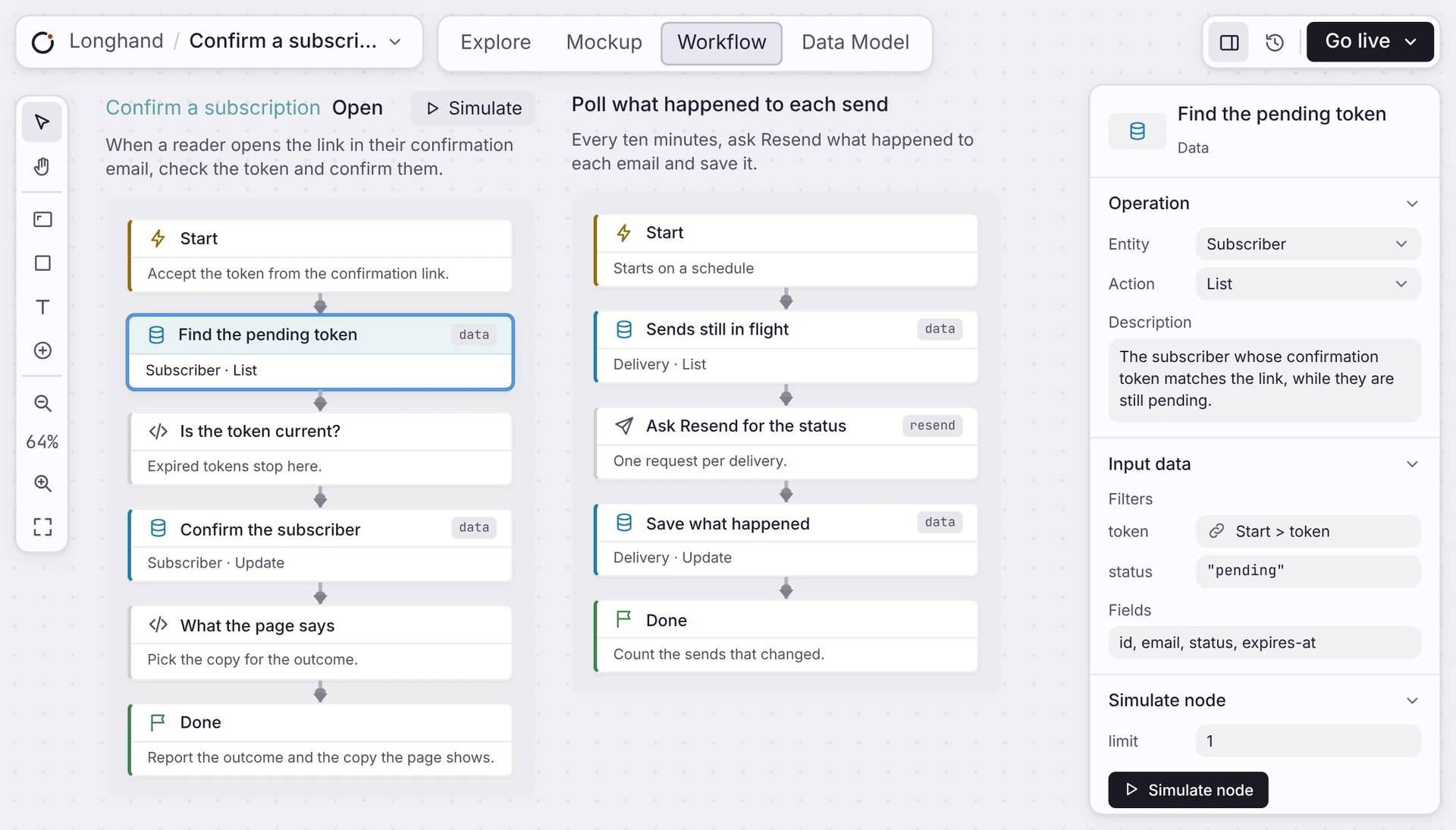
Les briques
Ajoutez de la logique backend sans écrire de code.
Construisez un Workflow étape par étape. Chaque étape fait un travail, puis passe la main à la suivante : tout le processus est facile à suivre.
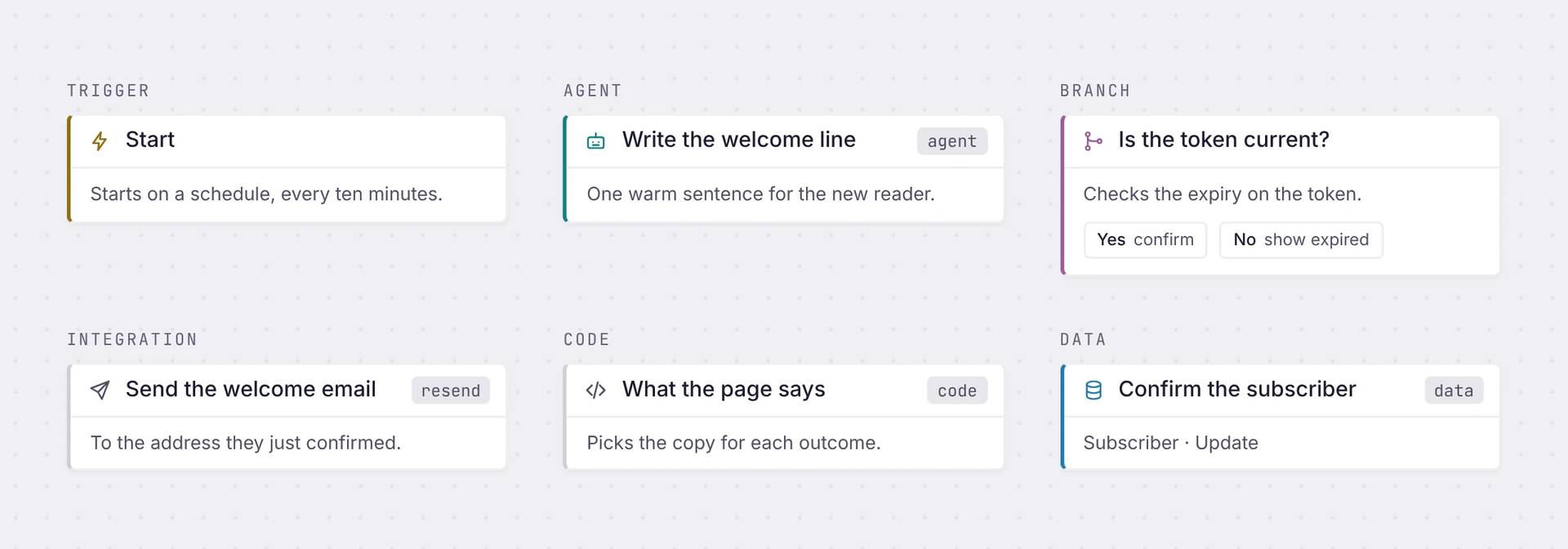
Déclencheur
Starts the workflow: on a schedule, or when someone clicks a link or sends a form
Agent
Gives one step to an AI model, with your data as context
Branche
Sends the run one way or another, based on a condition.
Intégration
Connects to another service, like sending an email through Resend
Code
Write a few lines of code when you need a custom rule, like checking if a link has expired
Données
Reads and writes your app's database, the same records your pages use.
Où cela tourne
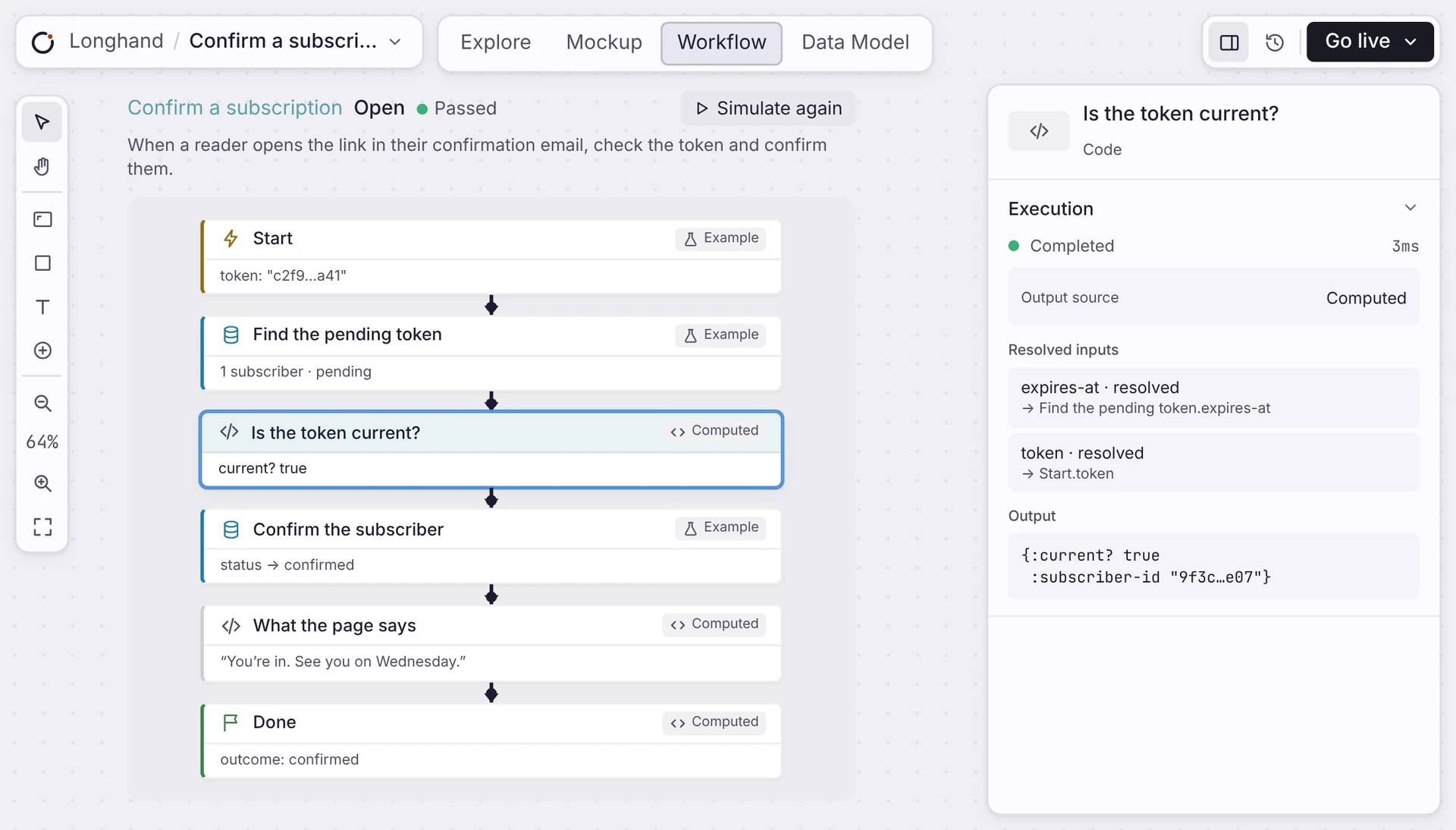
Test it before it goes live.
Press Simulate and the workflow runs on example data. Every step shows what came in, what went out and how long it took. When you go live, it runs on your server, even when your browser is closed.
Réponses claires
Questions sur les Workflows.
Dois-je écrire du code ?
No. You add steps on a canvas and describe what each one does. A Code step is there if you need it.
Où tourne un Workflow ?
On a server, as part of your live app. It keeps running when you close your browser.
Quels services peut-il joindre ?
Cinq par lesquels vous pouvez agir aujourd’hui : Gmail, Google Calendar, GitHub, Linear et Resend. Stripe est en lecture seule, pour les signaux financiers. Les étapes d’agent appellent Claude ou GPT, et une étape Code peut joindre toute API HTTP.
Puis-je voir ce qu’a fait un Workflow ?
Yes. Simulate a workflow and open any step to see its inputs, its output and how long it took.
Que se passe-t-il si une étape échoue ?
Orbit réessaie le Workflow depuis une file durable, en espaçant les tentatives, jusqu’à vingt fois. Une exécution qui ne peut pas aboutir est journalisée avec l’erreur, pas perdue.
Démarrer
Build your first workflow.
Add a few steps, simulate it, and go live.

