Build launch-ready websites.
Describe what you want to publish. Orbit drafts the pages, forms, SEO basics, and launch setup for you to refine.
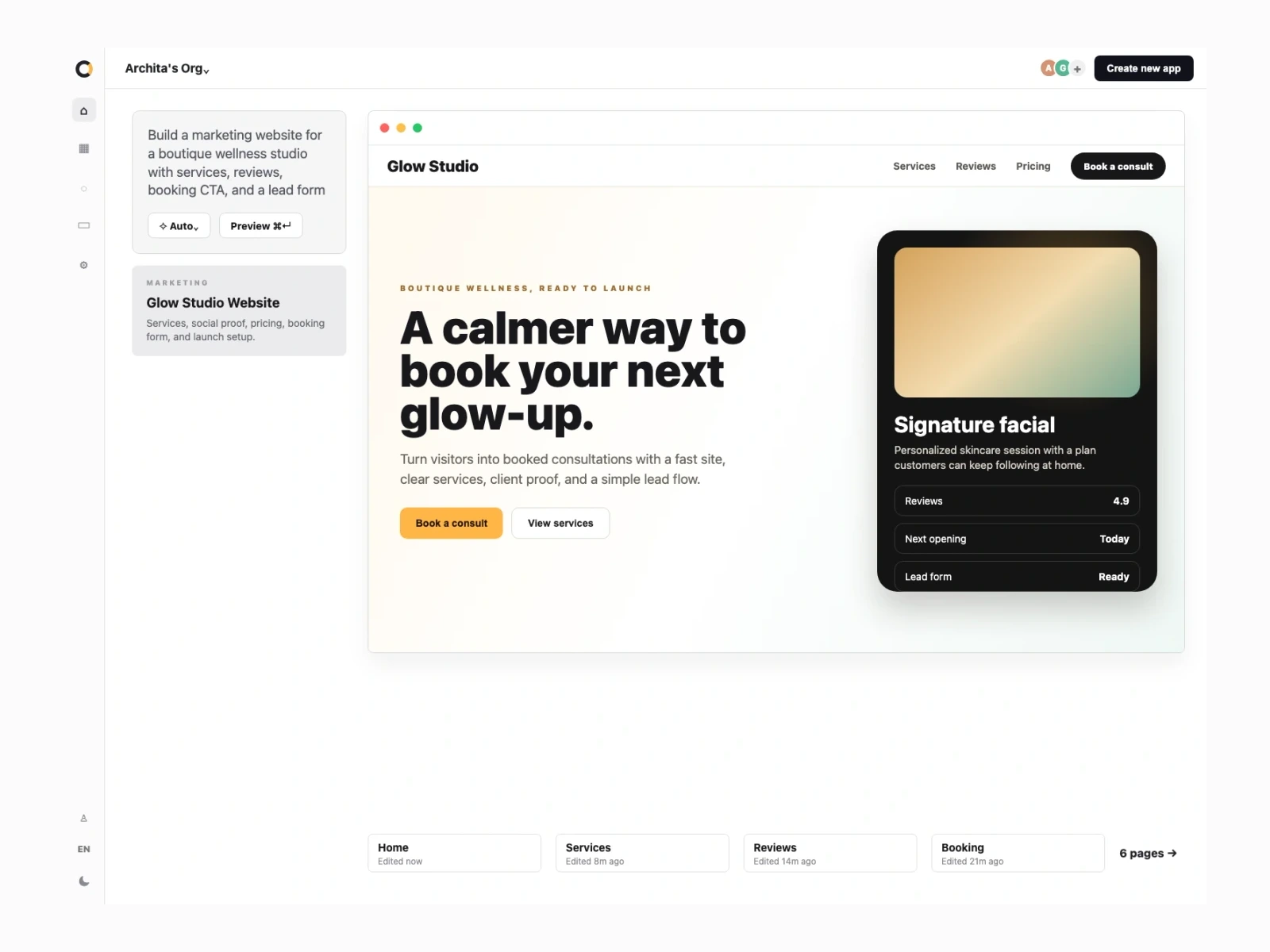
Orbit website builder walkthrough
More than a page on the internet.
As the site changes, Orbit keeps the pages, content, leads, SEO, and launch setup in sync.
Pages
Landing, product, pricing, case study, and contact pages shaped from the brief.
Content
Sections, proof points, FAQs, and calls to action stay editable.
Forms
Lead capture writes to your app data instead of disappearing into an inbox.
Workflows
Confirmations, notifications, and follow-up tasks can run from every form.
Launch
Preview, production, HTTPS, domain setup, and deployment history.
How your website comes together.
Move from an idea to editable pages, lead capture, workflows, and launch setup in one place.
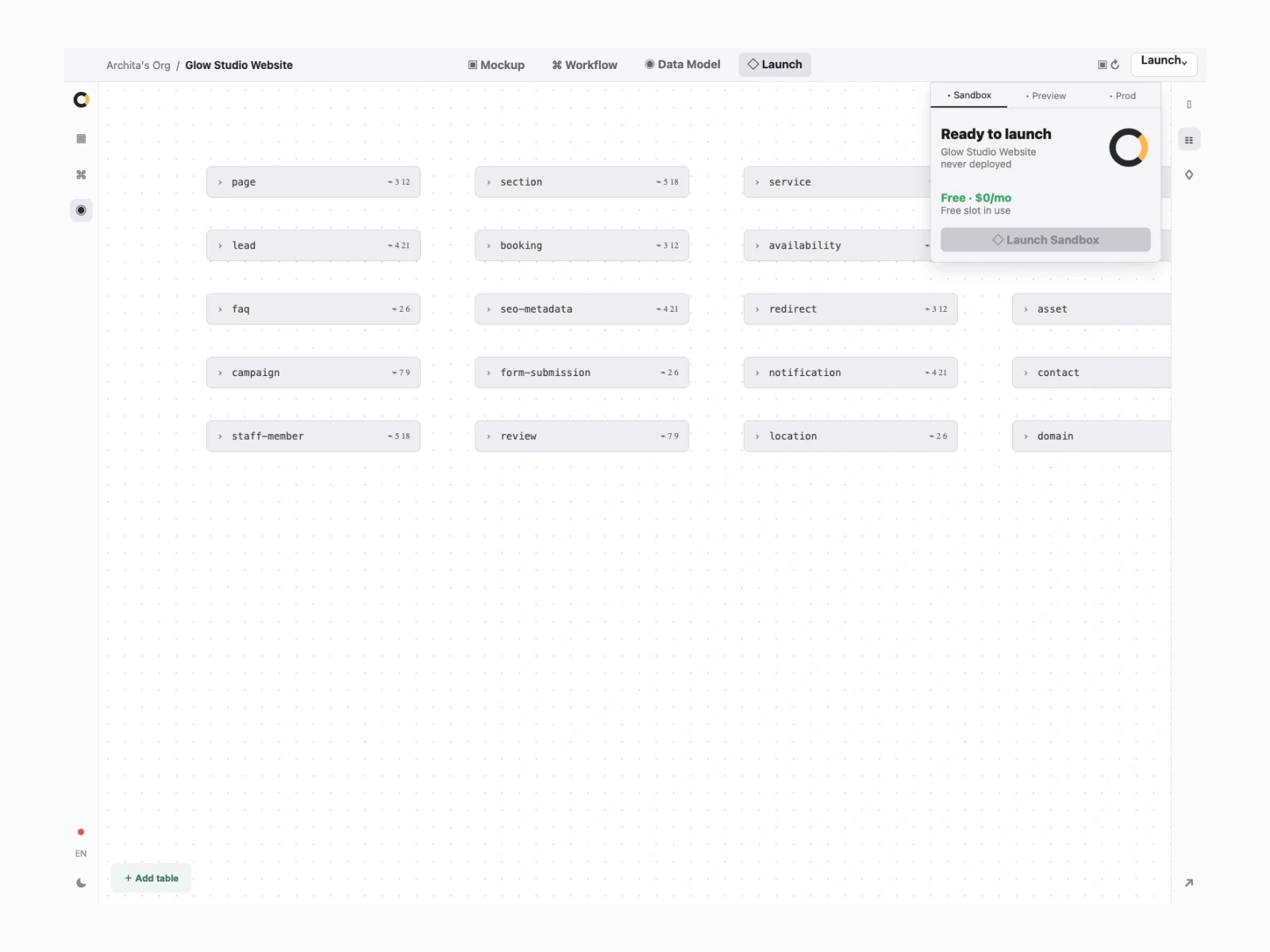
Shape the site before launch.
Shape the pages, capture leads, and manage follow-up without leaving the same project.
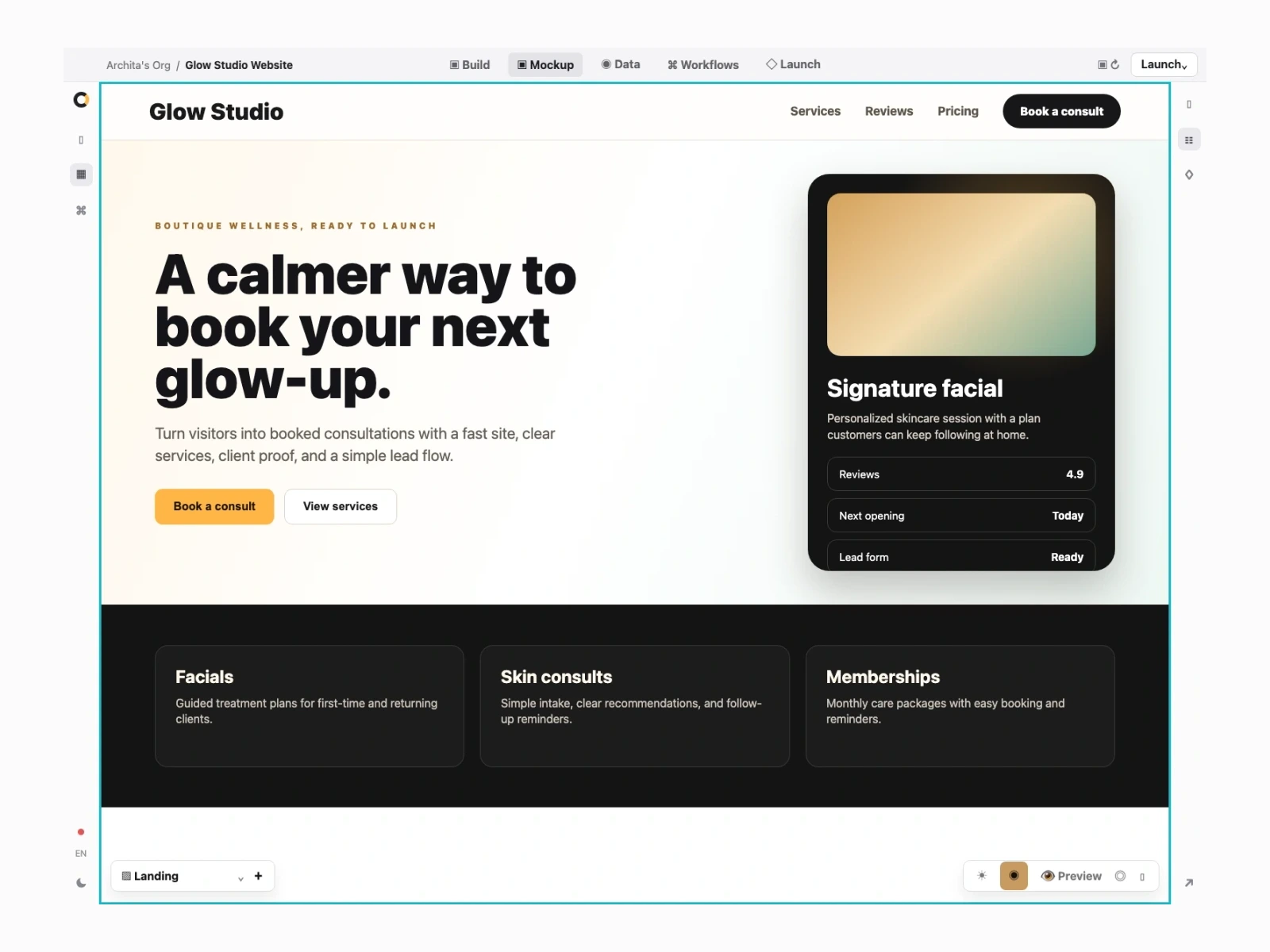
Edit the pages
Preview the live page, adjust sections, and keep the offer clear before publishing.
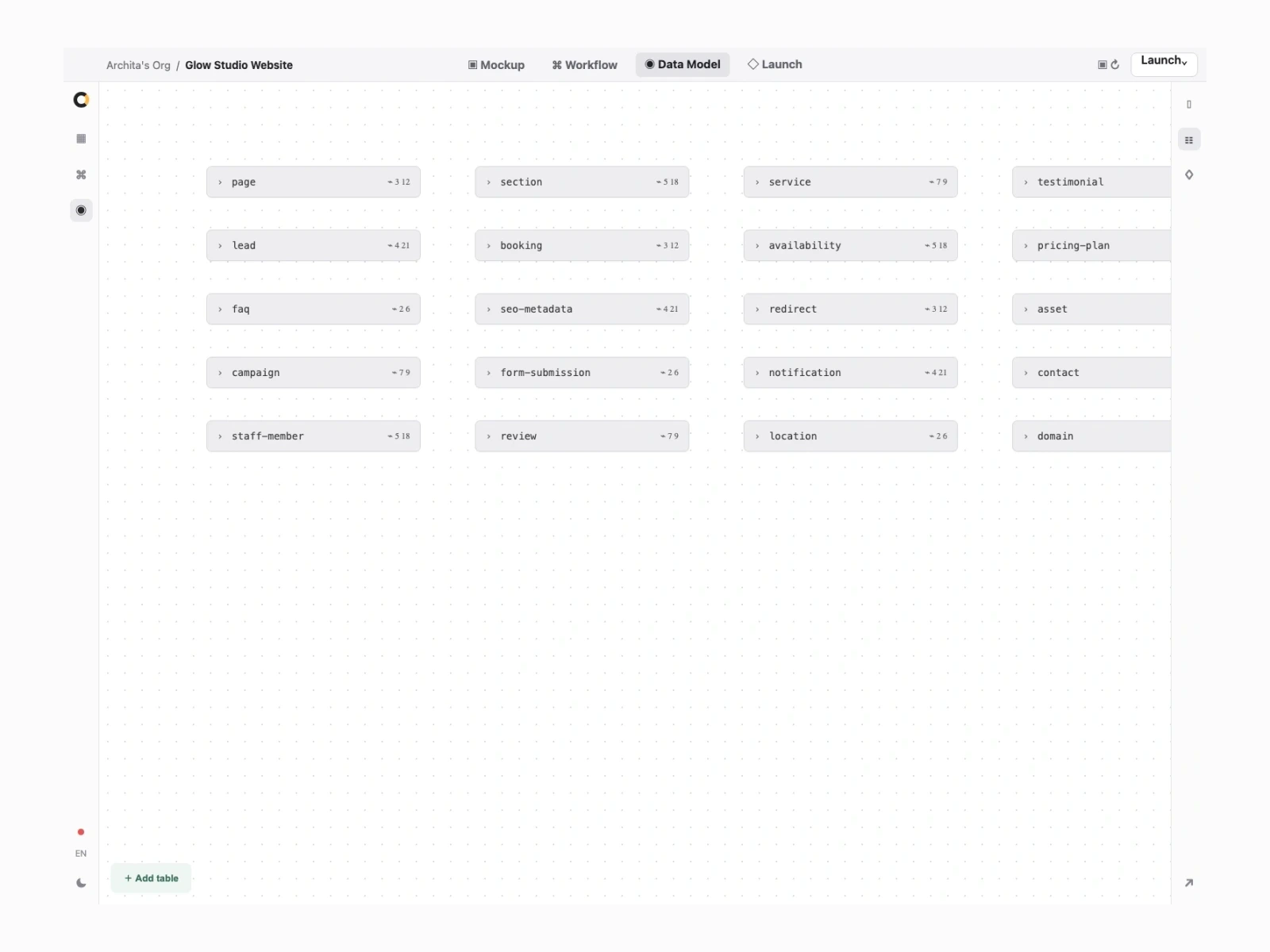
Structure the content
Track pages, sections, leads, testimonials, redirects, and SEO metadata in one place.
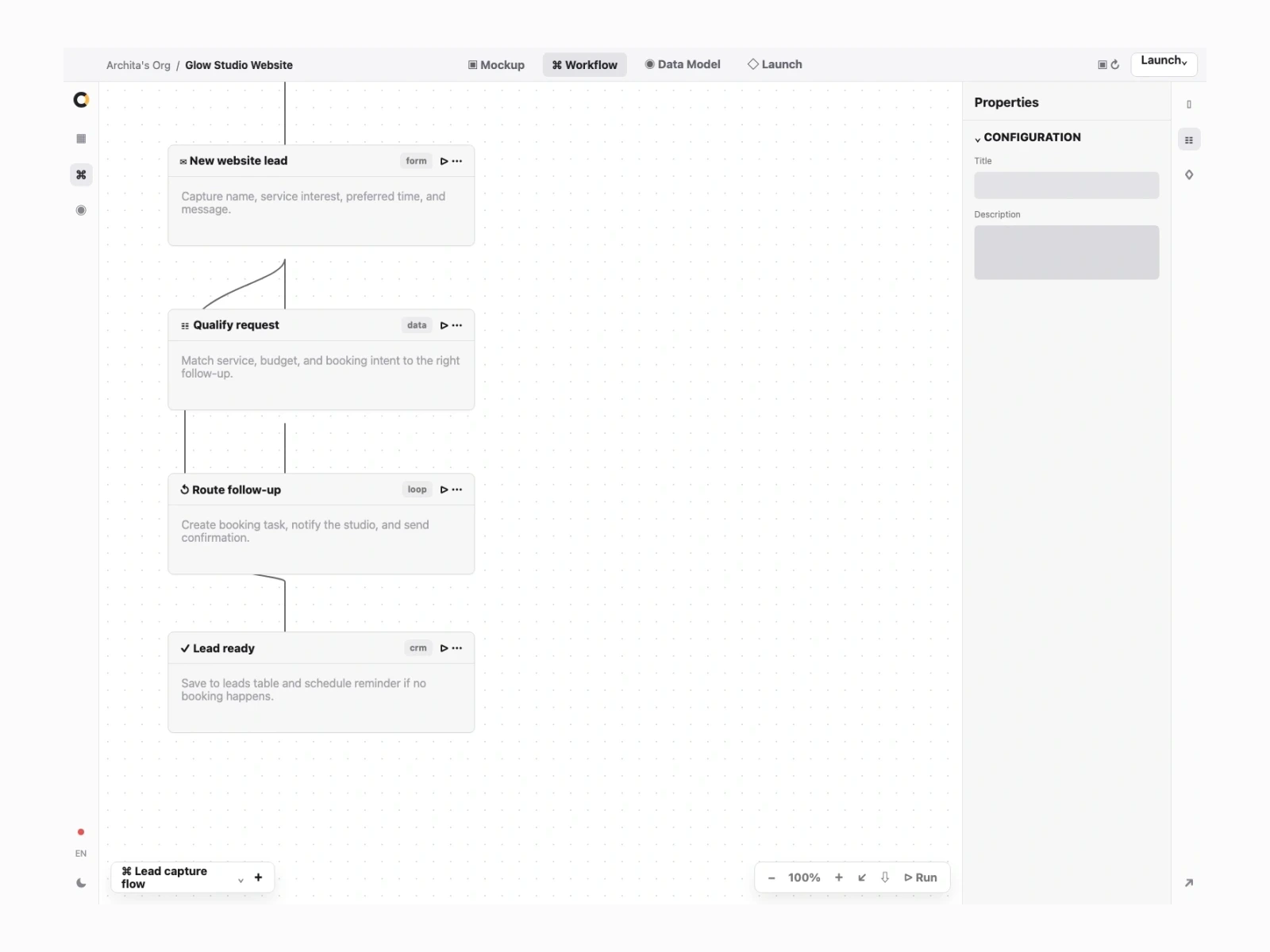
Route every lead
Send confirmations, notify the team, and create follow-up tasks from the form.
Marketing websites, answered.
Is this a drag-and-drop page builder?
No. You describe the site in plain words. Orbit drafts the pages, sections, forms, and launch setup so you can shape the site instead of fighting a blank canvas.
Can I build more than one page?
Yes. Orbit can draft landing pages, product pages, pricing, FAQs, case studies, contact pages, and the structure between them.
Will it be fast and search friendly?
Yes. The site is server-rendered, structured clearly, and ready for metadata, schema, sitemaps, and fast loading.
Can I capture leads?
Yes. Forms can write to your app data and trigger workflows like confirmation emails, sales tasks, or follow-up queues.
Can I use my own domain?
Yes. You can launch on a domain you own with HTTPS handled for you.