Build useful AI apps, not just chatbots.
Describe the job you want done. Orbit turns it into an AI app you can review, refine, and launch.
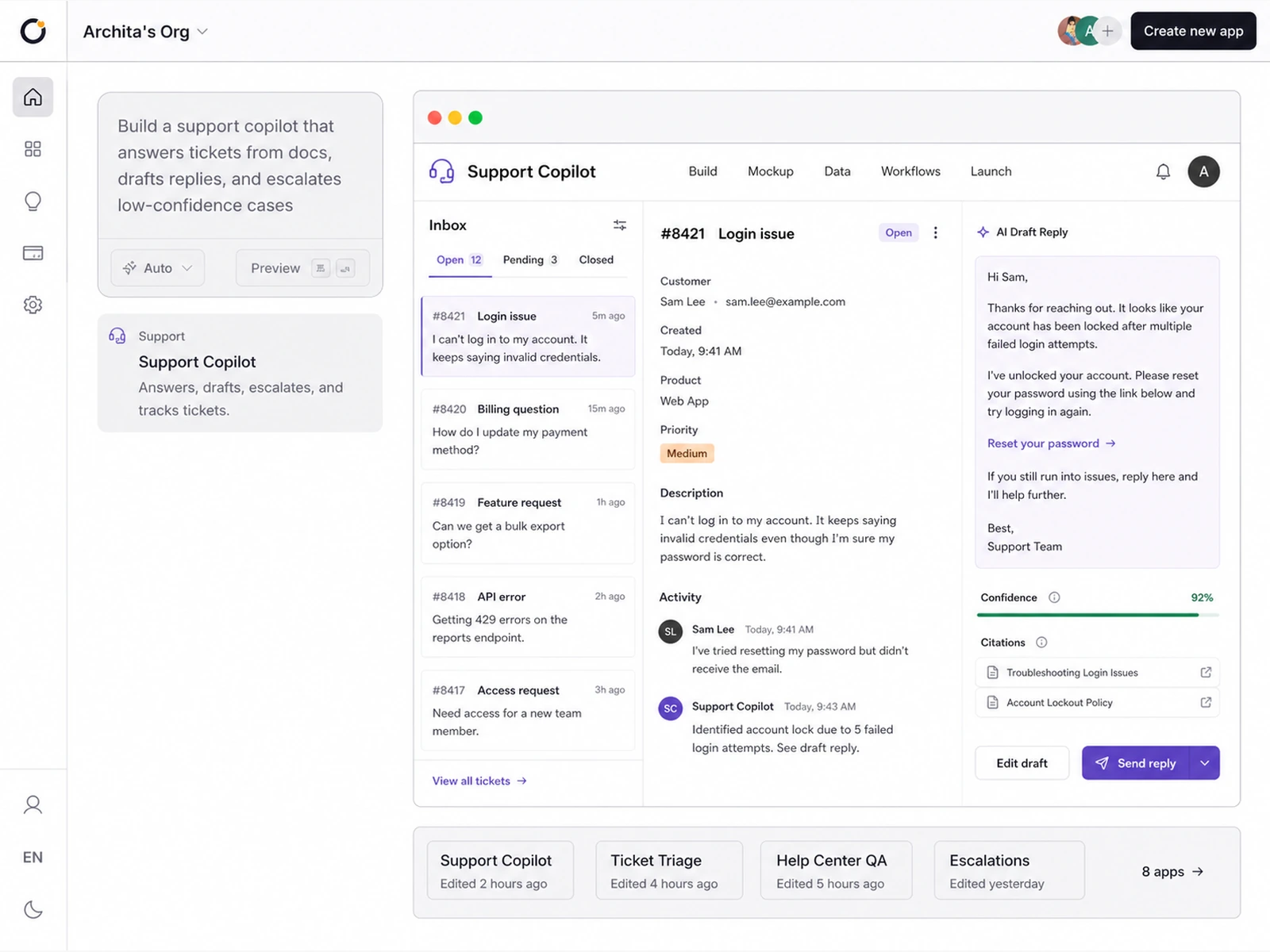
Build the product around the AI.
Orbit keeps the AI connected to the product as you build, test, and launch it.
Start with the AI brief.
Tell Orbit what the AI should help with. The brief becomes the source for the product around it.
One brief becomes a working AI product.
Context comes together
Records, docs, tickets, and messages become the knowledge the AI can use.
People can review it
Your team gets a clear place to check, edit, and approve what the AI does.
Actions stay connected
The AI can draft, update, route, and help with real work inside the app.
Guardrails are built in
Checks, approvals, and handoffs help keep every response controlled.
Launch is ready when you are
Hosting, HTTPS, domains, and production setup are already part of the path.
How an AI app takes shape.
See the same app move from a rough idea into screens, data, workflows, and a launch-ready product.
Build from a brief
Idea to first AI app draft.
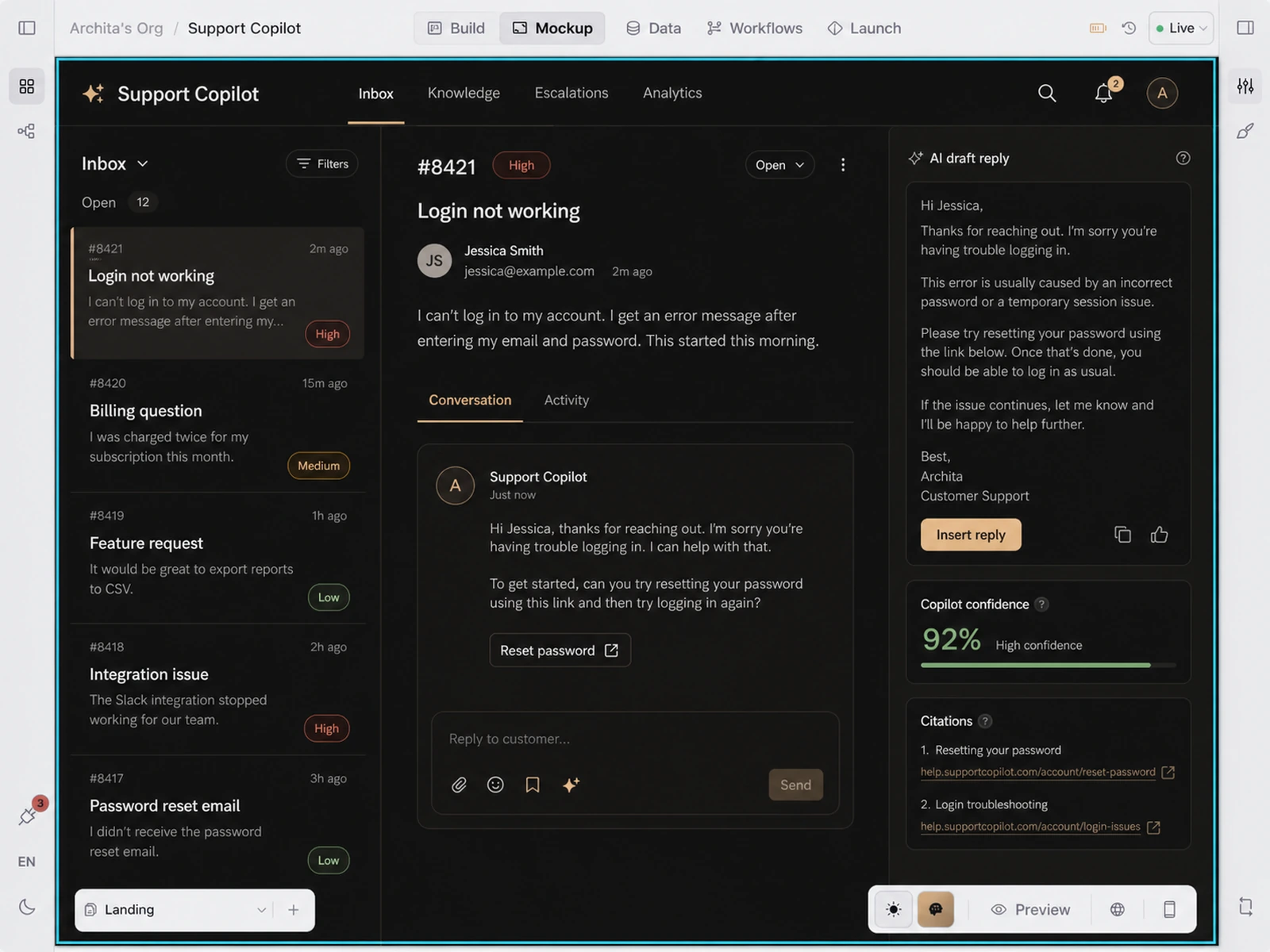
Shape the experience
Edit and preview what people will use.
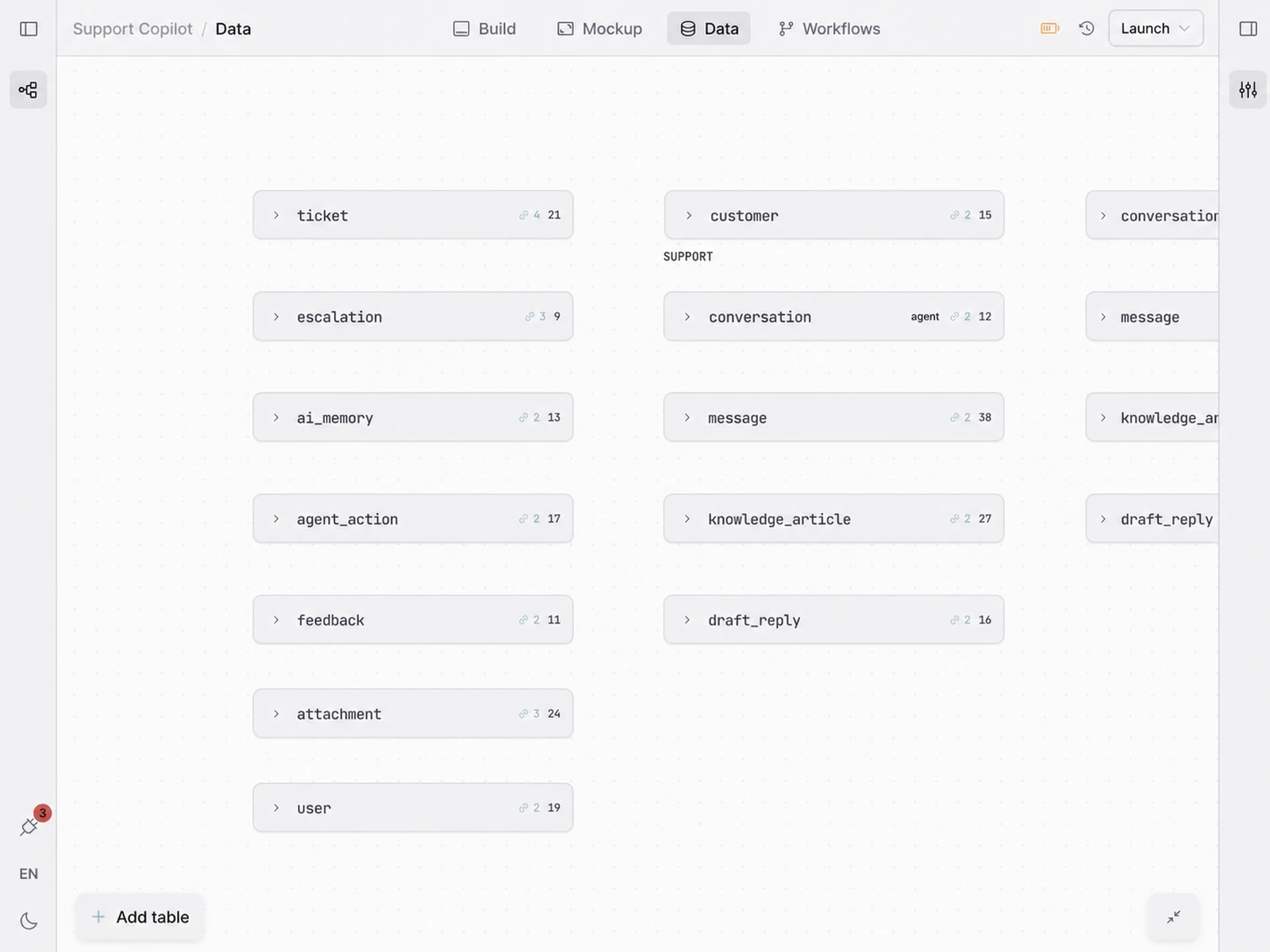
Connect the knowledge
Records and docs stay in reach.
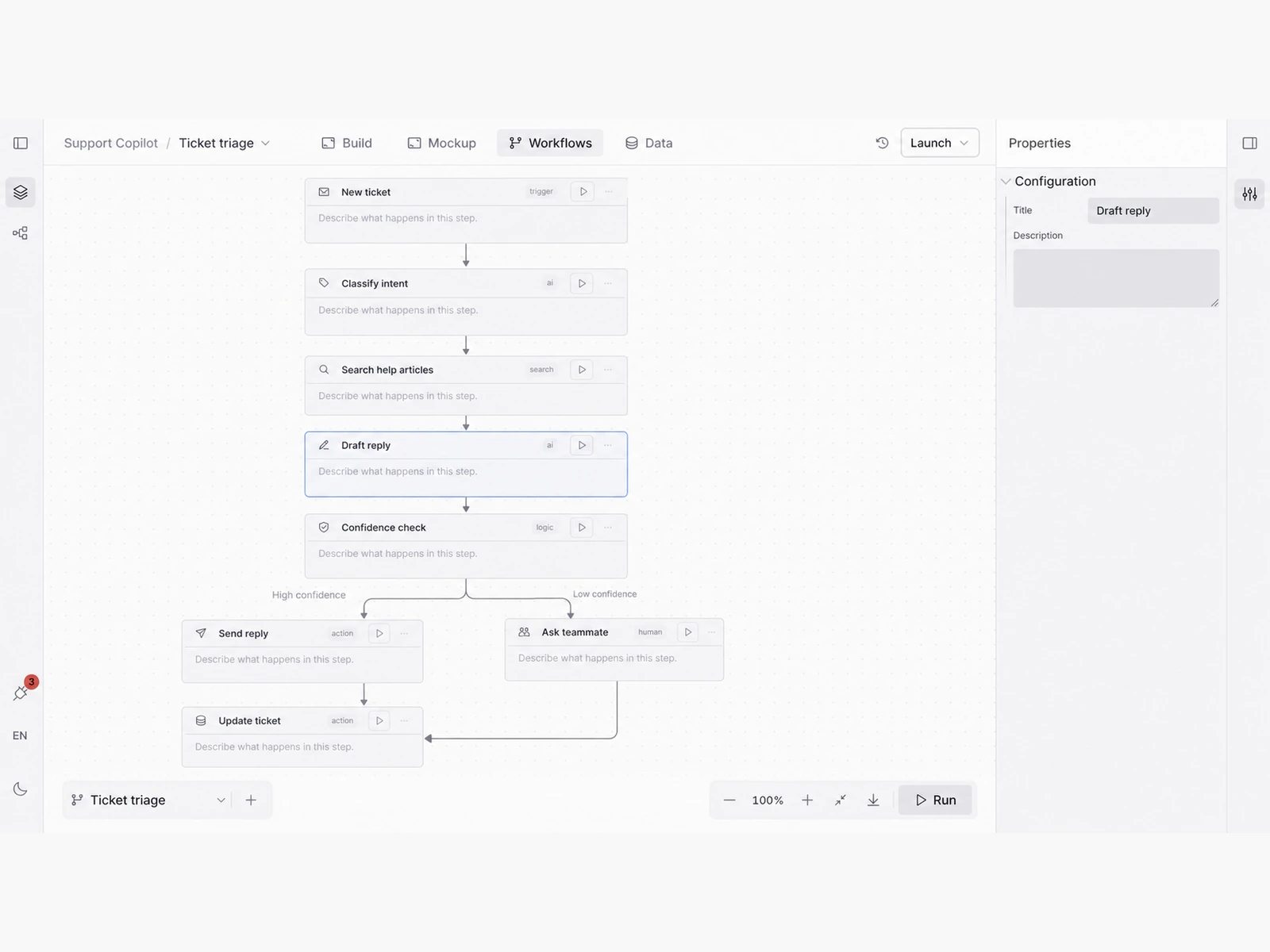
Set the guardrails
Tune the steps before launch.
Launch when ready
Move from preview to production.
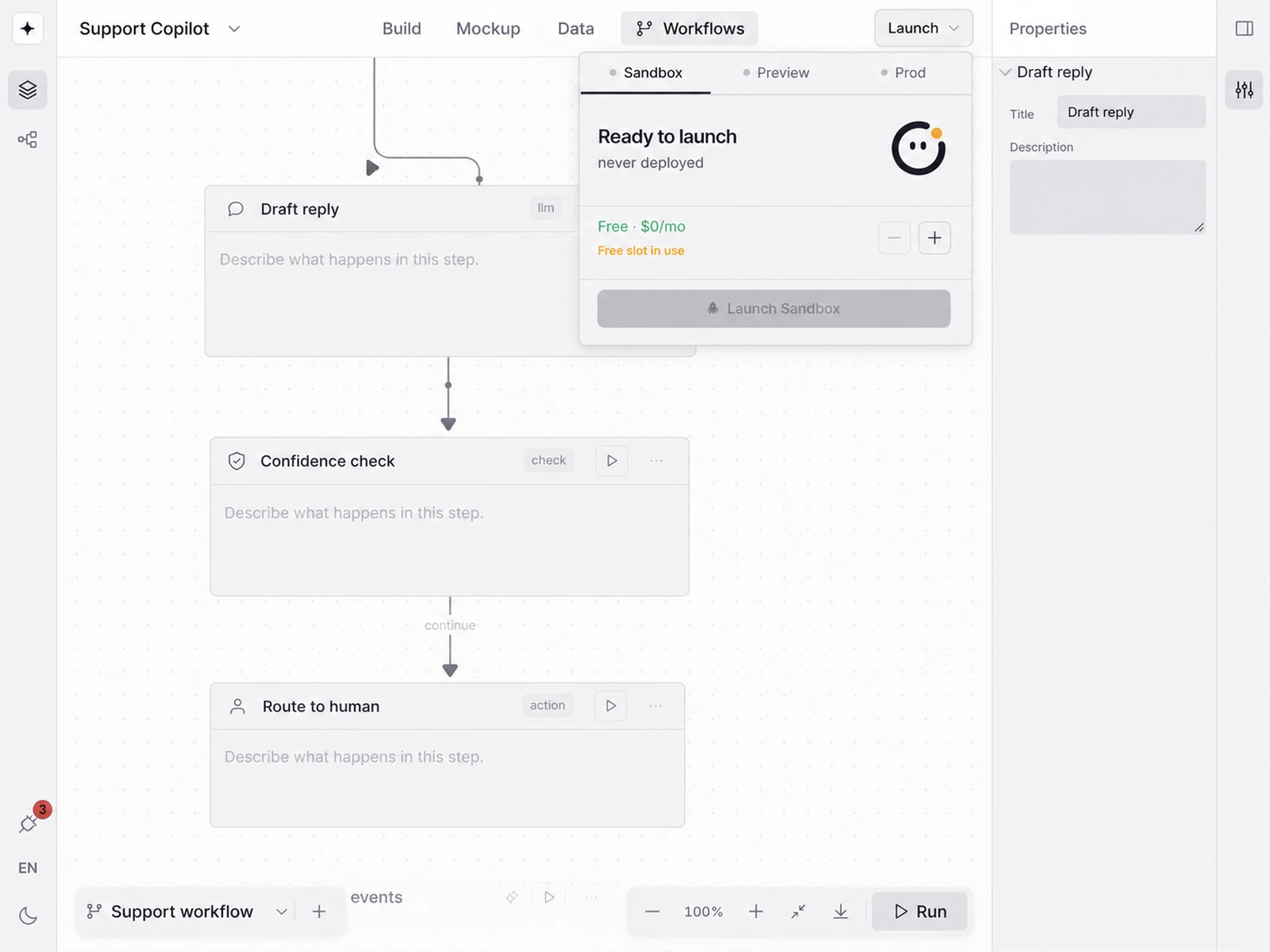
Make the AI app ready to use.
Review how it works, what it knows, and what it can do before you launch.
Review the app
Check the inbox, drafts, and citations before launch.
Check the knowledge
See the records and docs the AI can use.
Set review steps
Choose when a teammate should approve the AI's work.
AI apps, answered.
What makes an app AI-native?
The AI is built into the product, not bolted on as a chat box. It can use the app's screens, data, workflows, and actions to help people get work done.
Can it answer from my own data?
Yes. You can shape the data model and connect the records, docs, tickets, messages, or other context the app should use before it responds.
Can a person review what the AI does?
Yes. Workflows can include confidence checks, approvals, handoffs, and review screens so the AI does not have to act alone.
What does Orbit generate for an AI app?
Orbit drafts the app experience, data structure, workflows, and launch setup from your brief. You can then edit each part before publishing.
Can I keep improving it after launch?
Yes. You can keep changing the screens, data, and workflows as you learn how people use the app.